
Conversational editing
Describe the desired result in ordinary language, such as a 15-second reel with selected moments, captions, music, or a title at a specified point.

Narrative is an AI-first video editor that turns plain-language instructions and supplied footage into an editable timeline. It helps creators and video teams make rough cuts, highlights, reels, podcast clips, and product demos, then refine the result manually or with follow-up requests.
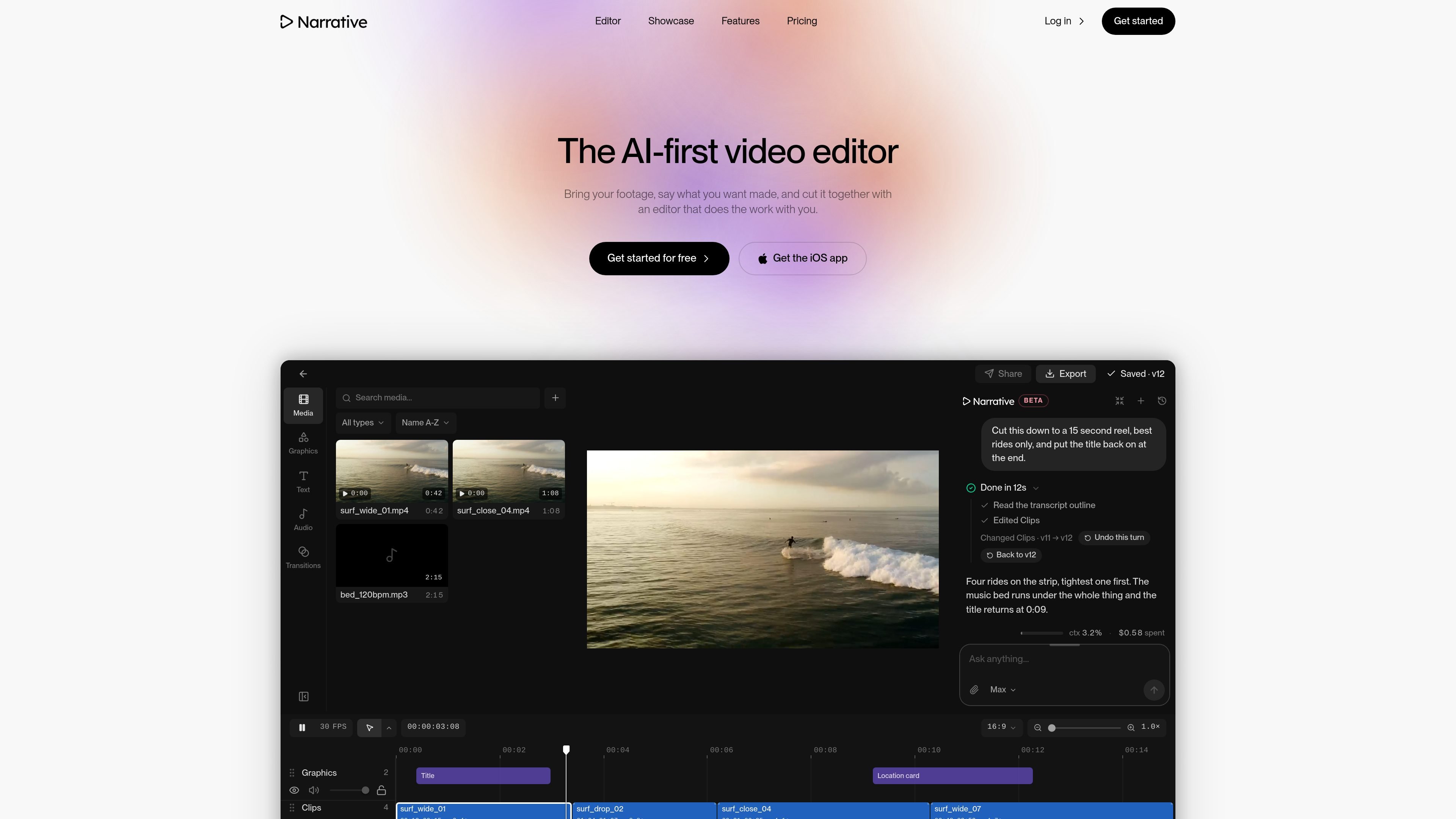
Narrative is an AI-first video editor that turns plain-language instructions into an initial video cut. You bring in footage, describe what you want made, and the editor reads the material, selects clips, and builds a timeline rather than returning only a text suggestion.
The resulting draft remains editable: you can open the timeline, scrub the sequence, mute tracks, adjust the frame, and continue the conversation with additional requests. Narrative is designed for workflows that begin with a rough cut or a long recording and need a shorter, more focused version for formats such as reels, highlights, podcasts, product demos, or event films.
Describe the desired result in ordinary language, such as a 15-second reel with selected moments, captions, music, or a title at a specified point.
Narrative reads the footage and transcript outline, selects clips, and assembles the requested sequence on a timeline.
The editor keeps the transcript, captions, timeline, versions, frame settings, and model controls in the same workspace as the editing conversation.
Each editing turn is saved as a version, so you can restore an earlier state or return the project to how it looked before a change.
Projects can be reframed as 16:9, 9:16, 1:1, or 4:5, including a stacked-speaker layout for vertical video.
You can choose Fast, Balanced, or Max processing, depending on whether the task involves small changes, typical edits, or longer footage and harder briefs.
Turn a long shoot into a short highlight by asking for the strongest moments, a target duration, and a specific placement for vows or other important dialogue.
Find the best moments from a recorded episode and request vertical versions with captions, then open the timeline to check the selected clips.
Extract goals and other notable plays from a full match recording and assemble them into a compact highlights edit for review or publishing.
Create a first cut of an unboxing or product demonstration from supplied footage, then make precise frame or sequence changes in the editor when review requirements change.
Narrative is an AI-first video editor. You provide footage and describe the edit in plain language; it analyzes the footage, creates a cut, and returns it on an editable timeline.
You can ask for edits such as a shorter cut, a supercut, a vertical version, captions, removing ums, a beat-synced cut, a title change, or a different duration. Narrative explains what it changed after processing the request.
Yes. The generated result is placed on a timeline that you can open and change. You can scrub the edit, mute a track, and make further adjustments after the AI creates the draft.
Narrative offers a free tier with no card required and three AI prompts to start. Paid plans include a three-day trial; the source lists Plus, Pro, and Studio plans, with plan limits and prices shown on the product site.

Video Effects SDK adds real-time webcam effects such as background blur, background replacement or removal, denoising, framing, beautification, and color grading. It is built for teams shipping live video experiences on web, desktop, and mobile platforms.

DeepMotion is a web-based AI motion capture and 3D animation platform with Animate 3D for video-to-animation and SayMotion for text-to-animation. It helps creators and teams generate motion in a browser and export results in common production formats.

Zella is a screen recorder and on-device AI video editor for Mac and iPhone. It helps creators record screens or cameras, automatically clean up footage, add captions, reframe clips, and export videos without uploading the core project to the cloud.

Agentic video understanding is a Gemini video analysis mode that helps developers inspect video more selectively for better accuracy and lower token usage. It is available through the Gemini API in Google AI Studio and the Gemini Enterprise Agent Platform.

Jupitrr Cut is a free iOS and Android teleprompter and recording app for scripted talking-head videos. It records scenes separately, lets users retake individual lines, trims pauses, and stitches the takes into a jump-cut video.

Optimo is a free, open-source CLI for optimizing and converting images and videos with format-specific commands built on ImageMagick and FFmpeg. It helps developers prepare web assets, batch process media, and automate compression from the shell or a Node.js script.