
Scene-based pose ideas
Start from the actual place, outfit, light, and mood instead of browsing a static pose list. Pajoox uses that scene context to suggest photo directions.

Pajoox helps you capture a scene and get pose ideas, angle guidance, composition tips, and reference shots before taking the photo. It is aimed at people who want practical help for selfies, travel photos, profile pictures, and other everyday shots.
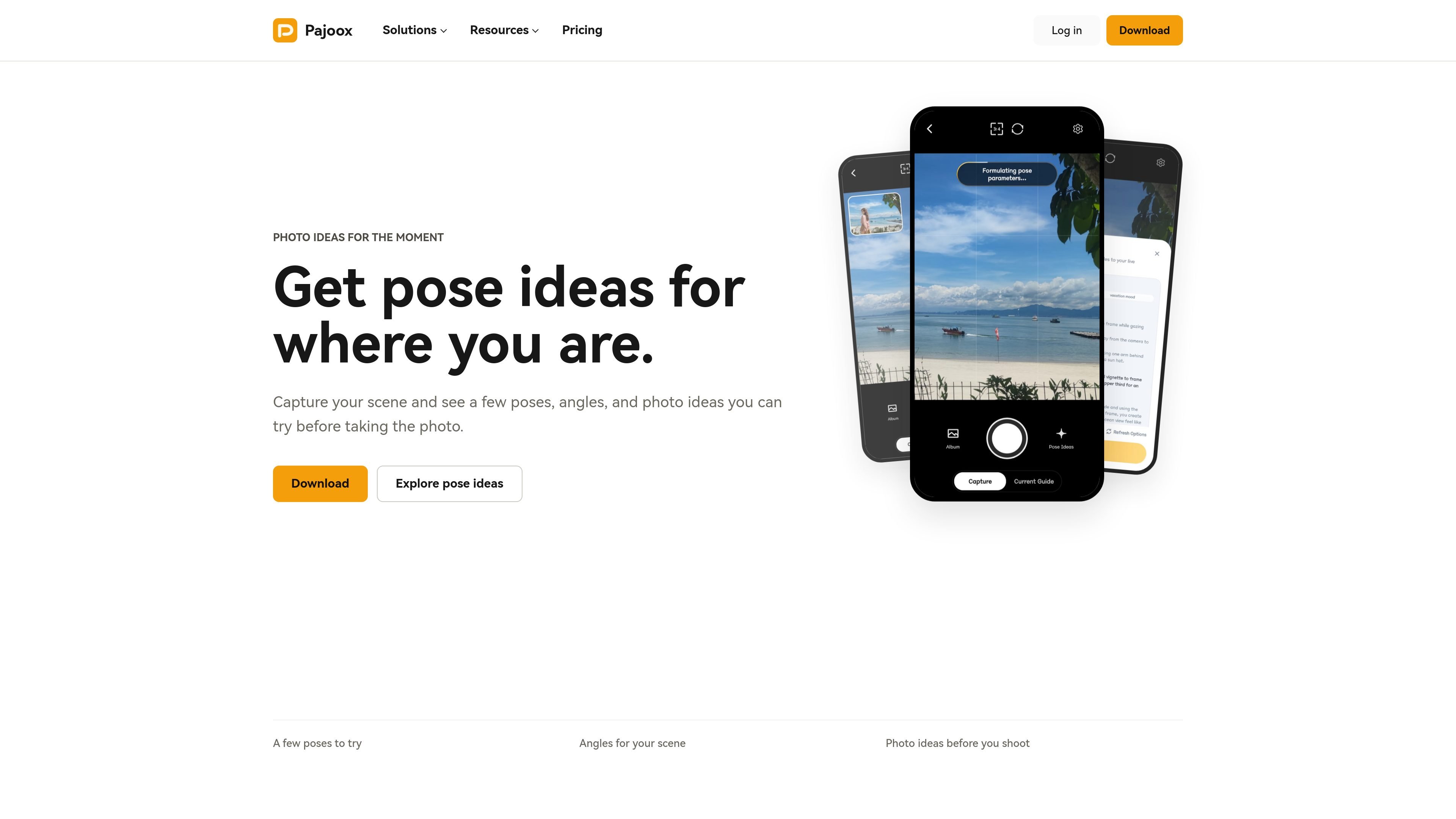
Pajoox is a scene-based photo guidance product that turns the place, outfit, light, and mood you are already working with into pose ideas, angle guidance, composition tips, and reference shots. Instead of starting from a generic pose list, it starts from the actual scene in front of you and gives practical direction before the moment passes.
The product is positioned for people who want better everyday photos without spending much time planning. Its examples and use cases include selfies, mirror shots, travel photos, profile pictures, couple and friend photos, street and outfit shots, and other moments where the pose, framing, or body language is not immediately obvious. Pajoox is available on Android, with web access tied to the same account, and iOS support is planned later.
Start from the actual place, outfit, light, and mood instead of browsing a static pose list. Pajoox uses that scene context to suggest photo directions.
Get cues for where to stand, how to hold the phone, and how to frame the photo. The product is focused on practical direction before you press the shutter.
See suggestions for using background, light, subject placement, and movement so the next shot has a clearer visual structure.
Review planning visuals that show pose and mood references before you take the real photo. The source describes these as reference shots rather than final images.
Use Pajoox with a specific goal in mind, such as a selfie, profile photo, travel memory, creator shoot, or planned session. Example directions are tailored to those contexts.
Handle extra guidance needs through one-time credit packs or a monthly plan, depending on how often you want new ideas and photo direction.
Use Pajoox when you want a selfie or mirror shot but need a quick starting point for phone height, posture, and where to place your free hand.
Turn a location, landmark, street corner, wall, or railing into a shot idea by using the surrounding scene, background, and light as guidance.
Get pose and framing suggestions for photos that feel clean and usable when you need a better profile image.
Plan standing, leaning, overlap, and shared-gaze directions for a more natural photo of two people or a small group of friends.
Use the scene around you to shape streetwear or outfit photos, especially when you want movement, framing, and structure instead of a stiff pose.
Pajoox is designed around a simple workflow: capture or upload the scene, then review pose ideas, phone angle cues, composition tips, and reference shots before taking the photo.
The source shows Android support first. Pricing also notes that you can use the same Pajoox account on the web and in the Android app, and that iOS support is planned for later.
Pajoox is aimed at everyday photos and planned shoots where you want guidance before the shot, including selfies, travel photos, profile photos, couple and friend photos, street and outfit shots, and work for photographers or models.
Reference shots are planning visuals. They are meant to help you understand the pose, framing, and mood before you take your own real photo.

Pixelcut is an AI photo editor for creating and editing product images, social content, and video assets. It offers free and paid plans, plus mobile app and browser access for individual users and teams.

Petalica Paint is a web service for automatically coloring line art and tracing line drawings from photographed images. The home page says it can be used under the stated terms for commercial and noncommercial work, but it is scheduled to end on 2025-07-31 at 16:00 JST.

Teloframe is an AI-powered football coaching platform for building tactics, editing drills, planning sessions, and managing player development in one workspace. It includes a Free tier plus Pro and Club plans for coaches and analysts who need more collaboration and team features.

LeanUp is an AI calorie tracker and meal-planning app for logging meals, tracking macros, and getting personalized nutrition guidance. It supports barcode scanning, photo-based food recognition, manual search, and recipe reuse.

TrakMac is a voice-first macro tracking app for fitness-focused users on iOS. It estimates calories and macros from spoken meal descriptions, then helps users log food and stay aligned with their training goals.

Wearvue AI generates personalized outfit previews from a photo, lets users refine the style for an occasion, and surfaces similar real products to shop. It is aimed at people who want to preview outfit ideas before buying and compare them with shoppable alternatives.