
Unlimited clipboard history
Paste stores copied items with unlimited history, so text, links, colors, templates, code snippets, and other copied content can be retrieved later.

Paste is a clipboard manager for Mac, iPhone, and iPad that saves unlimited clipboard history, makes copied content searchable, and syncs it across Apple devices. It also supports pinned pinboards, team sharing, and local connections to compatible AI tools through MCP.
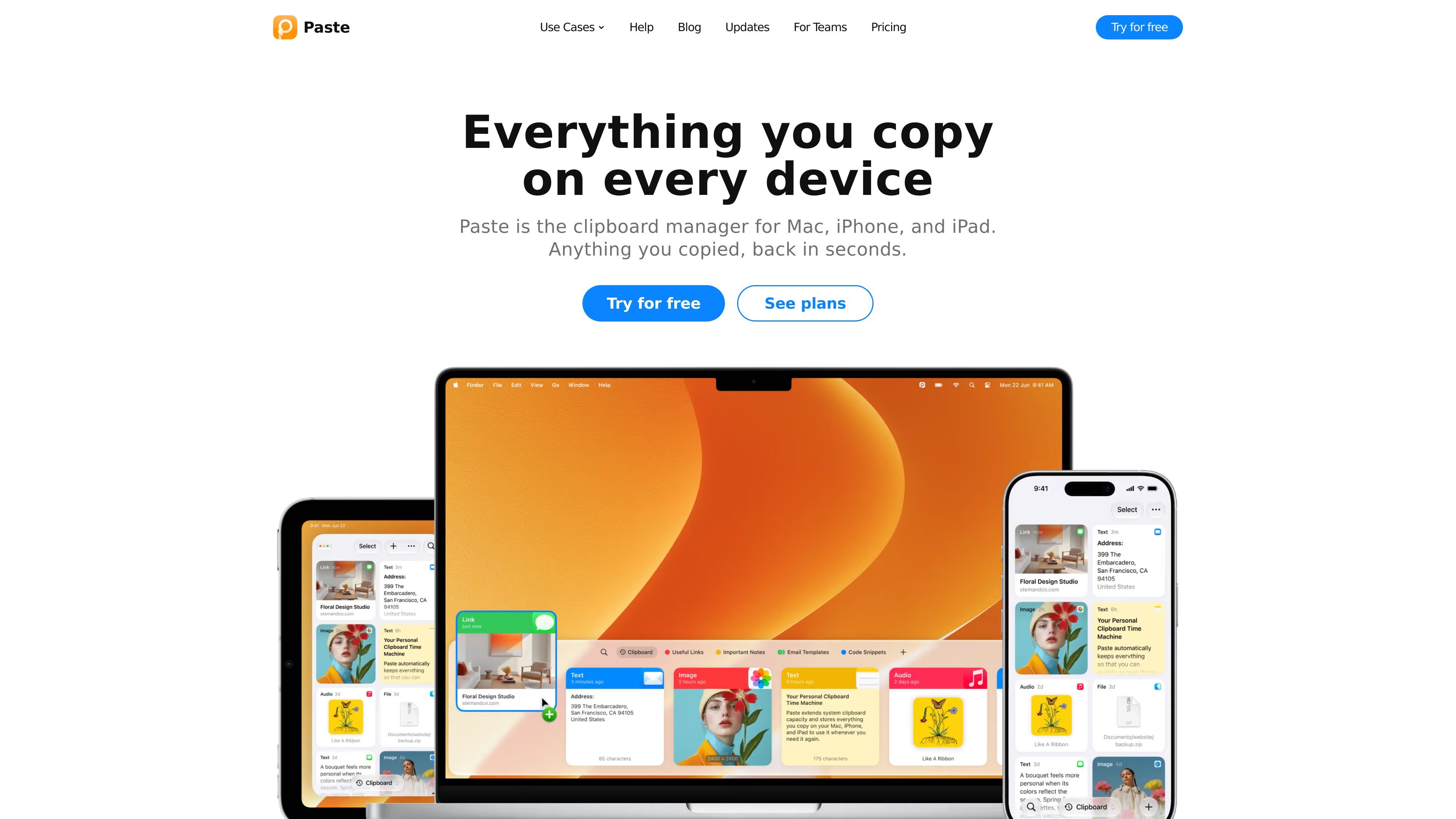
Paste is a clipboard manager for Mac, iPhone, and iPad. It saves copied content in an unlimited clipboard history, then makes that history searchable so users can recover text, links, images, colors, code snippets, and other items instead of losing them after the next copy.
The app also provides pinned items and pinboards for frequently reused content, syncs clipboard data across supported Apple devices through private iCloud, and can connect approved AI tools to clipboard history through Paste MCP. Paste is designed for individual workflows as well as teams that need to share selected reusable pinboards without exposing personal clipboard histories.
Paste stores copied items with unlimited history, so text, links, colors, templates, code snippets, and other copied content can be retrieved later.
Search the entire clipboard history to locate a previously copied item instead of copying it again.
Pin frequently reused snippets, links, colors, and templates so they remain easy to access.
Keep clipboard content available across Mac, iPhone, and iPad through sync using private iCloud.
Paste can suggest what to paste next based on the current work context, using Apple Intelligence privately on the Mac.
Paste MCP lets approved AI tools search, use, save, and organize clipboard content through a local connection on the Mac.
Keep multiple code fragments, commands, documentation links, and configuration values available while switching between files or tools, without overwriting an earlier copy.
Save and quickly retrieve hex colors, icons, links, and visual references that are reused across design tasks.
Recover paragraphs, research notes, and source links copied while drafting, then use pinned content for recurring writing materials.
Use shared pinboards for team-approved replies, legal wording, colors, or snippets while keeping each person’s full clipboard history private.
Give a connected AI tool access to selected clipboard context for tasks such as drafting an update from copied notes, summarizing recent copied material, or organizing project items into a pinboard.
Paste is available on Mac, iPhone, and iPad. A trial started on one device unlocks Paste on the other devices signed in with the same Apple Account.
You can download Paste for Mac from the website for a seven-day trial without a credit card, or use the App Store. On iPhone and iPad, Paste is downloaded from the App Store.
The website download does not charge automatically when the trial ends, and your clipboard history is kept for access if you later purchase a plan. An App Store subscription renews automatically unless canceled at least 24 hours before the trial ends.
Paste MCP is built into Paste for Mac. Open MCP settings in Paste, enable MCP, choose a compatible AI tool, and follow its setup guide. It works with Claude, Codex, Cursor, and other tools that support MCP.
No. In the team plan, each user’s clipboard history remains private. Only pinboards that someone chooses to share are visible to invited teammates.

Goldfish is an AI memory app for macOS that helps you reply, write, summarize, and continue using the context already on your Mac. It stores memory locally and writes in your tone.

ArtDeck is a visual reference board app for iPhone, iPad, and Mac that lets artists collect mixed reference material on one canvas and study it with ToolBox lenses. It works offline, supports optional iCloud sync, and is sold as a one-time purchase with no account required.

Biji es una plataforma versátil diseñada para mejorar la productividad a través de herramientas y características innovadoras.

Malyatko is a baby tracker for logging feeding, sleep, growth, teething, and milestones in one app. It works on iPhone, Apple Watch, and widgets, with no sign-up, offline use, and family sharing through iCloud.

Redline is a budgeting tool for Claude Code that paces sessions to stay within time, token, cost, or plan-percentage limits. It uses Claude Code’s native hooks and statusline to help sessions finish with a usable result instead of stopping abruptly.

Claude Overlay is a Windows desktop overlay for Claude Code that reads your screen so you can ask questions, inspect content, and request edits without leaving the current app. It runs on your existing Claude subscription through the Claude CLI, so no separate API key is required.