
Image and video screen content
Place an image or video on an iPhone, Android device, or iPad mockup.

sliick is a free browser-based 3D mockup maker for placing screenshots and videos into iPhone, Android, and iPad scenes. It helps designers and creators build single- or multi-device compositions with adjustable layouts, shapes, scene presets, and local file handling.
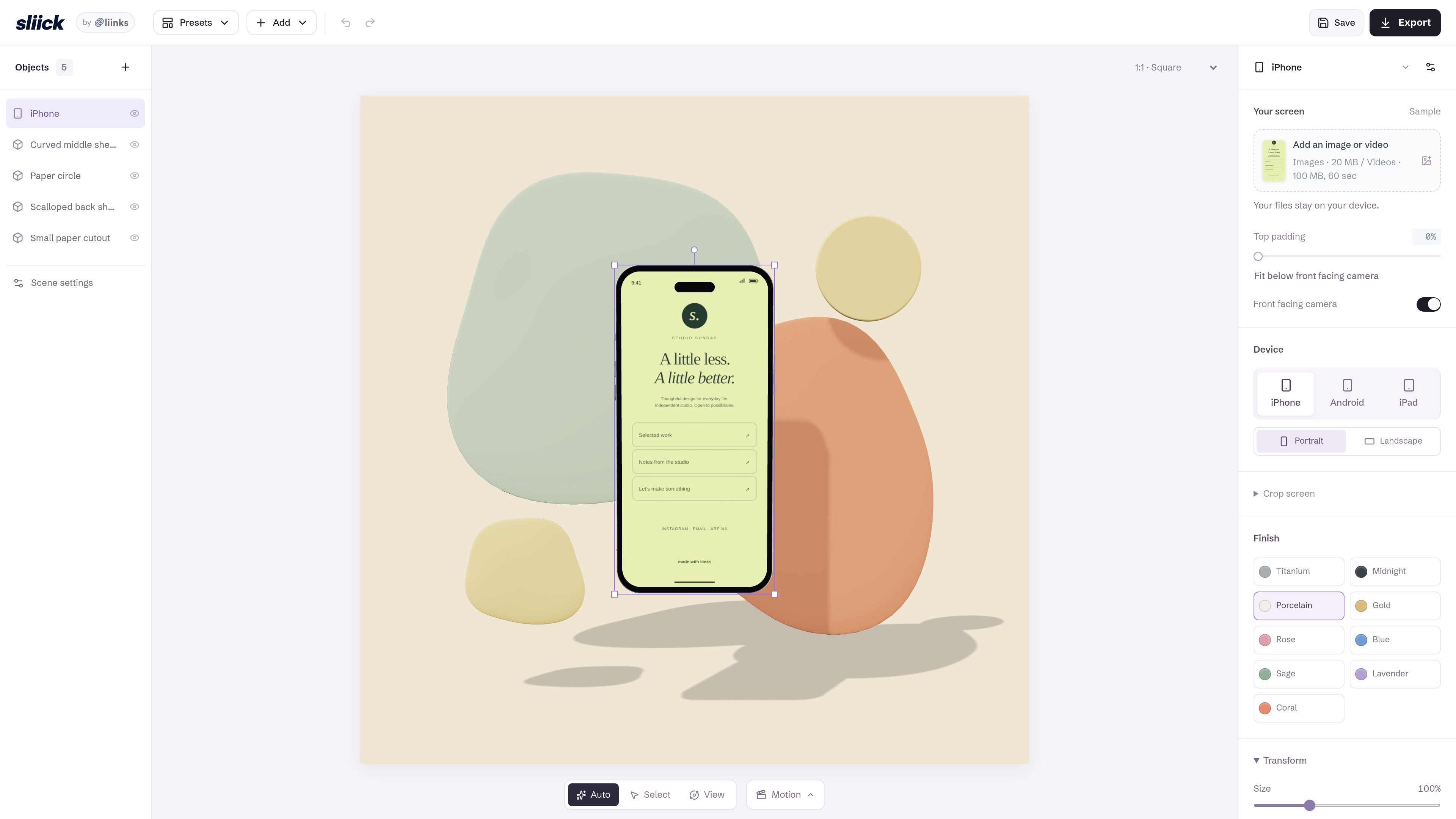
sliick is a browser-based 3D mockup maker for creating device scenes around screenshots and videos. It provides a studio-style editor with iPhone, Android, and iPad device options, along with controls for screen placement, cropping, orientation, and composition.
The tool is positioned as free and supports local exports. Its interface includes single-device and multi-device starting points, editable shapes, scene presets, and lighting options, allowing users to build visual assets without sending their files away from the device according to the site’s stated workflow.
Place an image or video on an iPhone, Android device, or iPad mockup.
Choose square, portrait, story, poster, photo, landscape, and other listed aspect ratios for the composition.
Adjust padding, screen fit, front-facing-camera fit, horizontal and vertical crop, and portrait or landscape orientation.
Arrange devices and add shapes including spheres, cubes, toruses, cylinders, cones, discs, gems, and arches.
Move, rotate, recolor, resize, and remove shapes, while also controlling device color, depth, position, and rotation.
Apply lighting presets including Soft studio, After hours, Citrus, Blue hour, and Rose Close up.
Turn app screenshots into arranged phone, tablet, or multi-screen compositions for a product presentation.
Place short product clips into device frames to create visual assets for video-oriented demonstrations.
Use canvas presets such as Stories, Poster, Photo, or Landscape to prepare compositions for different content orientations.
Start with presets such as Papercut, Retro, Chrome, Wireframe, or Cloud when a scene needs more than a plain device frame.
Add an image or video to the selected device scene, then adjust its fit, crop, padding, orientation, and position before finishing the composition.
The interface lists support for images up to 20 MB and videos up to 100 MB with a maximum duration of 60 seconds.
The site states that files stay on your device, and its description says exports are local.
You can start from a device-only setup, multiple-device arrangements, or preset scenes such as Papercut, Retro, Chrome, Wireframe, and Cloud.

PixelDrive is a bulk image generation API for creating many on-brand images from one template through a browser editor, REST API, CSV batch, or MCP. It suits teams that need repeatable image output with cacheable renders and usage-based pricing.

Napkin AI convierte texto en visuales editables para presentaciones, documentos y contenido compartible. Generación desde texto y exportación a PPT, PNG, SVG o PDF.

appdesigns is a browser-based tool for creating App Store and Google Play screenshots from uploaded app images. It helps developers and designers add device frames, customize layouts, and export unlimited watermark-free PNGs without an account.

Refero MCP for AI agents connects an MCP-compatible agent to Refero’s curated library of web and iOS product interfaces and user flows. It helps agents research real design patterns before generating UI, with access included in the Refero Pro plan.

Pass Designer is a macOS beta tool for creating and previewing Apple Wallet passes. It helps businesses, developers, and design teams combine templates, custom imagery, pass fields, colors, and semantic data while checking how passes render on iPhone and Apple Watch.

Frames te ayuda a crear carteles de lanzamiento y gráficos para redes sociales rápido con marcos de dispositivo premium y plantillas. Empieza gratis.