
Outcome-oriented assistant
Users describe an outcome in plain language, while the assistant interprets the request and uses configured tools to carry out the task rather than only explaining the steps.

Yedric AI is an embedded, configurable AI assistant for Shopify app teams. It uses product knowledge, app context, and selected APIs or tools to help users complete tasks, answer questions, and surface product feedback.
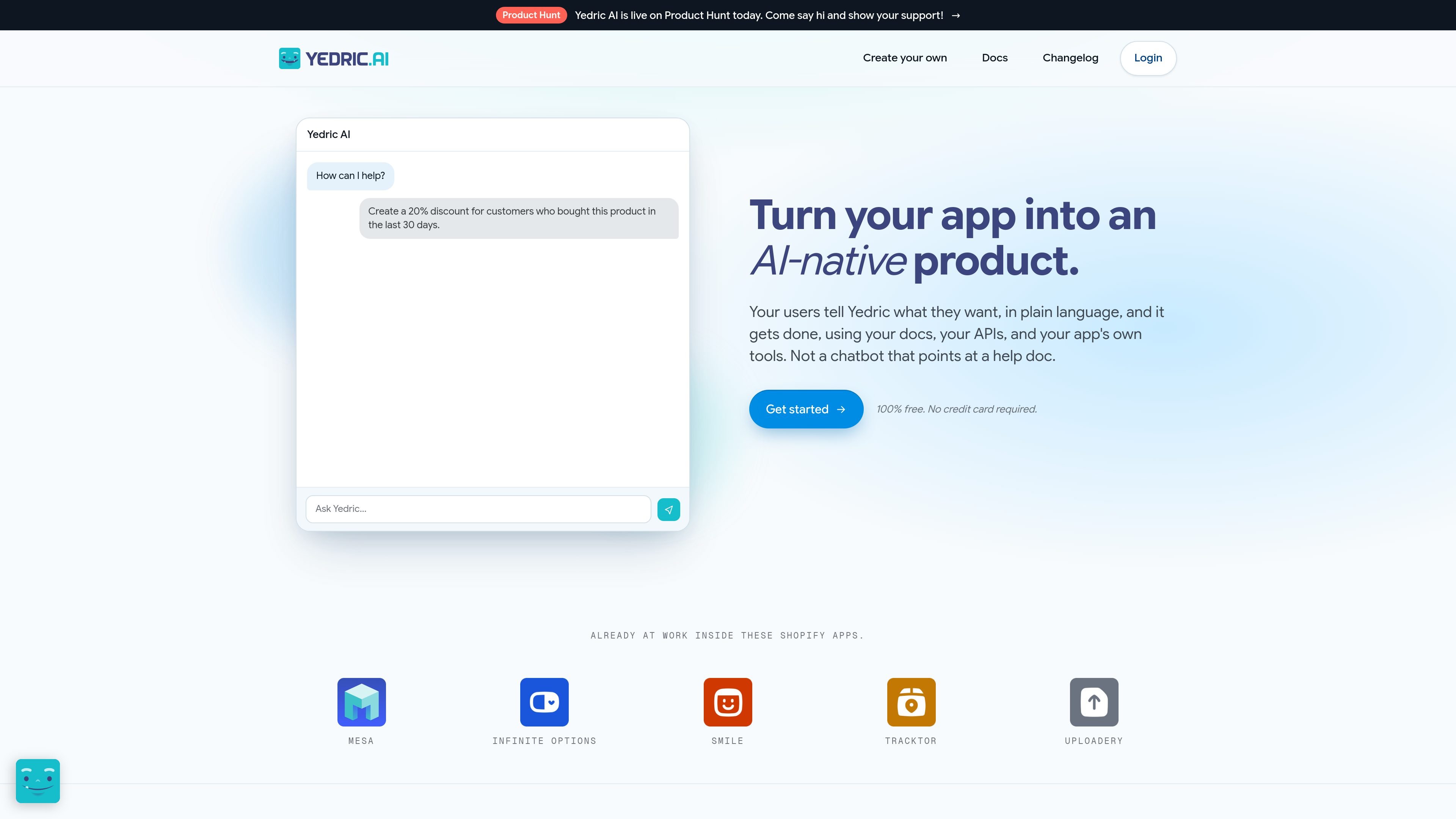
Yedric AI is an embedded AI assistant for Shopify app teams. It lets an app's users describe what they want in plain language, then combines product knowledge and user or page context with configured tools to help complete the requested task. This positions Yedric as an action-oriented product interface rather than a chat widget limited to support answers.
App teams provide the assistant with documentation and other knowledge sources, connect selected APIs or MCPs, and control which actions it can take. Yedric can be introduced with basic question answering and expanded with product actions. Its dashboard also records conversations and action activity, helping teams identify friction, unanswered needs, and feature requests. The site says setup can take about 30 minutes for most developers, but implementation details and capabilities depend on the app's own configuration.
Users describe an outcome in plain language, while the assistant interprets the request and uses configured tools to carry out the task rather than only explaining the steps.
Teams can connect APIs, app tools, and MCPs, then decide which capabilities are available. Supported examples include creating, updating, configuring, searching, analyzing, and troubleshooting.
Yedric can draw on documentation, PDFs, files, URLs, and other product knowledge, combined with real-time context such as the current page, user, or account.
The assistant can be embedded with a branded appearance and customized personality, prompts, behavior, placement, and other presentation details so it fits the host app.
Secure mode supports JWT, API keys, signed sessions, Shopify session tokens, and platform-native authentication. The site states that credentials are not exposed on the client.
A dashboard shows user questions, responses, actions taken, unresolved problems, feature requests, and other interaction patterns that can inform product improvements.
A merchant can ask for an operational result, such as creating a discount for a defined customer segment. With the relevant tools exposed, Yedric can find matching customers, create the code, and support follow-up actions instead of merely describing the process.
An app can use contextual prompts and knowledge to guide a new user through setup. The assistant can answer questions in the product and help users act on configuration tasks, reducing the need to switch to a separate guide.
When a user encounters a disconnected integration, billing question, notification setting, or product configuration issue, Yedric can combine the current page and account context with available troubleshooting or configuration tools.
Product and customer-success teams can review conversations, action outcomes, recurring friction, and feature requests to prioritize documentation, fixes, and future app capabilities.
Yedric is designed for teams building Shopify apps. It is embedded in an app, connected to that product's documentation and knowledge sources, and given access to selected APIs, tools, or MCPs. The site says most developers can get a basic setup running in about 30 minutes, starting with question answering before adding deeper actions.
The app team chooses which capabilities to expose. Depending on the configured tools, Yedric can create, update, configure, search, analyze, troubleshoot, or perform other tasks through the app's APIs. It does not automatically have unrestricted access to every app function.
Yedric can use documentation, PDFs, files, URLs, and product knowledge, together with context such as the current user, page, account, or other relevant information supplied by the app. This lets it interpret requests in relation to the product and the user's current workflow.
The site describes secure sessions using JWT, API keys, signed sessions, Shopify session tokens, or platform-native authentication. Secure mode binds sessions to verified users, and the site states that credentials do not sit on the client.
The site says Yedric is available to get started for free, with unlimited assistants and unlimited conversations, and that customers bring their own OpenAI, Anthropic, Gemini, or compatible model keys. The supplied pricing content does not specify paid plan names, limits, or billing terms.

Trigger.dev chat agent is a durable AI chat backend for developers building stateful conversations that can survive refreshes, crashes, and long-running turns. It connects with the AI SDK `useChat` flow and runs on managed infrastructure with no timeout on a turn.

CreateOS Sandbox is an isolated compute environment for running code and agent workloads inside Firecracker micro-VMs. It is designed for workflows that need machine-level isolation, private networking between sandboxes, and programmatic control through SDK, CLI, or MCP.

GitBot is a local browser-based workspace for creating reusable coding bots powered by Claude Code, Codex, or OpenCode. It helps developers run those agents across repository folders with persistent threads and configurable permissions.

Codex Plugins bundle reusable skills, app integrations, and MCP servers into workflows you can install in the Codex app or use from Codex CLI. They help extend Codex with connected-service tasks, reusable instructions, and shared team workflows.

Ably Chat is a chat API platform for building custom realtime chat applications. It supports room-based messaging, typing indicators, presence, reactions, and message updates, with usage-based pricing options for different deployment stages.

Wallie is an open-source AI streamer that watches your screen, hears chat, and generates live commentary in a configurable persona. It runs locally on your machine with your own keys and is aimed at faceless content, autonomous streams, and real-time reactions.