
Site-content answers
The agent responds using the content already published by the website, so updates to site pages can be reflected in subsequent answers.

Cosmic AI Support Agent adds an AI help-desk chat to a website and answers from the site’s published content. It is intended for product, documentation, and support teams that want automated visitor assistance with email capture and human follow-up when needed.
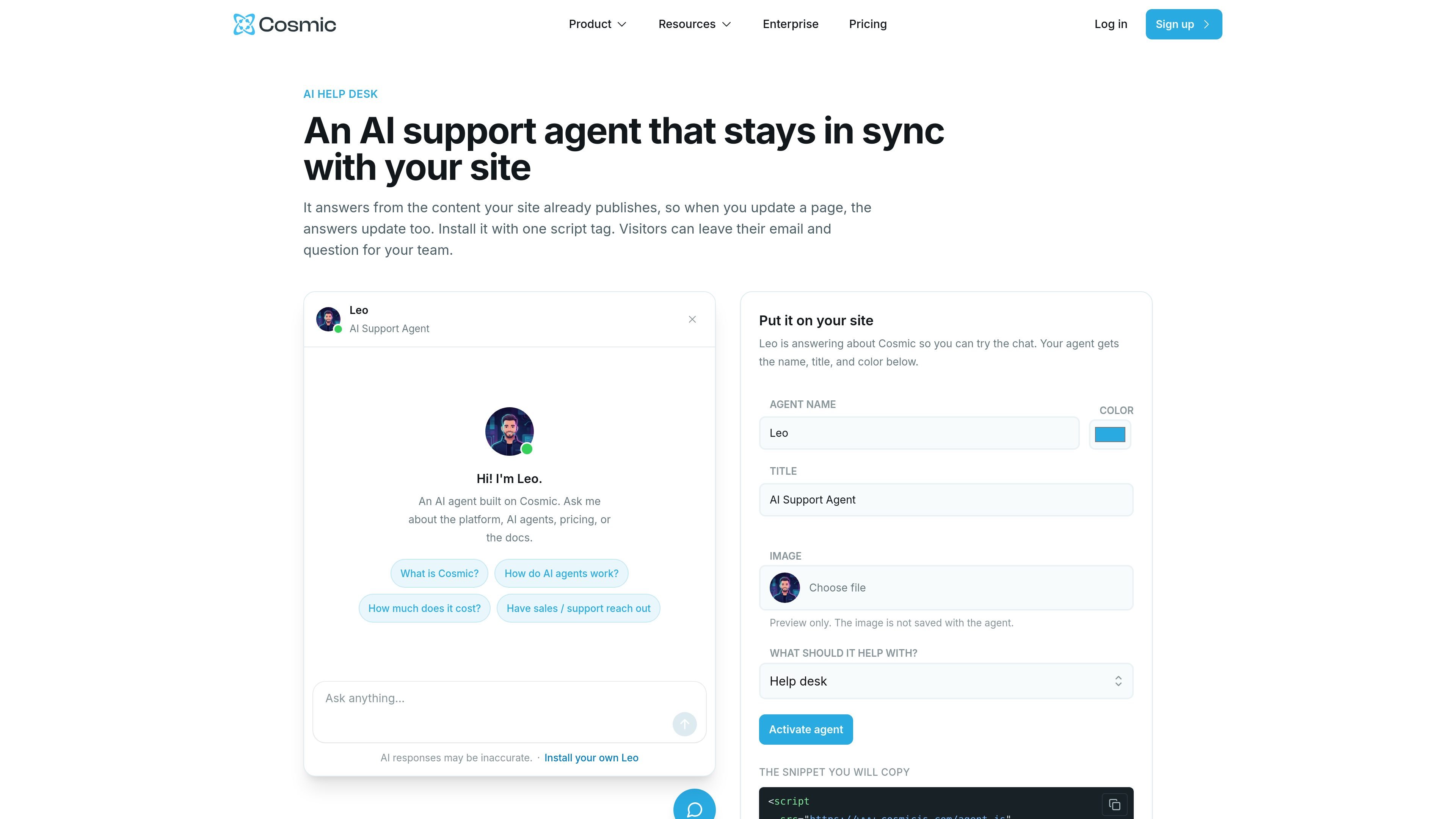
Cosmic AI Support Agent is a website help-desk agent for organizations that want to answer visitor questions from the same content their site publishes. It is designed to keep responses aligned with existing pages rather than requiring a separate support knowledge base described in the available product material.
The agent is added with one script tag and can be presented with a configurable name, title, and color. Visitors can ask questions in the embedded chat, leave an email and question for the team, and have uncertain requests handed to a person. The page demonstrates the agent answering questions about Cosmic, AI agents, pricing, and documentation, but does not define a broader channel or integration list for deployments.
The agent responds using the content already published by the website, so updates to site pages can be reflected in subsequent answers.
Add the agent to a website with the provided asynchronous JavaScript snippet and an agent key.
Configure the agent’s displayed name, title, and color. The setup interface also provides an image preview option.
Visitors can submit their email address and question so the team can follow up when automated help is insufficient.
The product description states that uncertain questions can be handed to a person instead of being handled solely by the automated agent.
Add a chat entry point to a documentation or product site so visitors can ask about the platform, pricing, or published guides without searching every page manually.
Let prospective customers ask pre-sales questions on a product website and provide a way for them to leave their contact details when they need a team member.
Use the agent as a first response layer for recurring website support questions, while directing uncertain requests to a person for follow-up.
Give content teams a support interface that draws from the site’s current published material, reducing the need to separately update answers when pages change.
No. The support agent can be installed by copying the provided script tag into a website. The setup page shows a script using an agent key and asynchronous loading.
It answers from the content your site already publishes. When you update a page, the information used for answers updates with it, according to the product page.
Visitors can leave their email address and question for the team. The product description also says the agent hands a question to a person when it is not sure.
The agent can be configured with a name, title, color, and image preview, allowing its presentation to match the website branding. The preview image is not saved with the agent in the shown setup interface.
Cosmic pricing includes AI agents and workflows on every listed plan, with agent counts and AI tokens varying by plan. The support-agent page does not state a separate price specifically for this agent.

IntellAgents is an AI voice and chat agent service for businesses handling customer calls, outbound calls, and messaging across WhatsApp, Instagram, Facebook, Telegram, and websites. It uses a shared knowledge base, provides conversation summaries, and can escalate interactions to human staff.

Ably Chat is a chat API platform for building custom realtime chat applications. It supports room-based messaging, typing indicators, presence, reactions, and message updates, with usage-based pricing options for different deployment stages.

Claude Overlay is a Windows desktop overlay for Claude Code that reads your screen so you can ask questions, inspect content, and request edits without leaving the current app. It runs on your existing Claude subscription through the Claude CLI, so no separate API key is required.

Grok est un assistant IA gratuit développé par xAI, conçu pour privilégier la vérité et l'objectivité tout en offrant des capacités avancées telles que l'accès à l'information en temps réel et la génération d'images.

Trigger.dev chat agent is a durable AI chat backend for developers building stateful conversations that can survive refreshes, crashes, and long-running turns. It connects with the AI SDK `useChat` flow and runs on managed infrastructure with no timeout on a turn.

ClawEase is an AI business operator that captures requests across calls, email, SMS, WhatsApp, LINE, and web forms, then completes booking and service workflows in existing web systems. It is aimed at appointment-based businesses that need intake, follow-up, and execution without API changes.