
Private travel map and passport
Record flights quickly and let the app build a personal travel map with glowing flight arcs, visited countries, and a virtual passport.

Flown: Live Flights & Trips is an iPhone travel app that logs flights into a private map, passport, and travel stats. A Pro layer adds live flight status and trip-planning tools.
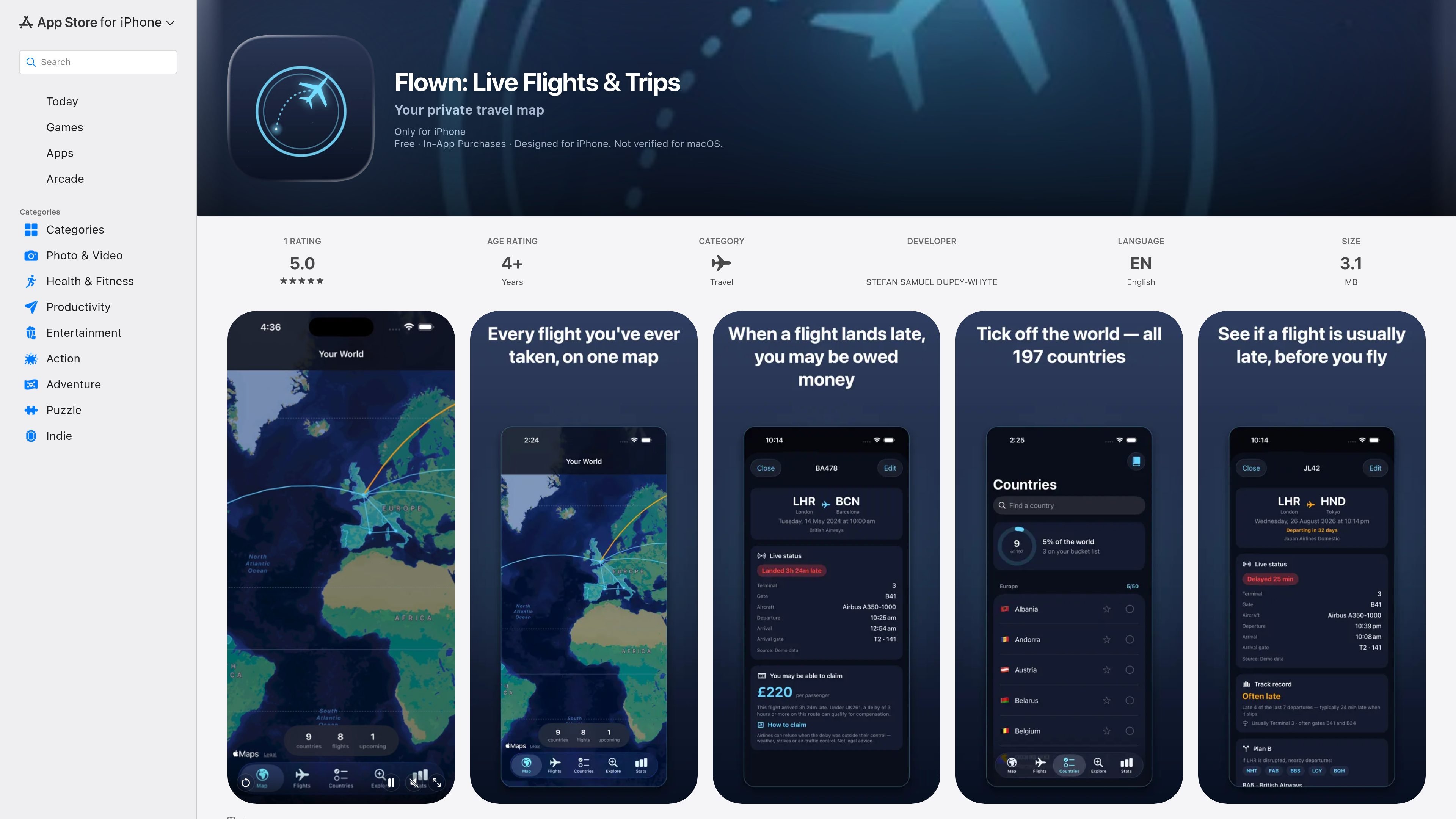
Flown: Live Flights & Trips is an iPhone travel app for logging flights and turning that history into a private, visual record. Its core experience centers on a personal world map, a virtual passport, and stats that summarize where and how far you have flown.
The app also adds a Pro layer for live flight status and trip-planning tools. According to the App Store listing, Flown is private by design: there is no account, no tracking, calendar scanning happens on-device, and sync is handled through the user’s own iCloud.
Record flights quickly and let the app build a personal travel map with glowing flight arcs, visited countries, and a virtual passport.
See travel stats such as miles flown, hours in the air, times around the Earth, top routes, and airlines.
Find flights already stored on your iPhone Calendar, with on-device scanning and no upload of calendar data.
Keep your flights, map, and stats in sync across devices through your private iCloud setup.
Use the Pro layer to check live flight status, including delays, gates, terminals, and aircraft details.
Explore flexible-date fare calendars, cheapest-day results, “Anywhere” ideas from your home airport, and route-based reward estimates for British Airways and Avios partner flights.
Use the app to log flights as they happen or after the fact, then review a map and passport-style record of where you have been.
Let Flown search your iPhone Calendar for flights so you can rebuild past trips without manually entering every route.
Open the Trips view to group flights into journeys and revisit route, distance, countries visited, and days away for each trip.
Check live status details before departure or during disruption to see delays, gates, terminals, and aircraft information.
Browse fare calendars and flexible-destination ideas when you are choosing where to go next from your home airport.
It is an iPhone app designed to log flights and organize them into a private travel map, with optional Pro features for live flight lookups and trip planning.
The app says calendar import is on-device and that nothing is uploaded. It also says your travel history syncs privately through your own iCloud.
Flown is described as free with in-app purchases, and it invites users to try Flown Pro free. The source does not list exact subscription pricing or feature limits.
The app page says it is designed for iPhone and requires iOS 17.0 or later. The listing also shows compatibility notes for Mac and Apple Vision.
The source does not mention shared or family accounts. The copy emphasizes a private, no-account experience, so it appears centered on individual travel history rather than team use.

Malyatko is a baby tracker for logging feeding, sleep, growth, teething, and milestones in one app. It works on iPhone, Apple Watch, and widgets, with no sign-up, offline use, and family sharing through iCloud.

Gemma AI is a phone call reminder app that calls you with scheduled reminders instead of push notifications. It helps people who want a more direct way to stay on schedule, with Google Calendar sync and conversational call interactions.

Spotit est une app macOS qui lit votre écran et met en évidence exactement où cliquer, via des questions vocales et des indications à l’écran.

Yattayo: Slider To-Do Board is a productivity app that turns tasks into a physical-style slider board with sticky notes, widgets, reminders, and iCloud sync. It helps people who want a more tactile way to manage to-dos and, in Premium, recurring habits.

ConscioussAI is an AI assistant for macOS, Windows, iOS, and Android that helps execute tasks across apps, files, the browser, and messages. It is aimed at people who want permission-based help on both desktop and mobile.
MealTime est votre compagnon de recettes personnel, conçu pour fonctionner hors ligne, vous aidant à sauvegarder, organiser, planifier des repas et générer des listes de courses intelligentes, tout en garantissant la confidentialité de vos données.