
Instant dictionary lookups
Look up subtitle words with definitions, readings, pitch accent, frequency, conjugation, and other entry details before you let go of the click.

LangPanda is a browser extension for learning languages from streaming video and other supported sites. It combines instant subtitle lookup, flashcard creation, vocabulary tracking, and spaced-repetition review for 36 languages.
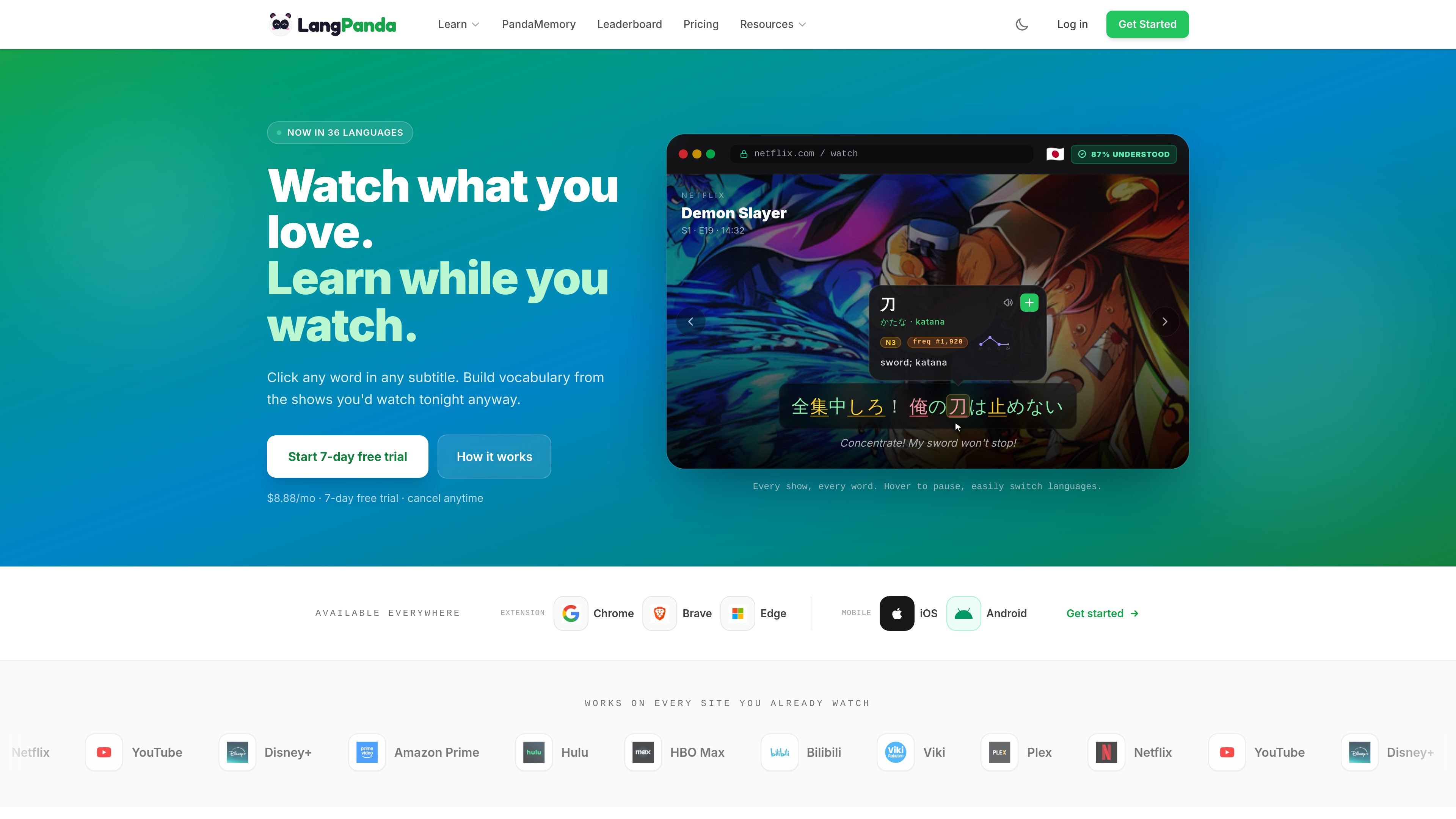
LangPanda is a language-learning browser extension and companion study system built around watching video content. It lets learners click subtitle words for instant definitions, audio, readings, and context, then save useful items into flashcards or review them later in PandaMemory or Anki.
The product is designed for immersive study across 36 languages and 20+ supported video sites, including Netflix, YouTube, Disney+, Amazon Prime, Hulu, HBO Max, Bilibili, Viki, and Plex. Its workflow combines subtitle mining, vocabulary tracking, spaced repetition, and a multilingual dictionary so learners can study from shows they already watch.
Look up subtitle words with definitions, readings, pitch accent, frequency, conjugation, and other entry details before you let go of the click.
Use one-click AI explanations to unpack a word or phrase in the surrounding line and save that explanation to a flashcard.
Save words, sentences, audio, and screenshots into PandaMemory, which uses the FSRS-5 algorithm for spaced repetition review.
Export cards to Anki with audio and screenshots, or connect AnkiConnect for deck-based workflows.
Track known, learning, and ignored words, plus vocabulary progress with heatmaps and streaks.
Use the extension across supported video sites and on mobile for review on the go, with subtitle mining and audio capture included in the paid plans.
Watch an episode or clip on a supported streaming site, click unfamiliar subtitle words, and keep moving without switching tabs. This works well for learners who want to turn passive viewing into study time.
Mine sentences, audio, and screenshots from interesting lines to build flashcards from real context. This is useful when you want example-based vocabulary study rather than isolated lists.
Review saved words later in PandaMemory on the web or mobile, or export them to Anki if you prefer an external spaced-repetition deck.
Track known and learning words, then watch your progress through heatmaps, streaks, and per-episode vocabulary counts. This is a fit for learners who want visible study momentum over time.
LangPanda is a browser extension and study system for learning languages from video content. It adds instant dictionary lookups, AI explanations, flashcard mining, and vocabulary tracking while you watch supported sites.
You install the extension in a supported desktop browser, sign in, and set a target language. From there, you can click words in subtitles to see definitions, save cards, and review them later in PandaMemory or Anki.
LangPanda offers a 7-day free trial, then charges $8.88 per month or $88.88 per year. The pricing page says you can cancel anytime and that the yearly plan saves 17%.
The extension guide says LangPanda works in Chrome, Brave, and Edge. The home page also notes it works on Netflix, YouTube, Disney+, Amazon Prime, Hulu, HBO Max, Bilibili, Viki, Plex, and 20+ other video sites.
LangPanda includes PandaMemory for review, Anki export with audio and screenshots, and vocabulary tracking tools such as heatmaps and streaks. The guide also mentions AnkiConnect setup for syncing.

Talkpal is an AI-powered language learning web and mobile app for practicing speaking, listening, writing, and pronunciation. It offers guided courses, roleplays, and call-style conversation practice across 130+ languages.

Lingofable is a story-based language learning app that helps learners practice reading at an appropriate level and review new vocabulary in context. It currently supports Spanish, with Android listed as coming soon.

Yokoso is a Japanese-learning app for people moving to or living in Japan. It focuses on practical daily language, adapts to what you already know, and supports offline learning with real-world content.

GameGrad turns PDF study material into quiz questions that appear inside arcade games, so users can practice active recall while they play. It offers a free tier with one PDF and a Pro plan with more uploads, more questions, and answer explanations.

Asụsụ Ọma is a free guided Igbo learning app for beginners, with short lessons, native-speaker audio, memory practice, games, and speaking rehearsal. It is designed for adult and young-adult learners, diaspora learners, children, and families studying Igbo at home or abroad.

recall is an AI flashcard app that turns reading and notes into study cards through Claude, ChatGPT, or another MCP client. It uses one-time lifetime access pricing and spaced repetition review.