
Queryable context across systems
Airbyte turns connected sources into a searchable Context Store so agents can retrieve relevant records across systems before taking action.

Airbyte is a data and agent infrastructure platform that turns connected sources into a queryable Context Store for AI agents. It helps teams build agents that search across business systems, read fresh records, and act on current data.
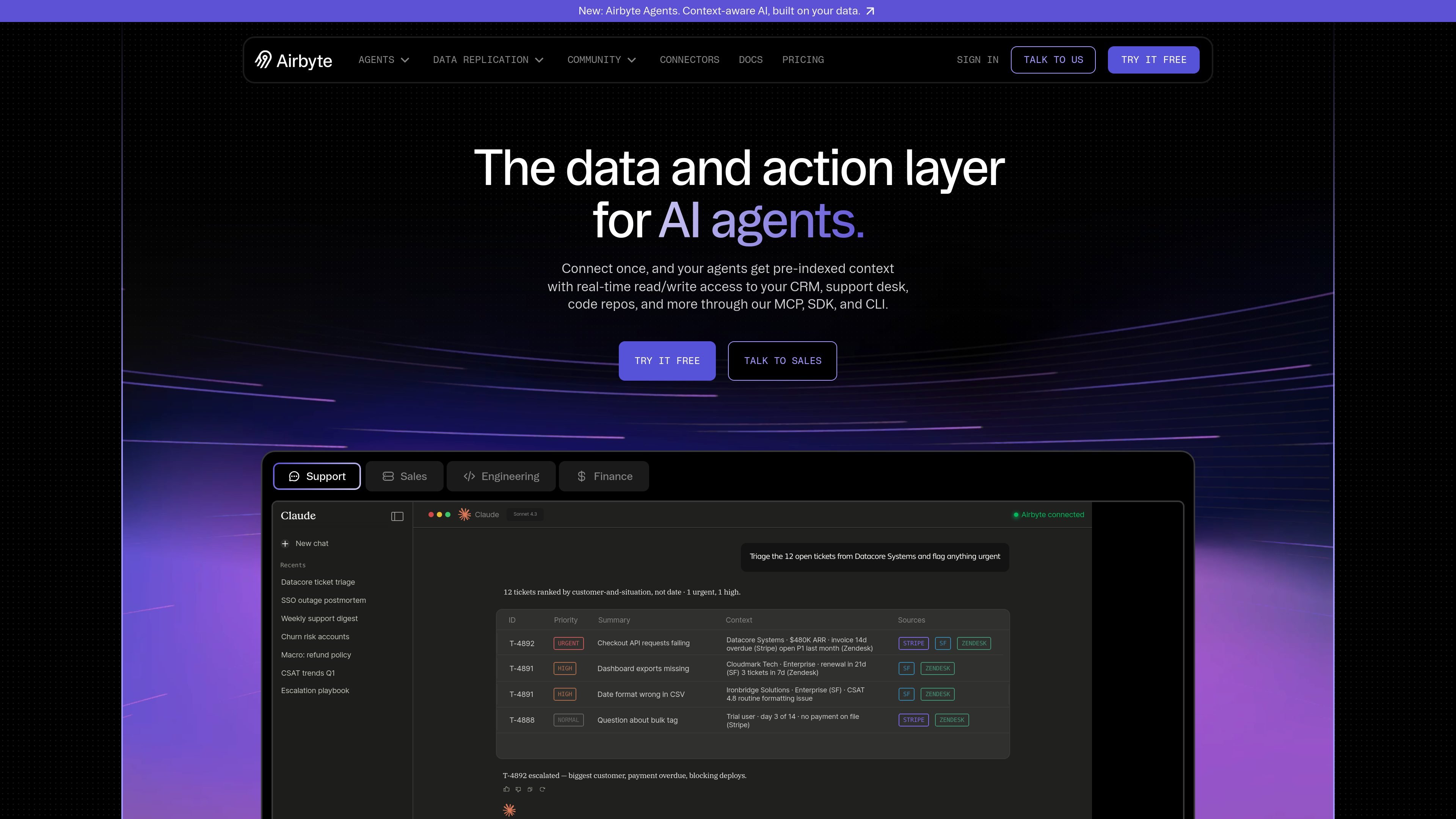
Airbyte is a data and agent infrastructure platform that turns connected sources into a queryable Context Store for AI agents. Its core purpose is to give agents live business context so they can search across systems, resolve relationships between records, and act on current data instead of stitching together fragmented API responses at runtime.
The product combines managed data connectors, a Context Store, an Agent MCP, and an Agent SDK. The website positions these pieces as a way to support production agent workflows across tools such as Salesforce, Zendesk, Stripe, Slack, Gong, Linear, and GitHub, while keeping sync, schema handling, and updates under a single connection. Pricing is available through self-serve plans and sales-assisted options, including a capacity-based Pro plan and custom arrangements for enterprise or embedded use cases.
Airbyte turns connected sources into a searchable Context Store so agents can retrieve relevant records across systems before taking action.
The platform connects to 600+ apps and handles authentication, syncs, schema changes, and updates after a single connection.
Airbyte Agents can run through the UI, an MCP connection, or the Agent SDK, giving teams multiple ways to build agent workflows.
The pricing model is based on Agent Operations, with separate charges for search, read, act, and reason steps.
The SDK supports fresh reads and writes through the same interface, including searching records, listing data, and updating systems.
Platform features on higher plans include faster syncs, RBAC, row filtering, hashing and encryption, multiple data regions, and support options.
An AI product team can connect its customer, support, and billing tools so an agent can answer questions with cross-system context instead of separate API calls.
A finance or operations team can use the Context Store to bring together records from CRM, tickets, and billing systems before an agent recommends next actions.
Developers building internal or customer-facing agents can use the SDK or MCP connection to search records, fetch fresh state, and write updates from one workflow.
Teams that want lower setup overhead can rely on managed connectors and one-time authentication rather than maintaining individual API integrations.
Airbyte offers a Free plan, Standard and Plus plans for teams with predictable usage, a Pro plan with capacity-based pricing, and an Enterprise Flex plan that is handled through sales.
On the Pro plan, Airbyte prices capacity using Data Workers rather than data moved. The company says this gives predictable spend and avoids charges that rise directly with volume.
Airbyte’s Context Store and Agent products are designed to let agents search across connected systems, then use live connectors or the SDK to read and act on current records when needed.
Yes. The pricing page says you can start free and upgrade later, and the company also offers a talk-to-sales path for tailored quotes and custom plans.
The pricing page says idle connectors or workspaces do not cost anything; Airbyte meters Agent Operations instead.

AakarDev AI helps teams manage AI provider access, project-level setups, logs, and analytics from one dashboard. It supports BYOK workflows and lists providers including OpenAI, Google Gemini, Anthropic, Groq, Mistral AI, and Perplexity AI.

Benchspan is an AI agent security platform that discovers agents, blocks prompt injection and data exfiltration in real time, and supports pre-launch red teaming. It is aimed at teams running agents in production and includes Python and TypeScript SDKs.

Edgee is an AI gateway for coding agents and LLM-powered apps. It compresses token traffic, routes requests across models, and provides observability and team controls to help reduce cost and keep sessions running.

CreateOS Sandbox is an isolated compute environment for running code and agent workloads inside Firecracker micro-VMs. It is designed for workflows that need machine-level isolation, private networking between sandboxes, and programmatic control through SDK, CLI, or MCP.

Codex Plugins bundle reusable skills, app integrations, and MCP servers into workflows you can install in the Codex app or use from Codex CLI. They help extend Codex with connected-service tasks, reusable instructions, and shared team workflows.

Wallie is an open-source AI streamer that watches your screen, hears chat, and generates live commentary in a configurable persona. It runs locally on your machine with your own keys and is aimed at faceless content, autonomous streams, and real-time reactions.