
Icon selection and setting adjustments
Select an icon from the list and adjust its appearance and animation settings in the left-hand panel.

Animated Icon Generator is a free browser-based tool for customizing icons and downloading them as animated SVG, static SVG, or PNG. It is designed for web, design, and WordPress workflows that need lightweight icon assets with clear export options.
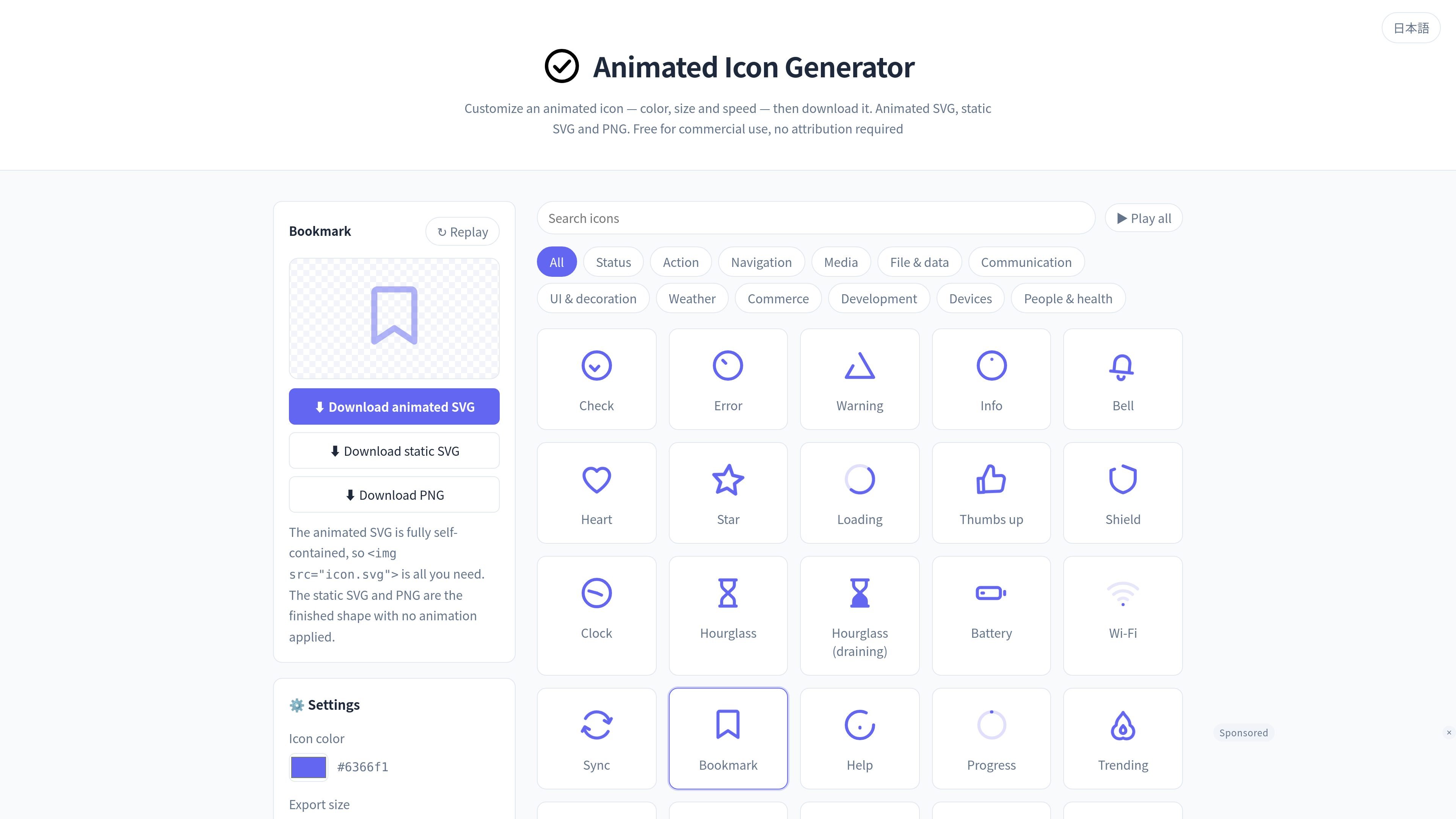
Animated Icon Generator is a free browser-based tool for selecting animated icons and downloading them as animated SVG, static SVG, or PNG. The source material describes 300 icons organized into categories such as status, action, navigation, media, file and data, communication, UI and decoration, weather, commerce, development, devices, and people and health.
The tool is built for simple export workflows: you choose an icon from the list, adjust color, export size, speed, and loop count, then download the file in the format that fits your target environment. The animated SVG option is intended for sites where you can place your own files, while static SVG and PNG cover design tools, print, and environments that do not support SVG animation.
The documentation page adds practical guidance for embedding animated SVG in HTML and WordPress, along with license notes. Icons can be used commercially without attribution, but the icon files themselves cannot be redistributed or sold as a standalone asset pack.
Select an icon from the list and adjust its appearance and animation settings in the left-hand panel.
Set the color, export size, playback speed, and loop count, and apply those settings to the output file.
Export in animated SVG, static SVG, or PNG so you can choose the file type that fits your needs.
Animated SVG works even when loaded from an img element or CSS background-image, without adding external CSS or JavaScript.
Cards in the list play only three times when they enter the screen and then stop; replay them with hover or with Play all.
Build interface states, loading indicators, alerts, and other motion-friendly UI elements, then export an animated SVG that can be placed directly in a site or app.
Prepare assets for design files or print layouts by exporting static SVG, which keeps vector quality and can be edited in design tools.
Create a fallback PNG when the destination does not support SVG uploads or animated SVG, including WordPress setups with restricted file handling.
Embed animated icons in a web page without extra scripting by placing the exported SVG in an img element or using it as a CSS background image.
Standardize icon output for a team or client handoff by adjusting the same source icon’s color, size, speed, and loop settings before export.
Choose an icon from the list, then adjust the color, export size, speed, and loop count in the left settings panel before downloading as animated SVG, static SVG, or PNG.
Animated SVG is for sites where you can place files while keeping motion. Static SVG is for design tools and print, and PNG is for environments that cannot use SVG.
WordPress does not allow SVG uploads by default. Use a plugin such as Safe SVG or adjust upload_mimes in functions.php. If you cannot change the settings, use PNG.
Yes. Under the license, it is free for personal and commercial use, and attribution is not required. However, redistributing or selling the icons themselves as a bundled asset pack is prohibited.
If you open the exported SVG in a text editor, you can inspect and adjust stroke, color, and @keyframes settings. You can also change line thickness by editing stroke-width.

PixelDrive is a bulk image generation API for creating many on-brand images from one template through a browser editor, REST API, CSV batch, or MCP. It suits teams that need repeatable image output with cacheable renders and usage-based pricing.

Napkin AI trasforma il testo in elementi visivi modificabili per presentazioni, documenti e contenuti condivisibili. Generazione da testo, collaborazione ed export in PPT, PNG, SVG o PDF.

appdesigns is a browser-based tool for creating App Store and Google Play screenshots from uploaded app images. It helps developers and designers add device frames, customize layouts, and export unlimited watermark-free PNGs without an account.

Shotie is a Mac app for creating localized App Store and Google Play screenshots from simulator or emulator captures, generated screens, or uploads. It provides chat-based editing, render checks, and one-zip export for store workflows.

Refero MCP for AI agents connects an MCP-compatible agent to Refero’s curated library of web and iOS product interfaces and user flows. It helps agents research real design patterns before generating UI, with access included in the Refero Pro plan.

Pass Designer is a macOS beta tool for creating and previewing Apple Wallet passes. It helps businesses, developers, and design teams combine templates, custom imagery, pass fields, colors, and semantic data while checking how passes render on iPhone and Apple Watch.