
Single-spec creature compilation
The engine compiles one JSON specification into a skinned GLB, so the creature is described in text rather than assembled from mesh files or external art packs.

anyCreature is a GitHub project that turns a short text order into a game-ready 3D creature. It compiles a single JSON spec into a skinned GLB with animation, vertex colour, ambient occlusion baking, and an offline showroom viewer.
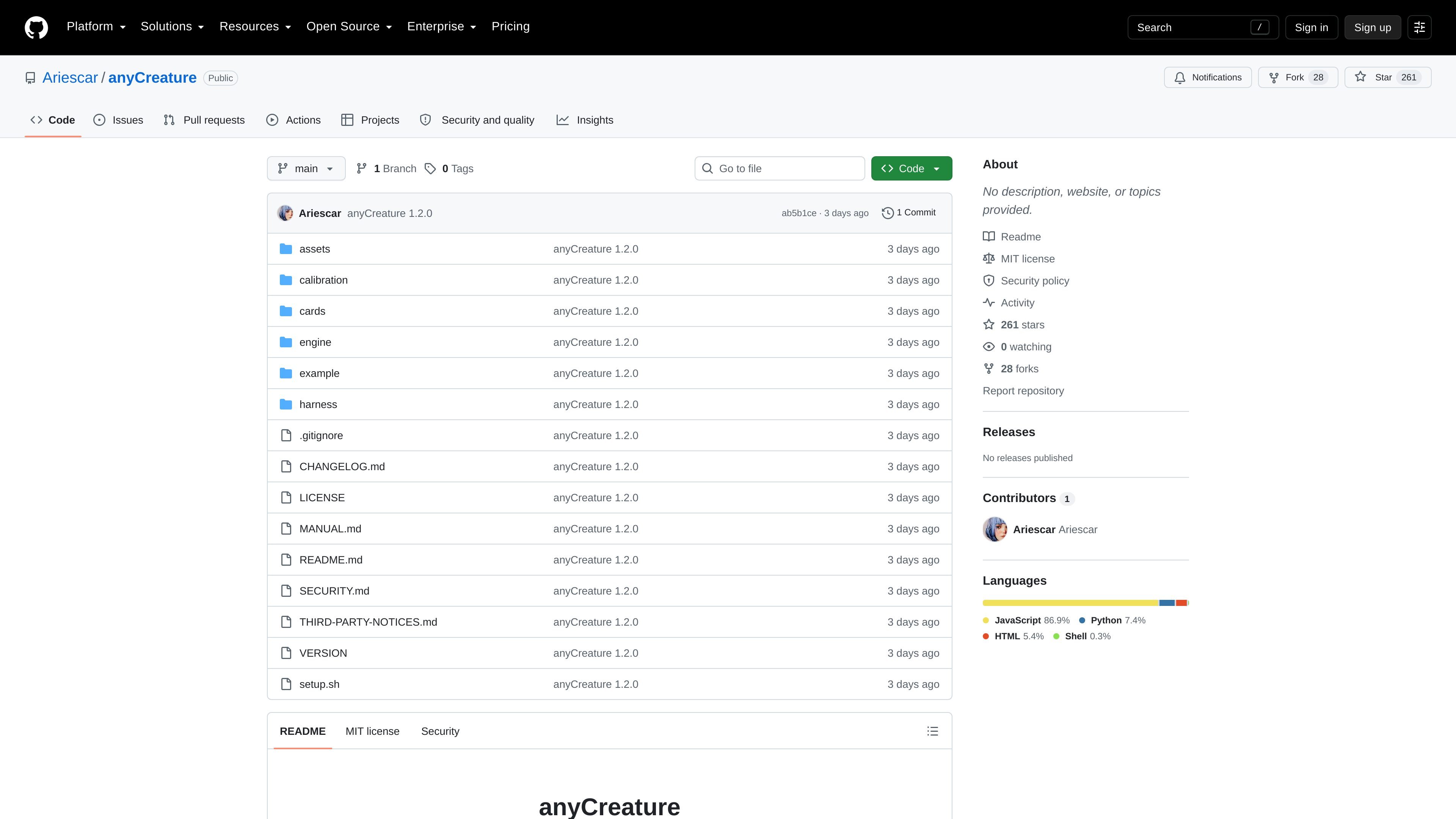
anyCreature is a GitHub-hosted project for turning a short text order into a game-ready 3D creature in a single session. The repository describes an AI-assisted workflow that can ask up to two questions, then compile one JSON spec into a skinned GLB with animation, vertex colour, ambient occlusion baking, and an offline showroom viewer.
The project is positioned as a text-to-creature pipeline rather than a mesh authoring tool. The README emphasizes that it does not rely on downloaded art packs or photogrammetry, and that the engine interface is intentionally small: `node engine/cli.js spec.json out.glb`. The documentation also includes a manual, stage cards, calibration assets, and harness tools for measuring silhouettes and enforcing output checks.
The worked example in the repository is `example/wolf.json`, described as a light quadruped built from plain text and output by the engine. The repo notes that the example ships with two animations and that some features, such as `build: "rigid"`, are intended for non-organic subjects rather than animals.
The engine compiles one JSON specification into a skinned GLB, so the creature is described in text rather than assembled from mesh files or external art packs.
The stated workflow supports an order, up to two interview questions, silhouette design passes, and a final ship stage that stamps and delivers the result.
The output includes animation, vertex colour, ambient occlusion baking, and an offline showroom viewer, according to the repository README.
The repository includes calibration content that must pass and be blocked in the right cases, so the checker can distinguish acceptable and unacceptable outputs on a given machine.
The README exposes controllable spec options such as `smooth_angle`, `shading`, `build: "rigid"`, and `ao`, which let authors tune silhouette softness, colour treatment, rigidity, and AO baking.
The docs call out preset QC roles under `harness/presets/` for minion, npc, and boss, indicating different budgets and thresholds can be used for different creature roles.
Use the repository as a text-to-asset pipeline when you want a creature described in prose to become a game-ready GLB without assembling meshes by hand.
Use the manual, cards, and calibration assets when you need a reproducible process that can be checked for silhouette readability and blocked failures before shipping.
Use the example wolf and role presets as references when adapting the system for lighter quadrupeds, NPC-style creatures, minions, or bosses with different QC thresholds.
Use the engine CLI when you only need the compile step: convert a JSON spec into an output GLB from the command line without adopting the full agent-driven session.
Use the harness tooling when you want to measure masks, thumbnails, and claims, or generate the offline showroom and delivery pack around the compiled asset.
The repository describes a text-to-creature workflow that starts from a one-sentence order, may ask up to two questions, and then produces a creature from a single JSON spec. The README says the output is a skinned, animated, vertex-coloured, AO-baked GLB plus an offline showroom viewer.
The README says to run `bash setup.sh` for dependencies and red/green ruler calibration, then `node engine/cli.js example/wolf.json out/wolf.glb` as the basic compile command. It also says `setup.sh` must print `calibrate OK` before the output can be trusted.
The README states that the engine has zero runtime dependencies and that `node engine/cli.js spec.json out.glb` is the whole interface. The broader harness uses Playwright for rendering and measurement tools, so the tooling side has extra dependencies.
The source says the worked example, `example/wolf.json`, is 2,211 vertices and 31 joints and ships with two animations, not three. It also notes that `cards/` contains the five stage cards the executing session reads in order.
The repository includes a LICENSE file and SECURITY.md, but the provided page text does not give a service-style pricing plan for the project itself. As an open-source GitHub repository, there is no product subscription pricing shown on the repo page.

ByteAsk is a terminal-first AI coding agent for C and C++ that edits repositories and verifies changes with the real compiler, debugger, sanitizers, and tests before showing a diff. It offers a free tier plus paid plans, with editor connectors and zero-retention handling described in the source.

MeetStream is a meeting bot API for Zoom, Google Meet, Microsoft Teams, and Webex. It helps developers record, stream, and analyze meetings programmatically, with usage-based pricing and a $5 free credit to start.

CreateOS Sandbox is an isolated compute environment for running code and agent workloads inside Firecracker micro-VMs. It is designed for workflows that need machine-level isolation, private networking between sandboxes, and programmatic control through SDK, CLI, or MCP.

GitBot is a local browser-based workspace for creating reusable coding bots powered by Claude Code, Codex, or OpenCode. It helps developers run those agents across repository folders with persistent threads and configurable permissions.

hob is an independent workspace for coding agents that keeps agent sessions, terminals, history, and follow-up work organized around the tools and providers you already use. It is aimed at developers who want local control over routing, history, and workspace structure rather than a bundled model stack.

Grok 4.7 is an xAI model for software development and knowledge work, including extended coding tasks and professional analysis. It is available through Grok Build, Cursor, the Grok API, and other developer platforms, with token pricing starting at $2 per million input tokens and $6 per million output tokens.