
Text layout controls
Edit the main headline and subtitle directly in the banner builder, with controls for title size, subtitle size, alignment, and text color.

Article Banner Generator is a web-based tool for making article banners, OG images, and blog cover images. It provides in-browser controls for text, backgrounds, patterns, and footer branding, with PNG export from the preview editor.
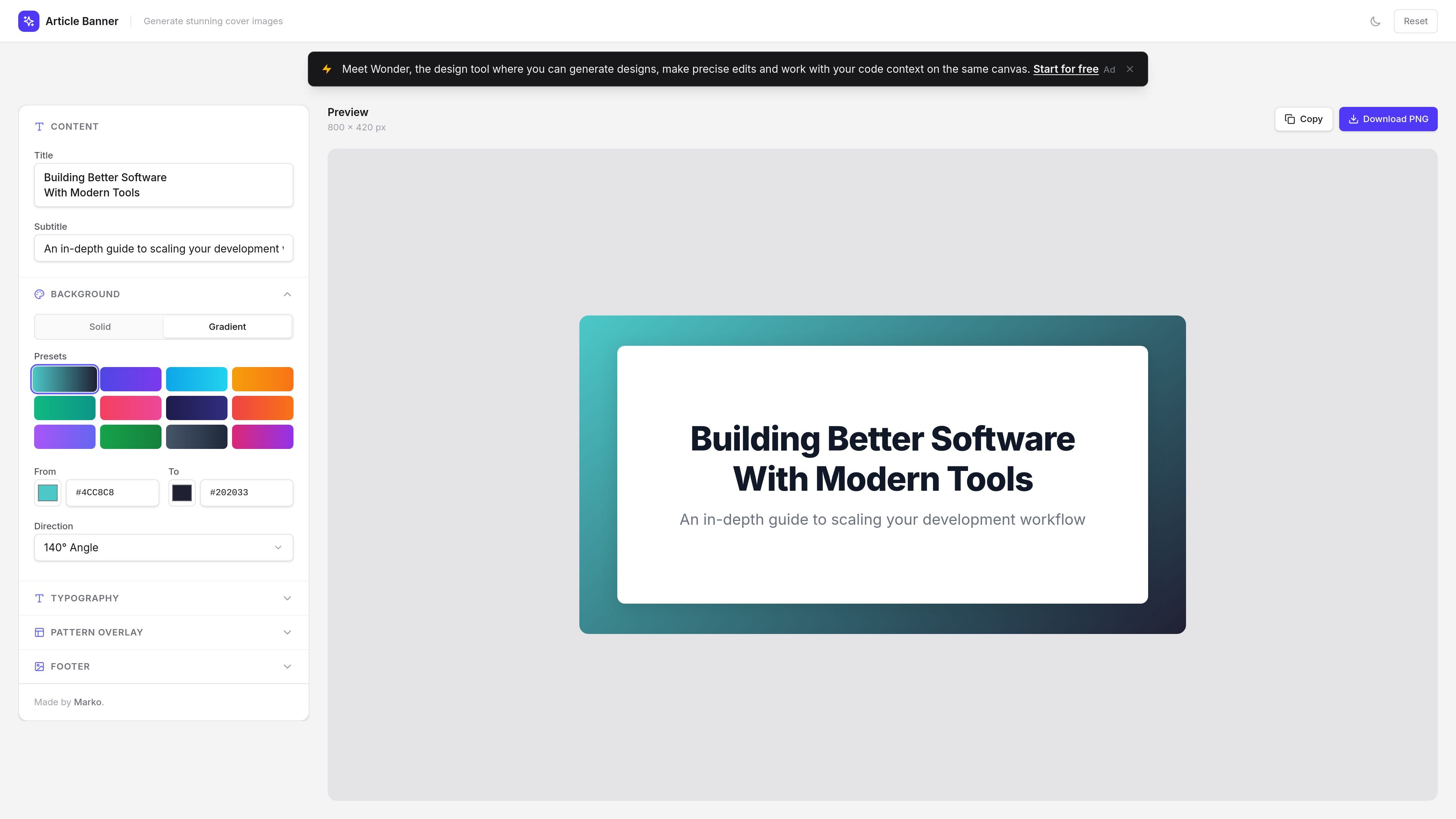
Article Banner Generator is a browser-based tool for creating article banners, OG images, and blog cover images. The homepage editor centers on a single canvas where users can set a title, subtitle, background style, typography, pattern overlay, and footer content before exporting the result.
The interface suggests a workflow aimed at quick, no-design-skills image creation for editorial and social sharing use. It includes solid and gradient background options, preset angle and direction controls, text styling controls, pattern overlays, and a preview with copy and download actions.
Edit the main headline and subtitle directly in the banner builder, with controls for title size, subtitle size, alignment, and text color.
Choose between solid and gradient backgrounds, then adjust the gradient direction with preset angle and direction options.
Apply preset pattern overlays such as diagonal lines, dots, grid, zigzag, crosses, and triangles, or leave the background plain.
Add footer text and optionally upload a footer image or logo in PNG, JPG, or SVG format.
See changes in an on-page preview sized at 800 × 420 px before exporting the image.
Copy or download the generated banner as a PNG from the interface.
Create a header image for a blog post or article when you need a fast layout with a headline, subtitle, and branded footer.
Generate Open Graph images for links shared on social media or in messaging apps, using the built-in preview to check how the banner will appear.
Produce a simple branded graphic for a personal or team site by combining typography, a background gradient, and an uploaded logo.
Iterate on banner styling without switching tools, using the on-page controls to test text size, alignment, colors, and patterns.
It is a web-based generator for article banners, OG images, and blog cover images. The page lets you edit title text, subtitle text, background style, typography, pattern overlays, and footer content before exporting a preview as PNG.
The page shows a preview and a Download PNG action, so the visible export workflow is centered on generating a finished image file from the browser interface.
The homepage presents controls for solid and gradient backgrounds, preset directions, title and subtitle sizing, alignment, color, pattern overlays, and footer content. It also supports uploading a footer image/logo in PNG, JPG, or SVG format.
The pricing path in the collected sources returns a page not found response, so the available evidence does not confirm paid plans, limits, or account requirements.
The collected sources only show the homepage editor, so broader team features, integrations, and documentation are not confirmed from the available evidence.

PixelDrive is a bulk image generation API for creating many on-brand images from one template through a browser editor, REST API, CSV batch, or MCP. It suits teams that need repeatable image output with cacheable renders and usage-based pricing.

Napkin AI trasforma il testo in elementi visivi modificabili per presentazioni, documenti e contenuti condivisibili. Generazione da testo, collaborazione ed export in PPT, PNG, SVG o PDF.

appdesigns is a browser-based tool for creating App Store and Google Play screenshots from uploaded app images. It helps developers and designers add device frames, customize layouts, and export unlimited watermark-free PNGs without an account.

Shotie is a Mac app for creating localized App Store and Google Play screenshots from simulator or emulator captures, generated screens, or uploads. It provides chat-based editing, render checks, and one-zip export for store workflows.

Refero MCP for AI agents connects an MCP-compatible agent to Refero’s curated library of web and iOS product interfaces and user flows. It helps agents research real design patterns before generating UI, with access included in the Refero Pro plan.

Pass Designer is a macOS beta tool for creating and previewing Apple Wallet passes. It helps businesses, developers, and design teams combine templates, custom imagery, pass fields, colors, and semantic data while checking how passes render on iPhone and Apple Watch.