
Lead-photo replacement
Upload one clear portrait as the lead reference; the visible face, hair, clothing, and build help guide the generated appearance.

Burning Bridges AI is a template-based AI video generator that places a person from an uploaded photo into a prepared performance, with optional background-cast replacement and original sound. It is suited to quick social clips, while the wider workspace also includes separate AI image and general video tools.
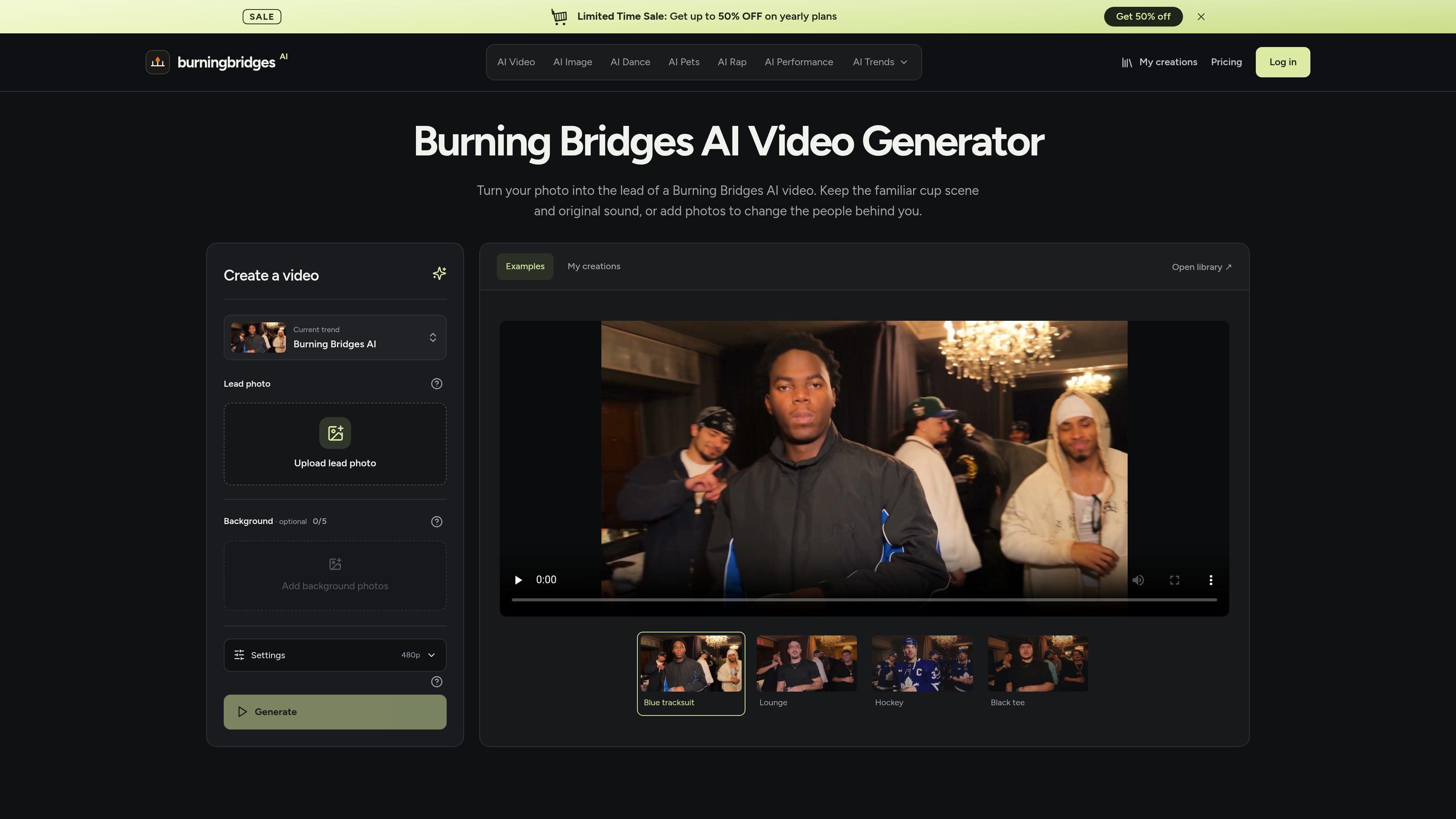
Burning Bridges AI is an independent AI media workspace centered on a fixed video template. It replaces the lead appearance in a prepared party-room performance using a user-provided photo, while preserving the supplied scene, action, and original soundtrack. Users can optionally recast supporting people with additional portraits.
The service is designed for quick, template-based social clips rather than custom directing of a scene. A typical result is about 29 seconds long in a 16:9 landscape format, with 480p, 720p, and 1080p settings. It also provides separate AI image and general AI video tools, but the available inputs and controls depend on the selected tool or model.
Upload one clear portrait as the lead reference; the visible face, hair, clothing, and build help guide the generated appearance.
Keep the supplied crowd or add up to five individual background portraits, arranged by the order in which people appear in the reference performance.
The workflow supplies the scene, movement, close-ups, gestures, and soundtrack, so users do not need to record a performance, provide a reference video, or upload music.
Choose 480p, 720p, or 1080p output. The result is an approximately 29-second, 16:9 landscape clip.
Completed videos include the reference soundtrack and can be reviewed in My creations, where finished results can be watched and downloaded. An audio retry is available when picture processing succeeds but audio processing fails.
The wider workspace also offers AI image generation and editing plus general AI video generation, with model and setting availability shown in the relevant tool.
Upload one consenting person’s portrait and leave the background cast unchanged to create a focused clip for sharing in a private group or social post.
Add separate portraits of friends, teammates, or collaborators to recast supporting roles. Review the result carefully because crowded scenes and overlapping faces can cause identity drift.
Prepare a character portrait in the AI Image tool, then use it as the lead reference when the goal is to place an original character into the supplied performance.
Use the fixed template when the desired outcome is the recognizable cup-scene performance with a supplied soundtrack, rather than a custom scene, duration, or camera direction.
Use the separate image and general video tools when a project needs a generated still, image edit, or a different video workflow instead of the fixed Burning Bridges scene.
No. The fixed Burning Bridges workflow uses one lead photo, optional background portraits, and a supplied scene, movement, and soundtrack. It does not require a reference video, music upload, or written prompt.
Use one person per image. The first image is the lead, and you can add up to five separate background portraits, for a maximum of six photos. The site recommends a clear face, visible shoulders, and the desired outfit.
The workflow produces an approximately 29-second landscape video in a 16:9 format. Available output settings are 480p, 720p, and 1080p; 480p is the default.
The listed estimate for one video is 432 credits at 480p, 924 credits at 720p, or 2,305 credits at 1080p. The final estimate is shown before generation, and higher resolution does not guarantee a closer likeness.
An account and enough credits are required to generate a video. Selecting photos and browsing examples are free, while the Basic allowance of 18 signup credits does not cover one Burning Bridges generation.

I Love The Smiths AI turns two user-supplied photos into a 15-second, widescreen recreation of the viral elevator scene, with preset choreography, reference audio, and no watermark. It is intended for personal social clips featuring consenting adults or the user’s own pets, rather than general-purpose video editing.

Virvid is an AI shorts generator for creators and marketers who want to make faceless short-form videos for TikTok, Instagram Reels, and YouTube Shorts. It supports both manual video creation and automated daily posting workflows.

MemeVideoMaker is a browser-based AI tool that places user-provided photos into predefined viral video templates. It helps individuals create short, watermark-free MP4 remakes for formats such as TikTok, Instagram Reels, and YouTube Shorts without manual timeline editing or prompt writing.

DANCING CATS App turns cat pictures into dancing kitty clips. The public homepage is sparse, so the core use case is clear while pricing, outputs, and feature depth remain undocumented.

VIDEOAI.ME is an AI video generator for making spokesperson-style videos, ads, explainers, and social content from a script. It is aimed at founders, marketers, agencies, and creators who want to produce videos without filming.

PicCopilot is an AI content platform for e-commerce that turns product photos into marketing visuals, model shots, videos, and social content. It offers a free plan plus paid tiers for templates, model swap, virtual try-on, and batch-oriented creation.