
Agentic workflows
Clears coordinates fleets of agents across systems so delivery work can be orchestrated, observed, and kept reliable as it moves from requirements to code.

Clears is an AI execution layer for engineering teams that turns stories into reviewed pull requests across linked repositories. It supports agentic workflows, background triage, and visible task tracking across common delivery tools.
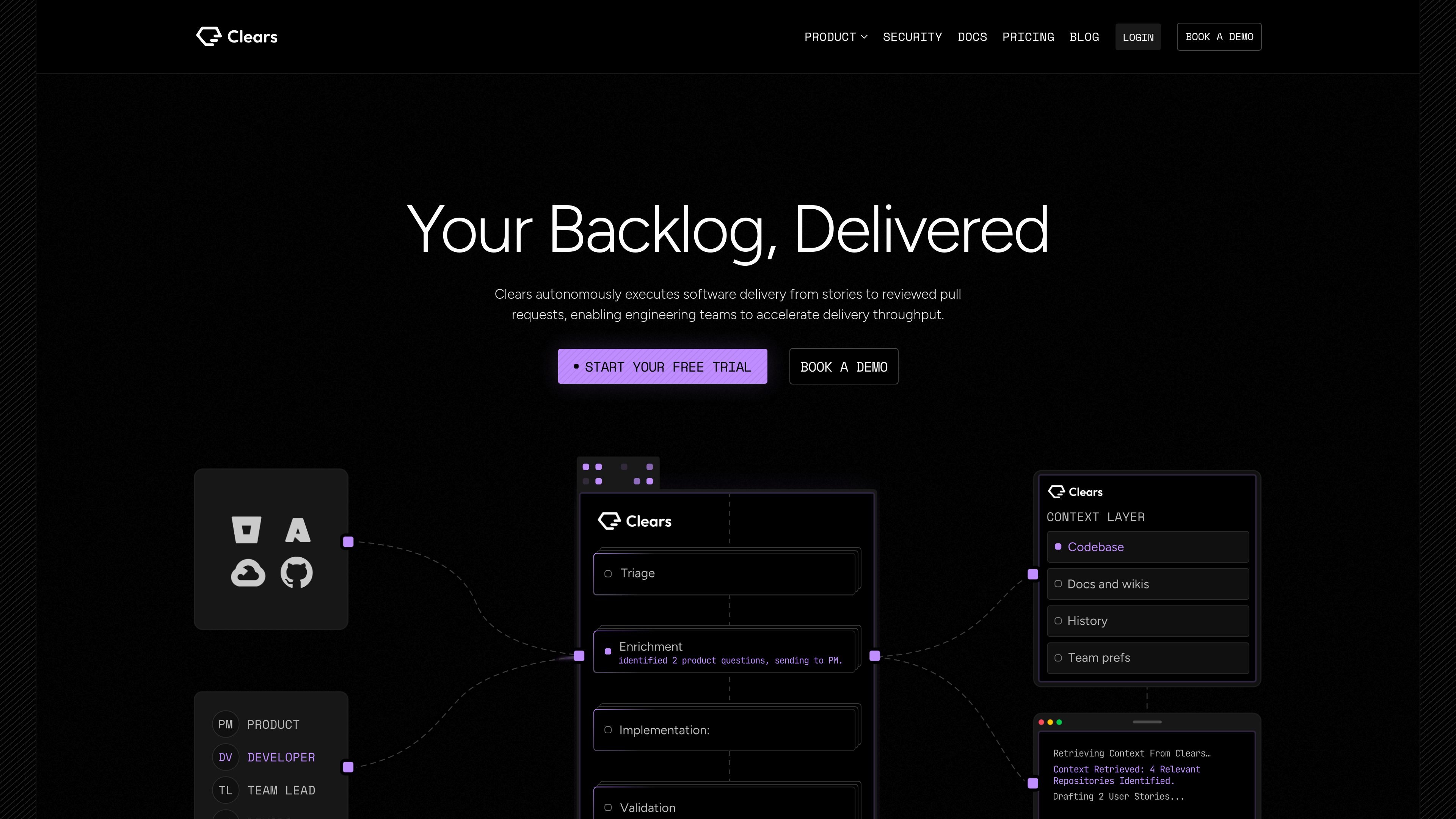
Clears is an AI execution layer for software delivery. The site says it turns stories into reviewed pull requests across a team’s repositories, with the goal of moving work from requirement to shipped code with less manual coordination.
Rather than functioning only as a coding assistant, Clears is described as a system that orchestrates agentic workflows, keeps shared context across runs, and tracks work through a visible board and background flows. The product is aimed at engineering teams that want to automate execution while still keeping humans able to steer, review, and intervene.
Clears coordinates fleets of agents across systems so delivery work can be orchestrated, observed, and kept reliable as it moves from requirements to code.
A shared context layer gives each agent the same memory on every run, which is meant to reduce repeated setup and keep work consistent across tasks.
Clears can analyze tickets in the background to root-cause issues, assess scope, and evaluate risk and feasibility before work is escalated or executed.
A live task board ties each ticket to its agent session, letting teams watch work progress from requirement to merged pull request and intervene when needed.
Through MCP, the product can be run from a terminal so a coding agent can draw on Clears for context and issue tasks from one prompt.
The pricing page lists integrations with Jira, GitHub, Bitbucket, GitLab, and Slack, covering common intake, code, and collaboration tools.
Use Clears when an engineering team has a backlog of stories or tickets that should be turned into implementation work, tracked, and reviewed with less manual handoff between planning and coding.
Use the background flows to triage incoming work, separate items that need escalation from items that can be executed automatically, and assess scope before developers spend time on them.
Use the task board to follow a ticket as it moves through an agent session, monitor progress, and step in when work drifts from the intended requirement.
Use MCP/terminal orchestration when developers want to start, track, or retrieve agent work from their own terminal while keeping the board and execution context in sync.
Use the Enterprise plan when a larger R&D organization needs custom workflows, more team members, and deployment in its own VPC.
Clears is an AI execution layer for engineering teams. It takes stories or tickets, analyzes them, and turns them into tracked work that can end in reviewed pull requests.
The source positions Clears as more than a coding assistant. It coordinates agentic workflows, maintains context across runs, and manages tasks through a board and background flows rather than acting only as a prompt-based helper.
The site indicates that Clears works with the processes and tools you already use, and it integrates with Jira, GitHub, Bitbucket, GitLab, and Slack. A dedicated onboarding and implementation program is listed for Enterprise customers.
The pricing page says Pro includes up to 10 users, while Enterprise supports unlimited team members. That suggests small teams can start on Pro and larger organizations can move to Enterprise.
The pricing page notes that Enterprise can deploy in your own VPC. The site also lists SOC 2 certification and a security FAQ section, but it does not provide more detailed public deployment documentation in the collected text.

Biji è una piattaforma versatile progettata per migliorare la produttività attraverso strumenti e funzionalità innovative.

hob is an independent workspace for coding agents that keeps agent sessions, terminals, history, and follow-up work organized around the tools and providers you already use. It is aimed at developers who want local control over routing, history, and workspace structure rather than a bundled model stack.

SonOf connects to your repo and PM tool, audits the codebase and surrounding product context, and turns approved work into shipped tickets with senior engineering review. It is aimed at founders and engineering leaders who need backlog help without hiring a full team immediately.

runevr is a connected workspace for creative teams that combines boards, media review, chat, recordings, drive, calls, and AI agents in one room-based environment. It is designed to reduce tool switching and keep project context together.

BotBoard is a task-management layer for AI agents that helps teams assign work, track progress, and review output. It supports CLI, MCP, and HTTP connections for tools like OpenClaw, Codex, Claude Code, and Cursor.

ByteAsk is a terminal-first AI coding agent for C and C++ that edits repositories and verifies changes with the real compiler, debugger, sanitizers, and tests before showing a diff. It offers a free tier plus paid plans, with editor connectors and zero-retention handling described in the source.