
Link-based intake
Paste a YouTube or Loom link and it becomes a task on the board, where an editor takes over the request.

Clipwing is a video editing service that turns YouTube or Loom links into short clips with a human editor. It also offers review, captioning, and publishing workflows in the app, plus separate free transcript and subtitle tools.
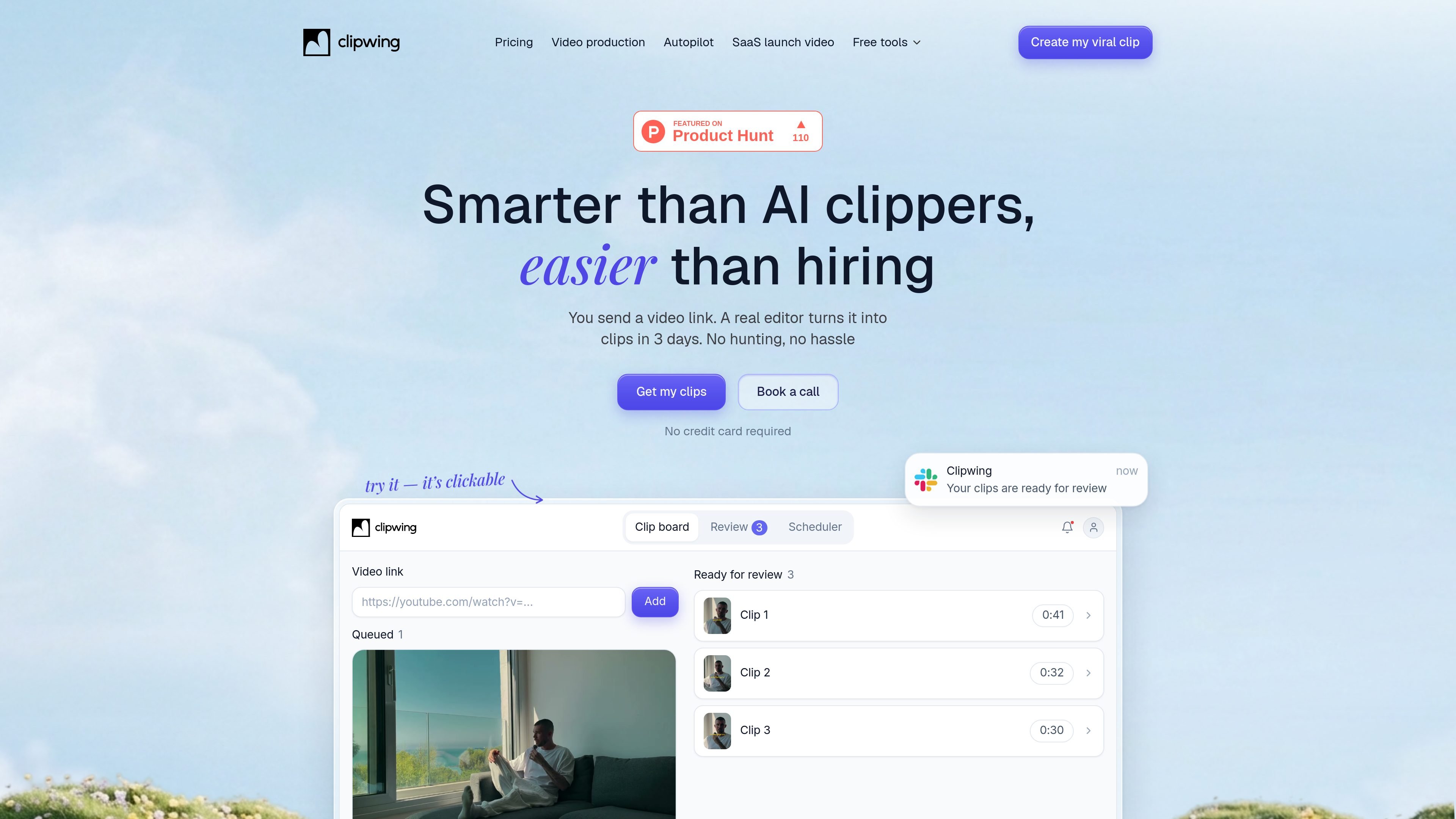
Clipwing is a video editing service and workflow for turning a source video link into short-form clips. On the Autopilot page, the product is positioned as an alternative to doing the work yourself or hiring a freelancer: you send a YouTube or Loom link, and a real editor turns it into clips in about 3 days.
The site emphasizes a guided app-based process rather than a fully automated clip generator. Clipwing says it picks the best parts, cuts them, adds captions, and lets you review, approve, and publish the clips in one place. The broader site also includes paid studio services and free tools such as a YouTube transcript generator and subtitles generator.
Paste a YouTube or Loom link and it becomes a task on the board, where an editor takes over the request.
Clipwing says a real editor, not an automated clipper, selects moments and turns the source video into clips.
The Autopilot page says clips are ready in the app for review, comment, and approval before publishing.
The product says it adds captions and brand kit elements to clips, so finished videos stay aligned with your visual setup.
The workflow includes posting to social channels from the app, reducing the need to move files between tools.
The pricing page says Clipwing can change aspect ratios for square, portrait, and landscape outputs using Magic Crop.
For founders or marketers who have a long product demo, webinar, or talk recording and want short clips prepared without hiring and managing a freelancer for each request.
For creators who want a lightweight submission flow: share a video link, let an editor choose moments, then review the results before posting.
For teams publishing to social channels, where clips need captions and a consistent brand look before they are scheduled from the app.
For users who need transcripts or subtitles as a separate step, the site also offers free transcript and subtitle tools that can support repurposing workflows.
Clipwing’s Autopilot lets you send a YouTube or Loom link. A hand-picked editor then turns that video into clips, and the product description says clips are ready in 3 days.
The Autopilot page says you can paste a YouTube or Loom link into the board. The pricing page also says Clipwing works with talking videos such as podcasts, interviews, product demo videos, and educational lectures.
The Autopilot page says clips are reviewed in the app before publishing. The pricing page also mentions Slack chat for the Studio plan, but not for Autopilot.
The pricing page says all features are available on the Free plan with a limit of 60 video minutes per month. Autopilot itself is shown as a paid plan on the pricing page.
The pricing page says Clipwing supports English, Spanish, German, French, Russian, Portuguese, Dutch, Japanese, and Polish.

Zella is a screen recorder and on-device AI video editor for Mac and iPhone. It helps creators record screens or cameras, automatically clean up footage, add captions, reframe clips, and export videos without uploading the core project to the cloud.

Tactiq is an AI note taker for Google Meet, Zoom, and Microsoft Teams that transcribes meetings live and turns them into summaries, action items, and follow-up outputs. It is built around a Chrome extension and supports team workflows through sharing and integrations.

CAMB.AI Streams dubs live audio in multiple languages in real time for broadcasts on platforms like YouTube, Twitch, and X. It plugs into existing live workflows using common streaming protocols and avoids a post-production step.

CAKIE is a Mac app for recording your screen and voice for an AI agent. It adds a transcript and screenshot highlights, then lets you copy a prompt and paste or attach the context in another AI app.

SpeakoFlow is a free, open-source desktop voice-to-text app for Windows, macOS, and Linux. It supports dictation into any app, voice-driven writing with Flow, cleanup, translation, and a screen-aware assistant.

Video Effects SDK adds real-time webcam effects such as background blur, background replacement or removal, denoising, framing, beautification, and color grading. It is built for teams shipping live video experiences on web, desktop, and mobile platforms.