
Session journaling
Record file writes, shell calls, and LLM turns as part of a content-addressed journal so an agent run can be inspected after the fact.

Cognato AI is a version-control system for autonomous agent runs. It helps teams branch, commit, roll back, and hand off agent sessions while preserving the run context.
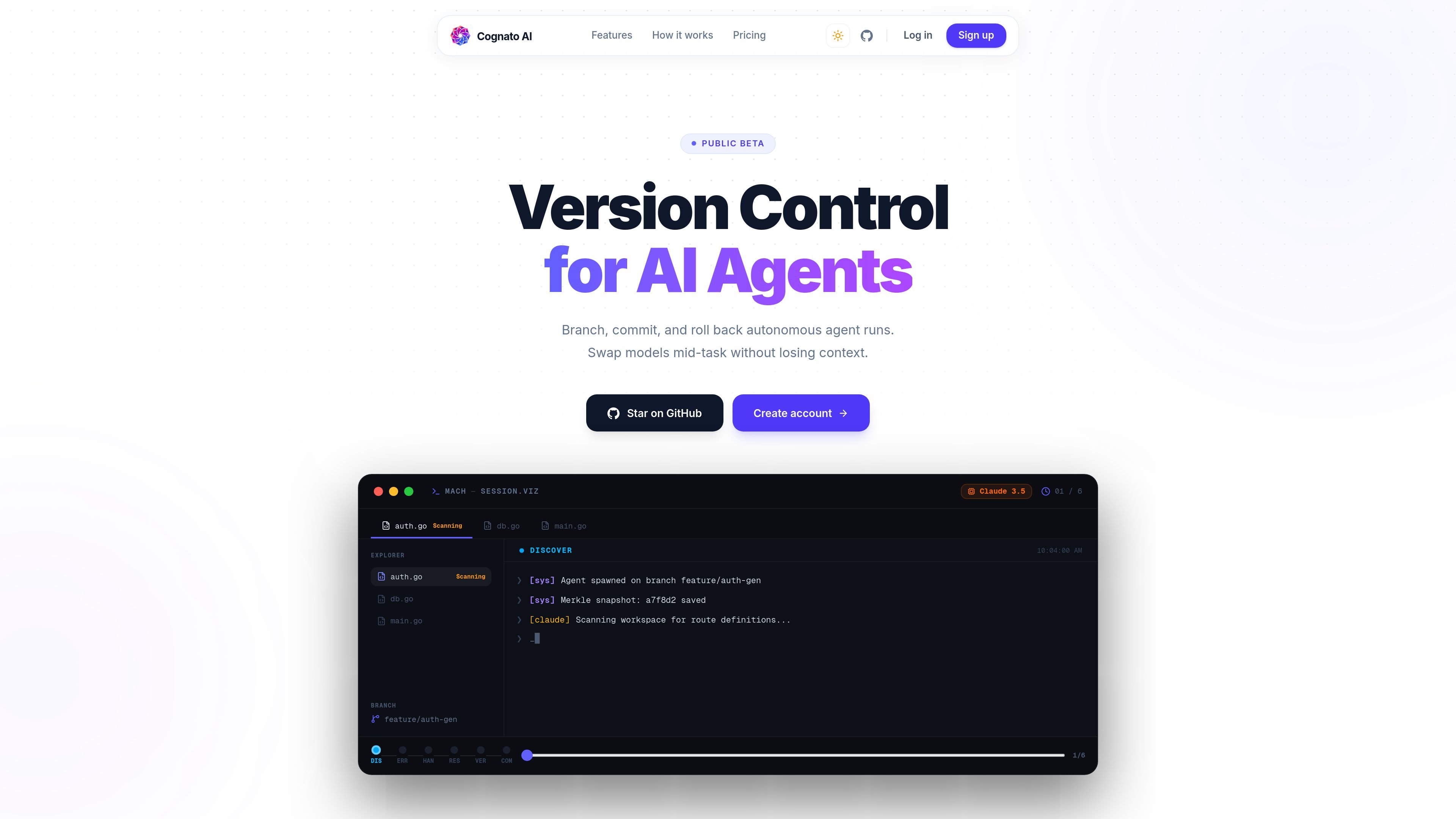
Cognato AI is a version-control system for autonomous agent runs. The product, also referred to as Mach in the page text, is built to let teams branch, commit, and roll back agent sessions instead of treating them as opaque one-off executions.
Its core purpose is to preserve the context of a run so it can be inspected, handed off, or resumed later. The site positions it as useful when an agent gets stuck, when a better model should continue the same task, or when a team needs an auditable record of what the agent did.
The public site shows both an open-source, local-first CLI and a managed platform with registries, collaboration features, and enterprise controls. The source also shows account creation and GitHub entry points, but not a complete published pricing table in the collected text.
Record file writes, shell calls, and LLM turns as part of a content-addressed journal so an agent run can be inspected after the fact.
Save checkpoints as diffable, indexable snapshots and place them in a Merkle chain to make changes auditable and tamper-evident.
Fork an agent mid-task into separate branches so two approaches can proceed in parallel and the better result can be merged.
Serialize a run’s full context and resume it with another model provider without starting the task over.
Inspect branch, commit, and merge relationships in a topology view that shows how a session evolved over time.
Use the local-first open-source CLI for standalone runs, or the managed platform for registries, team workspaces, collaboration, and enterprise controls.
Use the session history to understand where an autonomous run went wrong, including tool calls, file edits, and model turns that led to the error.
Pause a run after a blocker, serialize the exact context, and continue with a different model without re-prompting or rebuilding state.
Fork a live session into two branches so separate agent paths can try different solutions and the better one can be merged back.
Keep an auditable record of agent activity for teams that want to review file writes, shell commands, and checkpoints after the fact.
Use the managed platform’s registries and collaboration features when multiple people need to share, resume, or coordinate on the same agent session.
The source describes Mach as a local-first CLI and SDK for recording agent sessions, branching runs, and swapping models mid-task. The managed platform adds registries, collaboration, and enterprise controls.
The public site shows account creation and GitHub sign-in prompts, and it says the open-source version is free to start. The pricing page did not expose a complete pricing table in the collected text.
The source says it works with major model providers including Anthropic, Google Gemini, OpenAI, Meta, Mistral AI, and DeepSeek.
The website says Mach records file writes, shell calls, and LLM turns into a content-addressed journal, then hashes checkpoints into a Merkle chain.

SonOf connects to your repo and PM tool, audits the codebase and surrounding product context, and turns approved work into shipped tickets with senior engineering review. It is aimed at founders and engineering leaders who need backlog help without hiring a full team immediately.

ByteAsk is a terminal-first AI coding agent for C and C++ that edits repositories and verifies changes with the real compiler, debugger, sanitizers, and tests before showing a diff. It offers a free tier plus paid plans, with editor connectors and zero-retention handling described in the source.

CreateOS Sandbox is an isolated compute environment for running code and agent workloads inside Firecracker micro-VMs. It is designed for workflows that need machine-level isolation, private networking between sandboxes, and programmatic control through SDK, CLI, or MCP.

hob is an independent workspace for coding agents that keeps agent sessions, terminals, history, and follow-up work organized around the tools and providers you already use. It is aimed at developers who want local control over routing, history, and workspace structure rather than a bundled model stack.

Manta AI is an autonomous web app testing tool for teams that want to map application behavior, catch regressions, and generate tests without writing scripts or maintaining selectors. It works from a URL and supports plain-English test flows, run results with screenshots, and scheduled or deployment-triggered checks.

Ghost è un assistente AI da terminale per chattare, generare codice ed eseguire task da riga di comando. Include modelli gratuiti, supporta Linux, macOS e Windows, ed è open source.