
Supports HTTPS endpoints
Connect to JSON, text, or image APIs over HTTPS and configure headers or a bearer token when authentication is needed.

Dashlet is an iOS app that turns data from HTTPS endpoints into widgets for the Home Screen, Lock Screen, StandBy, and Apple Watch. It supports authenticated sources, field mapping from live responses, and several widget layouts including charts, gauges, images, and maps.
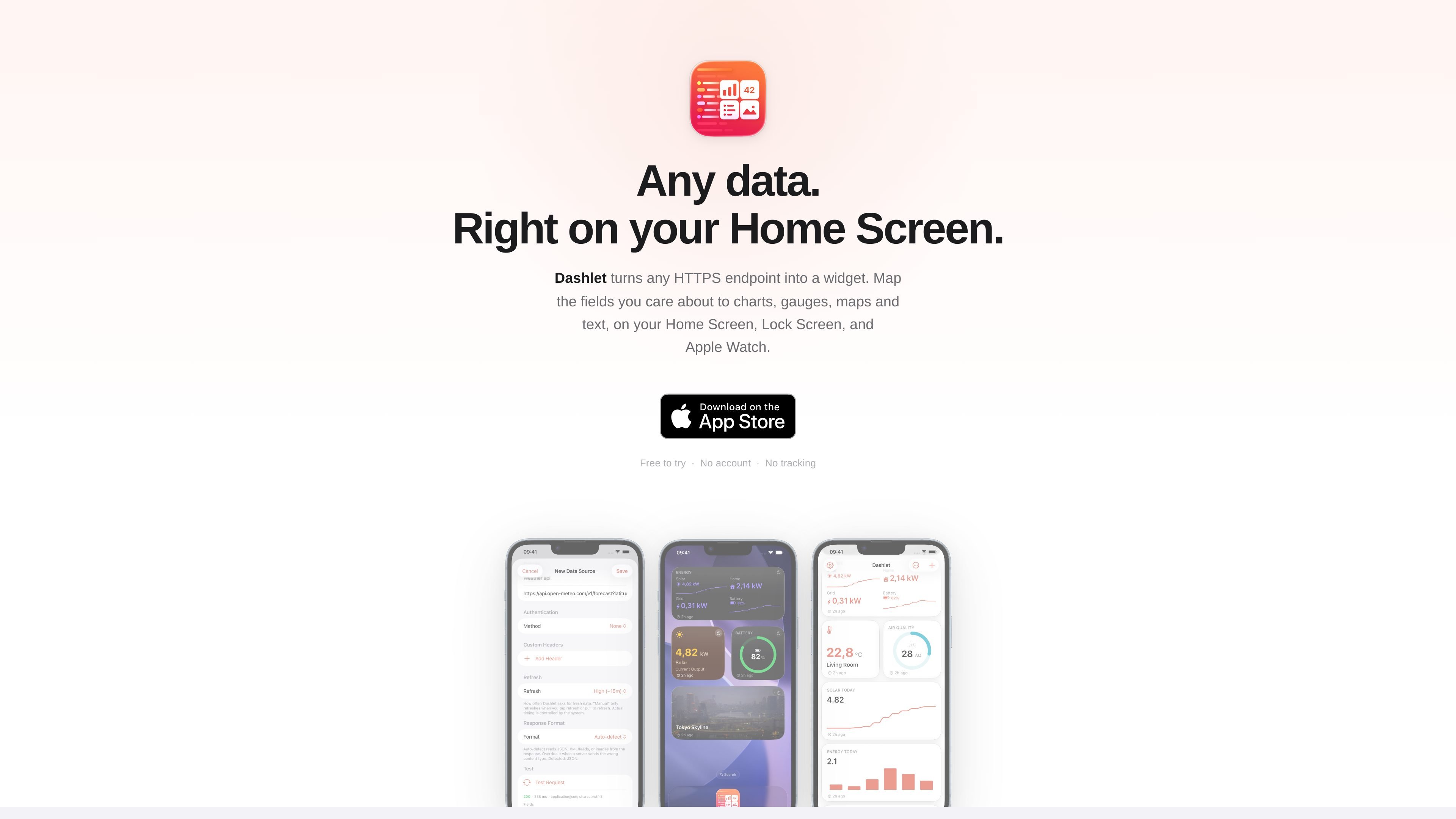
Dashlet is an iOS app for turning data from HTTPS endpoints into widgets on the Home Screen, Lock Screen, StandBy, and Apple Watch. It is designed for information that lives in APIs or other web endpoints and is easier to read at a glance than by opening a separate app.
The workflow is to connect a source, map the fields you want from the live response, and place a widget in a layout that fits the data. The site says you can use headers or a bearer token, browse nested JSON structures, and choose outputs such as a value, chart, gauge, image, map, or list.
Connect to JSON, text, or image APIs over HTTPS and configure headers or a bearer token when authentication is needed.
Browse the live response and select values from nested objects, arrays, and collections without writing paths by hand.
Render selected data as a single value, list, chart, gauge, image, or map widget, depending on the output you need.
Place widgets on the Home Screen, Lock Screen, StandBy, and Apple Watch, including rectangular accessory widgets and complications.
Show history or collection data as line or bar charts, or use a gauge for progress-style values.
Dashlet stores secrets in the iOS Keychain and says it does not use a central server, cloud sync, analytics, or third-party SDKs.
Monitor solar production, home sensors, or other Home Assistant-style data on a widget instead of opening an app to check a single reading.
Track crypto prices, server status, or build pipelines in a glanceable format on the Home Screen or Lock Screen.
Show charts, gauges, or lists for fitness, operations, or other time-based APIs where a single number is not enough.
Place the same source on Apple Watch complications or other small widget surfaces for quick checks away from the phone.
Use authenticated endpoints by adding headers or a bearer token and storing secrets in the Keychain.
Dashlet connects to an HTTPS endpoint, lets you choose which fields to display from the returned data, and renders the result as a native widget.
The source text says Dashlet supports Home Screen, Lock Screen, StandBy, and Apple Watch widgets, including rectangular accessory widgets and Apple Watch complications.
The page says you can add headers or a bearer token, with secrets stored in the iOS Keychain rather than in plain text.
Dashlet is described as supporting JSON, text, and image APIs. It also supports live field mapping for nested objects, arrays, and collections.
The published page says Premium unlocks unlimited data sources and widgets, templates, threshold alerts, and accent tints with per-widget theming. The source does not provide public pricing details.

PromptScout tracks how ChatGPT, Gemini, Google AI Overviews, and Perplexity mention your brand or competitors, then pairs those results with source analysis and website audits. It helps teams decide what to fix in content, positioning, or site readiness next.

Goldfish is an AI memory app for macOS that helps you reply, write, summarize, and continue using the context already on your Mac. It stores memory locally and writes in your tone.

SaveMRR is a Stripe retention tool for SaaS teams that scans billing data for churn and MRR leaks, then automates recovery through dunning, cancel-save offers, win-back emails, and onboarding nudges. It is built for founders and bootstrapped teams using Stripe.

Hype is a web tool for finding trending YouTube topics by category, time range, and scoring mode. It helps creators spot emerging ideas, inspect source videos, and decide what to cover next.

ArtDeck is a visual reference board app for iPhone, iPad, and Mac that lets artists collect mixed reference material on one canvas and study it with ToolBox lenses. It works offline, supports optional iCloud sync, and is sold as a one-time purchase with no account required.

Biji è una piattaforma versatile progettata per migliorare la produttività attraverso strumenti e funzionalità innovative.