
Visual AI responses
Monogram responds with an interactive visual interface instead of a plain text wall, making the result easier to scan and explore.

Monogram is an AI app that responds with an interactive visual interface instead of a text-only chat output. It appears designed for everyday planning, discovery, and comparison tasks, with a strong emphasis on privacy and collaboration.
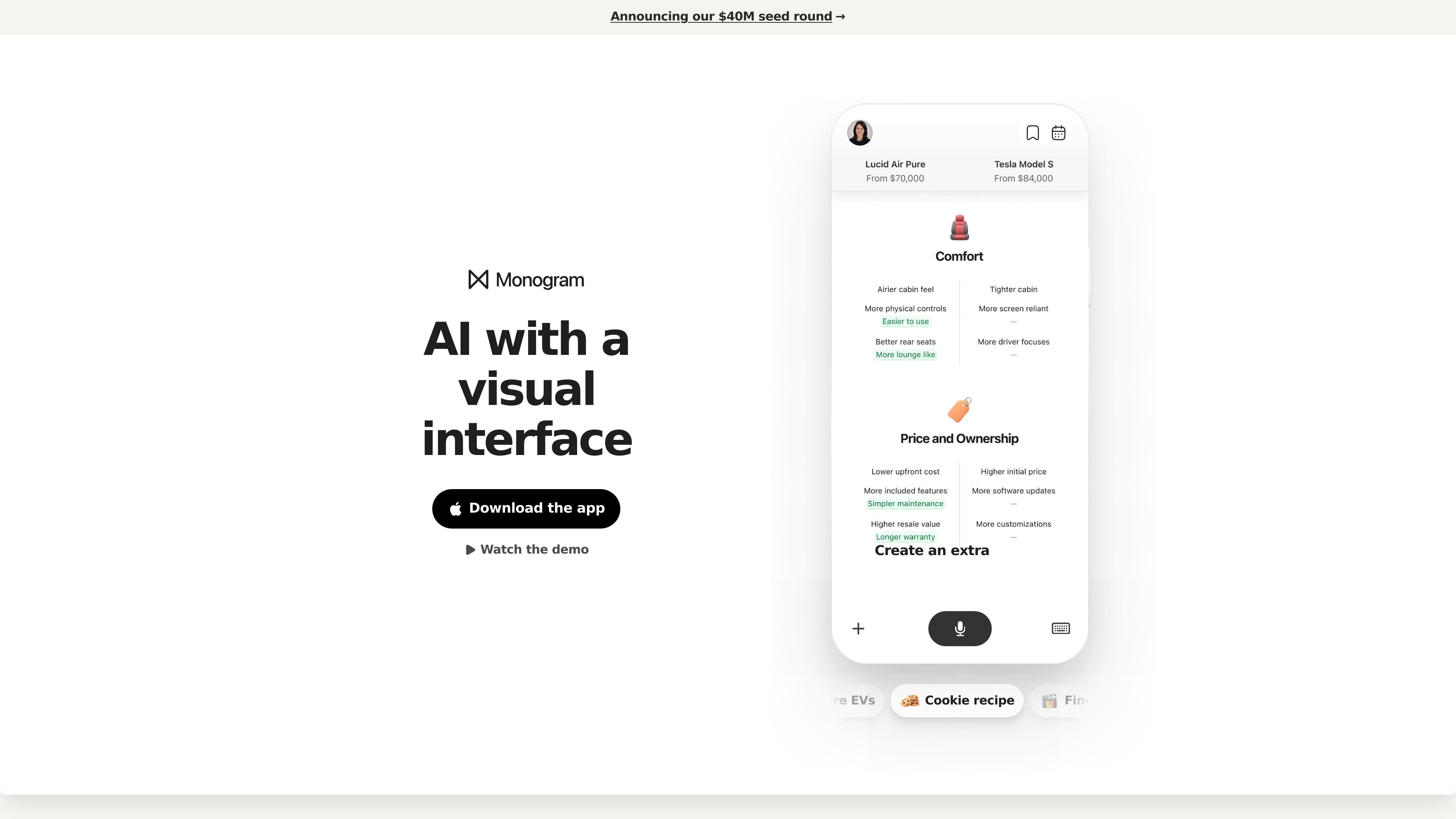
Monogram is an AI product that presents answers through an interactive visual interface rather than a text-only chat stream. The home page positions it as “AI with a visual interface,” and the site repeatedly describes the output as interactive and visual.
The product is introduced as a new interface for AI that aims to make prompts easier to understand by using visuals, interactive elements, and task-oriented layouts. The source examples include recipe generation, movie discovery, birthday planning, restaurant finding, and EV comparison, which suggests Monogram is meant for exploratory everyday tasks as well as comparison-heavy decisions.
Monogram responds with an interactive visual interface instead of a plain text wall, making the result easier to scan and explore.
The home page shows example prompts such as cookie recipes, movie search, birthday planning, restaurant discovery, and EV comparison, indicating support for open-ended task exploration.
The manifesto says the product is built as an AI-native UI, with visuals emphasized as the primary way to compare information and notice patterns.
The manifesto describes a privacy-first direction, saying the system should remember what matters, redact and encrypt sensitive information, and respect a user's right to be forgotten.
The manifesto also states that the product is designed for collaboration, with a goal of helping people plan and work together rather than treating AI as a solitary assistant.
Use Monogram when you want an AI response that is easier to scan than a long block of text, especially for prompts that benefit from visual structure.
The home page examples include recipes, movies, restaurants, and EVs, pointing to everyday planning and discovery tasks that involve comparing options.
The manifesto emphasizes collaboration, so the product appears suited to planning with other people, such as organizing events or shared activities.
Because the product is visual-first, it should be useful when the main task is to compare items, spot patterns, or keep related information organized in one view.
Monogram presents itself as an AI product with a visual interface rather than a text-only chat box. The source pages show the app responding with interactive visual outputs and point users to download the app or watch a demo.
The source does not describe a web-based signup flow. The home page asks users to download the app, and the press page offers a press kit with app screenshots and founder portraits.
The site frames Monogram as producing an interactive visual interface for prompts such as recipes, planning a birthday, finding a restaurant, comparing EVs, and finding a movie. That suggests outputs are meant to be interactive rather than plain text only.
The manifesto says the product is designed around three ideas: an AI-native visual UI, privacy-first behavior, and support for collaboration. It also says the company is building in San Mateo and is hiring.
The pricing page was not accessible in the collected sources, so pricing, plan structure, and limits could not be verified from the provided evidence.

Biji è una piattaforma versatile progettata per migliorare la produttività attraverso strumenti e funzionalità innovative.

Claude Overlay is a Windows desktop overlay for Claude Code that reads your screen so you can ask questions, inspect content, and request edits without leaving the current app. It runs on your existing Claude subscription through the Claude CLI, so no separate API key is required.

Dcyde is a decision log for product teams that captures what was decided, the reasoning behind it, and the source in one shared place. It supports pinning decisions from Slack, Figma, or inside Dcyde and keeps the record searchable over time.

Carbon Voice is an asynchronous voice messaging app for teams and individuals, with transcripts, AI catch-up, and cross-device access. It helps people and agents communicate without needing a live call.

Goldfish is an AI memory app for macOS that helps you reply, write, summarize, and continue using the context already on your Mac. It stores memory locally and writes in your tone.

hob is an independent workspace for coding agents that keeps agent sessions, terminals, history, and follow-up work organized around the tools and providers you already use. It is aimed at developers who want local control over routing, history, and workspace structure rather than a bundled model stack.