
File input for multiple formats
Processes Japanese PDF, image, EPUB, and text files, then converts the contents into a more readable layout instead of leaving the original page structure untouched.

Mooon is a Japanese document processing tool for PDFs, images, EPUBs, and text files. It helps readers convert layouts, add furigana, translate content, and read files or manga aloud, with a browser extension for webpage reading as well.
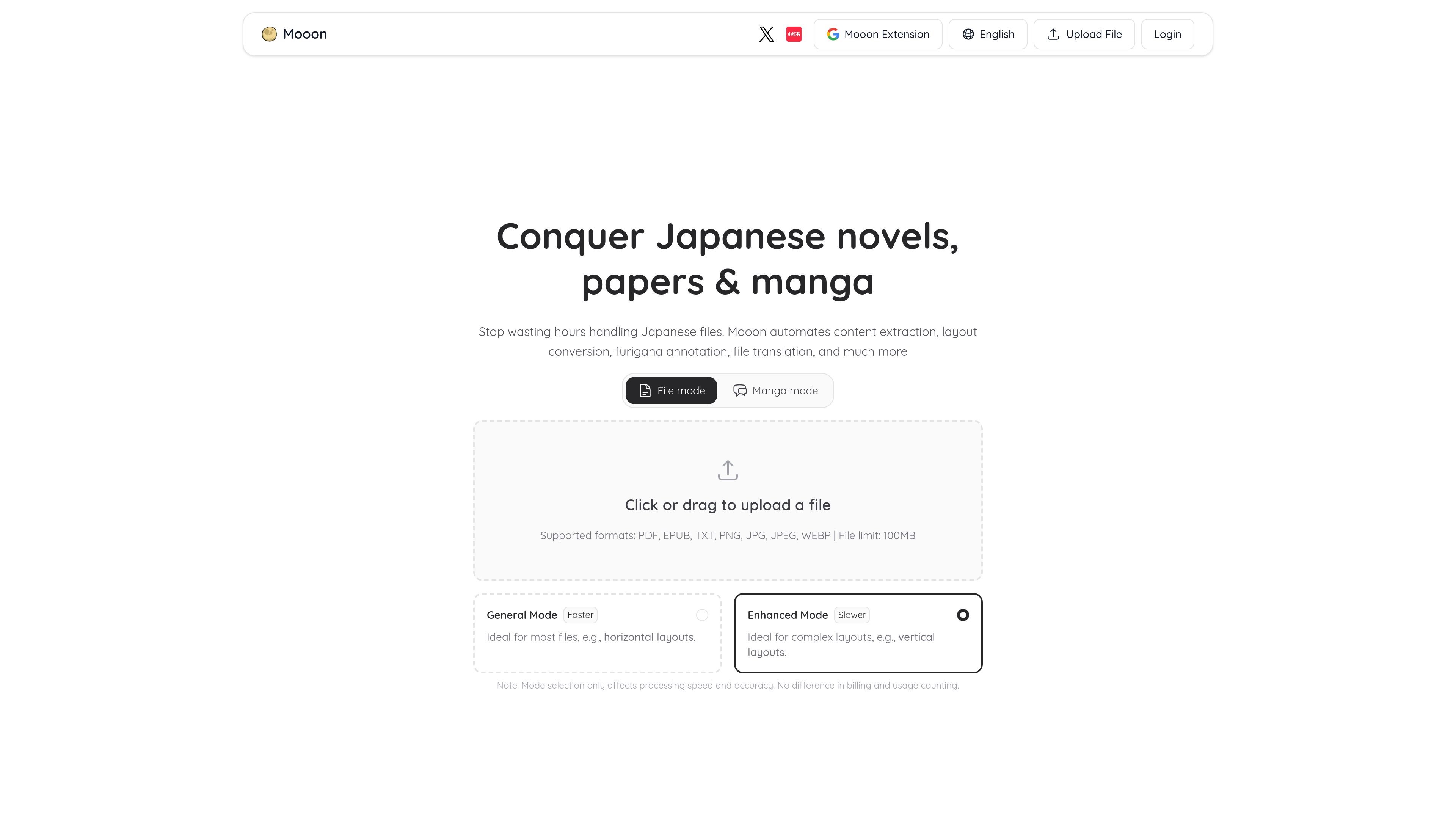
Mooon is a Japanese document reading and processing tool built around PDF workflows, with support for images, EPUB, TXT, and common image formats as well. It is designed to make Japanese files readable by extracting text, reformatting layouts, adding furigana, translating explanations, and reading content aloud.
The site positions the product around two main modes: a file-processing flow for documents such as novels, papers, and manga, and a browser extension for reading web pages. The file workflow can handle vertical text, columns, and mixed layouts, while the extension adds page furigana, translation and explanation, selection-based reading, and study-oriented export features.
Processes Japanese PDF, image, EPUB, and text files, then converts the contents into a more readable layout instead of leaving the original page structure untouched.
Converts vertical, two-column, and mixed layouts into cleaner horizontal text, which is useful for documents that are hard to read directly in their original format.
Adds furigana for kanji and katakana/loanword readings, helping readers pronounce words while reading original Japanese text.
Translates the full document and supports side-by-side or replacement-style translated output, which is useful for reading with translation context.
Turns file content or manga dialogue into audio with natural Japanese voices, including bubble reading for comics.
For manga, extracts dialogue, supports copy/edit workflows, adds furigana, translates pages, and reads speech bubbles aloud.
Useful for readers who want to turn vertical or mixed-layout Japanese PDFs into cleaner horizontal text before reading, especially when the source page is dense or column-based.
Helps novel readers add furigana, translate passages, and listen to Japanese text, which can reduce the friction of reading long-form material.
Designed for manga pages where users may want to extract speech bubbles, edit copied dialogue, translate the entire page, or read bubble text aloud.
Fits learners who read Japanese webpages and want browser-side furigana, translation, selection-based reading, and vocabulary highlighting while they browse.
Useful when you want to export processed materials for later study, with the browser extension supporting image export and Pro adding Notion export.
Mooon supports PDF, EPUB, TXT, PNG, JPG, JPEG, and WEBP files. The site states a single file can be up to 100 MB, and the FAQ says a single processing job can handle up to 200 pages.
The site presents two file-processing modes: a faster general mode for most documents and a slower enhanced mode for complex layouts such as vertical text. It also notes that mode choice affects processing speed and recognition accuracy, not billing or usage counting.
The pricing page says processed files can be exported, and Pro includes export options for PDF and EPUB. The browser extension also supports exporting study materials as images, with Pro adding export to Notion.
The pricing page shows a Free plan and a Pro plan. Free includes limited file processing and limited daily translation/annotation usage, while Pro unlocks higher or unlimited usage for the listed workflows.
The site includes both the main Mooon web app and a Mooon browser extension. The browser extension is for webpage reading workflows such as furigana, translation, and selection-based reading.

Microsoft Translator is a Bing translation web app for translating short text between English and more than 100 languages. It also supports image capture translation and basic output actions like listen and copy.

LangPanda is a browser extension for learning languages from streaming video and other supported sites. It combines instant subtitle lookup, flashcard creation, vocabulary tracking, and spaced-repetition review for 36 languages.

nolainocr is an AI OCR tool that extracts structured data from PDF invoices, receipts, forms, contracts, and bank statements. It helps teams move document data into Excel, Google Sheets, JSON, or CSV without manual entry.

PDFTools is a browser-based suite of free and premium PDF utilities for editing, conversion, and document handling. It helps users work on PDFs locally in the browser without uploading files to a server.

Talkpal is an AI-powered language learning web and mobile app for practicing speaking, listening, writing, and pronunciation. It offers guided courses, roleplays, and call-style conversation practice across 130+ languages.

MagicSlides is an AI presentation generator that turns text, topics, documents, URLs, and videos into slide decks. It creates presentations in Google Slides by default and supports PowerPoint export, with multilingual output and AI-assisted editing.