
Local-first music library
Import music from Files or iCloud Drive, transfer supported audio from a Mac or PC over the same trusted Wi-Fi network, and retain albums, artists, artwork, and track order in the library.

OVO is a local-first music player for iPhone, iPad, and Apple Watch that combines imported music files with Apple Music, SoundCloud, direct streams, and synced folders. It helps Apple-device users organize personal collections, play local tracks offline, and control playback across devices.
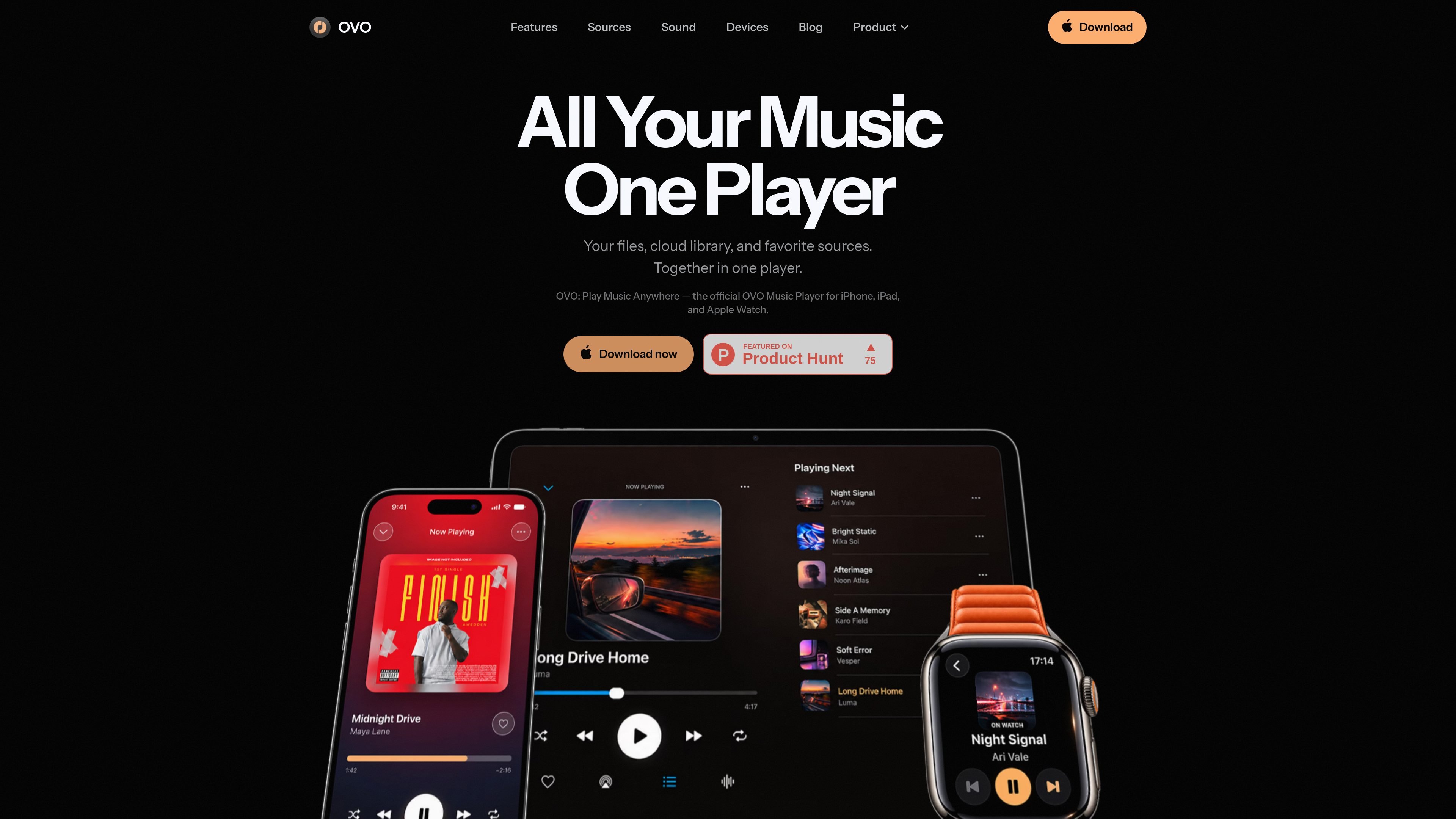
OVO is a local-first music player for iPhone, iPad, and Apple Watch. It places music files imported from Files, iCloud Drive, or a Mac or PC beside connected sources such as Apple Music, SoundCloud, direct streams, and synced folders.
The app is designed for people who maintain a personal music collection but also listen to cloud catalogs, online stations, or remote folders. Local tracks can be organized by albums, artists, folders, playlists, and search, then played offline after import; source behavior remains separate where a connection or provider account is required. iCloud syncs the OVO library between Apple devices, while Apple Watch can play synced local files independently or control playback from the paired iPhone for streams and Apple Music.
Import music from Files or iCloud Drive, transfer supported audio from a Mac or PC over the same trusted Wi-Fi network, and retain albums, artists, artwork, and track order in the library.
Connect Apple Music, SoundCloud, direct stream URLs, live HLS streams, and folders from Files, iCloud Drive, or a WebDAV server alongside local files.
Browse by albums, artists, songs, playlists, folders, and search; create playlists across connected sources and identify downloaded content for offline playback.
Use a 10-band equalizer, Bass Boost, and Volume Boost to adjust playback for different recordings and listening equipment.
Enable Party Mode for supported local tracks to show artwork-derived colors, fluid motion, and beat-reactive pulses, with optional rhythm haptics on supported iPhones.
Use the full player on iPhone, a wider sidebar-and-grid library on iPad, and synced local-file playback or paired-iPhone control on Apple Watch.
Import an established collection from Files, iCloud Drive, or a computer, then browse it by album, artist, folder, or playlist while keeping local tracks available without a connection.
Use the temporary Wi-Fi Transfer page and one-time code to send supported audio from a Mac or PC without a cable, cloud upload, or companion desktop app.
Keep local files next to Apple Music, SoundCloud, direct stream URLs, and internet radio so discovery, owned music, and live audio are accessible from one player.
Connect a Files, iCloud Drive, or WebDAV folder and configure its update behavior, allowing a folder-based collection to stay current without duplicating every track.
Sync local files to Apple Watch before a run or walk for phone-free playback, or use the Watch as a controller for streams and Apple Music playing on the paired iPhone.
OVO runs on iPhone, iPad, and Apple Watch. iCloud syncs the OVO library between Apple devices.
Import music from the Files app or an iCloud Drive folder. You can also send supported audio from a Mac or PC through OVO's temporary Wi-Fi Transfer page while both devices are on the same network.
OVO supports MP3, AAC, M4A/ALAC, FLAC, WAV, and AIFF for local music, according to the product site.
Local files can play offline after import. Direct streams require a connection, and Apple Music playback follows Apple's availability rules. On Apple Watch, synced local files play on the Watch; streams and Apple Music are controlled through the paired iPhone.
Yes. OVO includes a 10-band equalizer, Bass Boost, and Volume Boost. Party Mode adds artwork-derived visuals and beat-reactive pulses to supported local tracks; optional rhythm haptics are available on supported iPhones.

MacSpoof cambia o randomizza l’indirizzo MAC Wi‑Fi su macOS: riconnettiti alle reti e limita la registrazione dell’identità su Wi‑Fi pubbliche.

DemoTV is an audience-ranked station for discovering and comparing independent product demos. Founders can submit videos, embed approved demos on their websites, collect viewer inquiries and optionally commission demo production or labelled promotion without buying ranking.

NomNak è un’app gratuita per iPhone per scoprire ristoranti grazie ai consigli degli amici, con spot salvati, food passport e ricerca città.

Ctrl+Shift+3 is a calm, text-first community platform with a chronological feed, profiles, RSS, and private groups called Clicks. It is built for reading, posting, and joining smaller communities without algorithmic ranking or vanity counts.

Hexel Editor is a macOS hex editor for opening, searching, inspecting, and editing binary files. It is aimed at developers, reverse engineers, and security researchers who need structured byte-level analysis on the Mac.

TyeGit è un client Git nativo in Rust e Tauri per controllo rapido e preciso di staging, commit, branch e remote su Windows, macOS e Linux.