
Spaces for related work
Group related agent sessions and canvases into a space. Private spaces are available for personal work, while shared spaces let teams keep a common feed, context, and workflow.

PostHog Desktop is a desktop app for product builders that combines coding agents with PostHog product context and team workflows. It helps teams plan, run, review, and ship work from a single app.
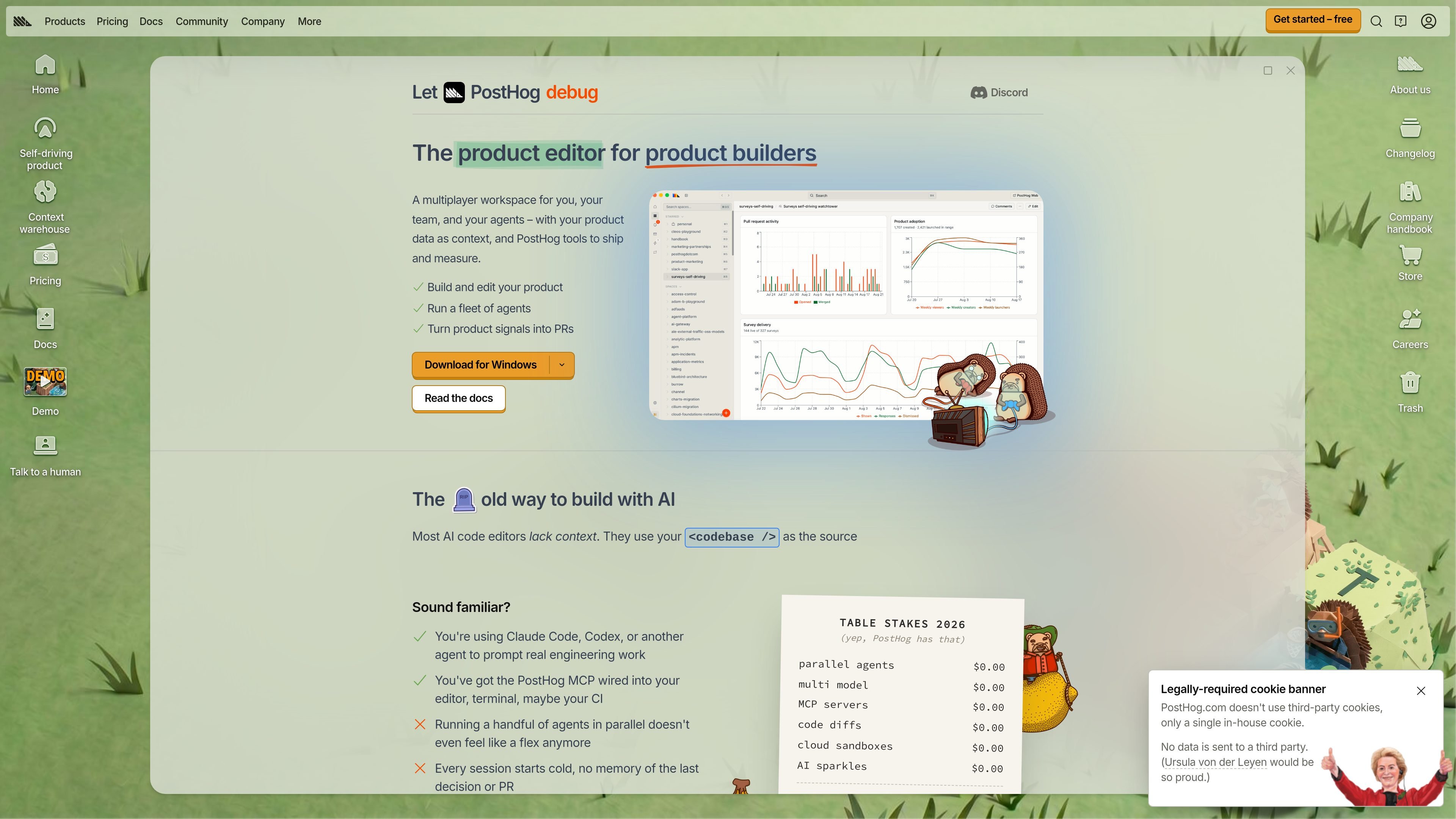
PostHog Desktop is a desktop app for product builders that combines coding agents, product context, and team workflows in one place. It is designed to move work beyond raw code generation by tying agent output to signals from PostHog and to the way teams actually plan, review, and ship work.
The product lets you organize work in spaces, ask agents to produce code or canvases, and route tasks to local, worktree, or cloud execution. The docs describe it as a place to run and steer agents, review diffs, and turn product signals such as errors, support reports, and unexpected behavior into actionable work.
Group related agent sessions and canvases into a space. Private spaces are available for personal work, while shared spaces let teams keep a common feed, context, and workflow.
Give an agent a task, choose a repository, and decide whether it should work locally, in a worktree, or in the cloud. That makes it easier to match the execution mode to the kind of change you want.
Bring in product context from PostHog data, including SDK usage, event activity, flag rollout, experiment status, insights, dashboards, errors, and other project data through MCP.
Review code changes in a diff panel, comment on lines, and ask for corrections. When the work is ready, PostHog Desktop can commit the branch, push it, and open a pull request.
Build canvases for reports, product tools, or interactive dashboards that need shared state, filters, and approved actions. Canvases can be compared, reverted, and shared with a team.
Start several independent tasks in one grid, then compare approaches or clear a batch of fixes. The Command Center is intended for parallel agent work and progress tracking.
Use Desktop to take a feature or bug from idea to implementation plan, then have an agent produce changes that can be reviewed before shipping.
Use shared spaces when a product area or recurring workflow belongs to a team, so people can follow sessions, reuse context, and continue work without re-briefing the agent.
Use the MCP connection to ask questions about errors, funnels, flags, experiments, replays, or other project data while working in your editor or in Desktop.
Use the diff panel, branching, and pull request flow when you want the agent to make code changes and then hand them back through a normal review process.
Use the cloud execution option for tasks that should keep running after you close the app, then return later to inspect the result or move it back to your computer.
PostHog Desktop is a desktop app for product builders that brings coding agents, product context, and team processes into one place. It lets you organize work in spaces, run agents, review diffs, and turn product signals into code changes or reports.
It supports running tasks locally, in a worktree, or in the cloud. The docs page lists macOS (Apple Silicon and Intel), Windows, and Linux (x64 and Arm64) as available platforms.
PostHog Desktop is in beta, and parts of the product are described as alpha inside the beta. The docs also point to platform download packages and updates for eligibility.
Yes. Shared spaces let teams follow agent sessions, join threads, and reuse shared context, and you can also mention teammates in threads or start tasks from Slack.
The pricing page lists PostHog Desktop Beta as part of PostHog's free monthly allowance, with 2000 credits worth $20 shared across PostHog Web, Slack, Desktop, and MCP. If you exceed the free tier, PostHog uses pay-as-you-go billing with limits you can set.

Biji è una piattaforma versatile progettata per migliorare la produttività attraverso strumenti e funzionalità innovative.

hob is an independent workspace for coding agents that keeps agent sessions, terminals, history, and follow-up work organized around the tools and providers you already use. It is aimed at developers who want local control over routing, history, and workspace structure rather than a bundled model stack.

SonOf connects to your repo and PM tool, audits the codebase and surrounding product context, and turns approved work into shipped tickets with senior engineering review. It is aimed at founders and engineering leaders who need backlog help without hiring a full team immediately.

runevr is a connected workspace for creative teams that combines boards, media review, chat, recordings, drive, calls, and AI agents in one room-based environment. It is designed to reduce tool switching and keep project context together.

BotBoard is a task-management layer for AI agents that helps teams assign work, track progress, and review output. It supports CLI, MCP, and HTTP connections for tools like OpenClaw, Codex, Claude Code, and Cursor.

ByteAsk is a terminal-first AI coding agent for C and C++ that edits repositories and verifies changes with the real compiler, debugger, sanitizers, and tests before showing a diff. It offers a free tier plus paid plans, with editor connectors and zero-retention handling described in the source.