TreeMind树图 icon

TreeMind树图

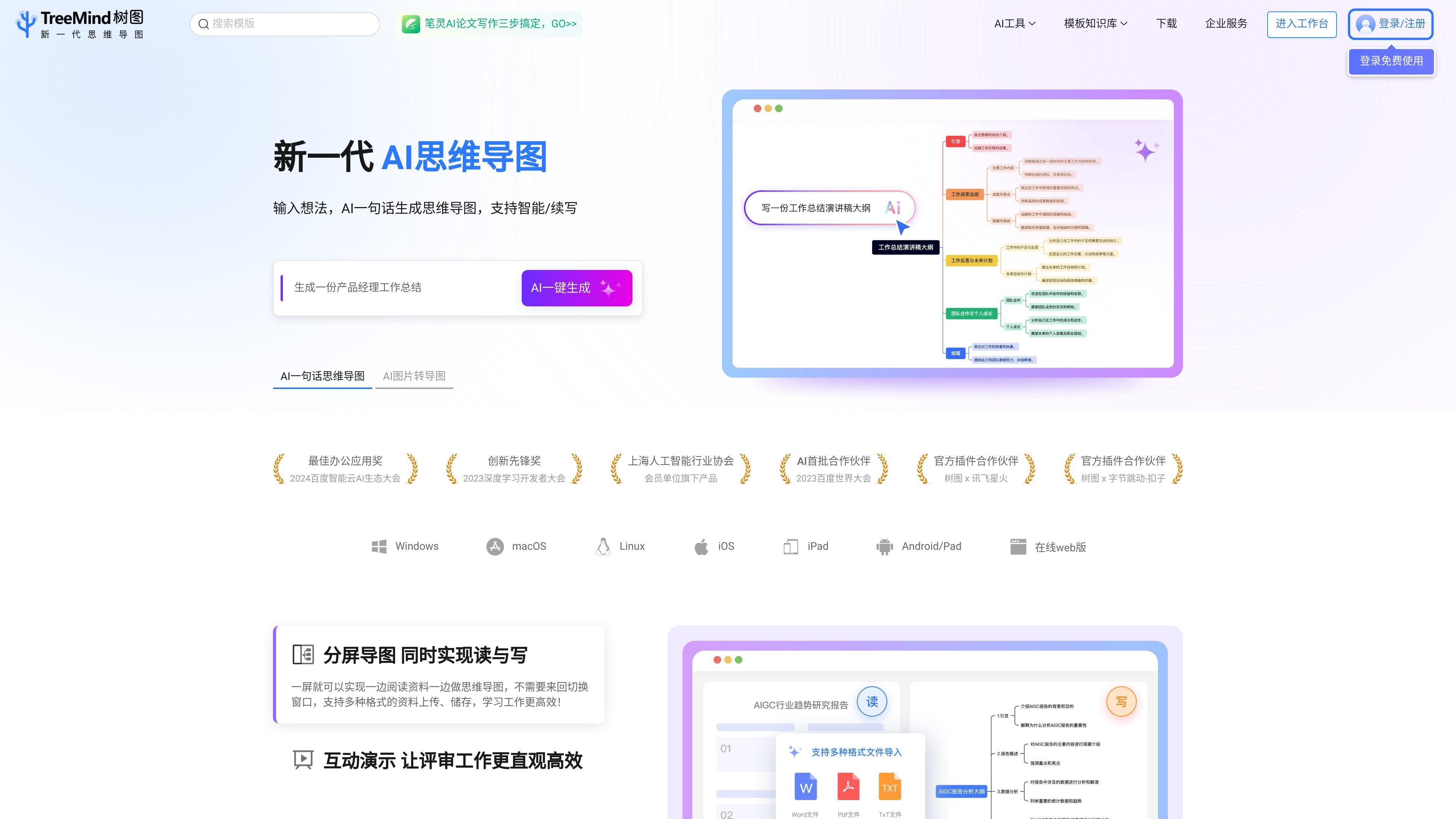
TreeMind树图是一款在线AI思维导图软件,支持一句话生成导图、图片转导图、文档总结成导图和多种结构模板。它适合学习整理、项目规划、团队协作和导出分享等场景。

TreeMind树图

What is TreeMind树图?

TreeMind树图 is an online AI mind mapping tool that focuses on helping users organize ideas, materials, and project content through AI generation, template usage, and multi-structure editing. Official website information shows that it supports multiple visualization formats such as mind maps, logic charts, tree diagrams, fishbone diagrams, organizational charts, and timelines, making it suitable for learning, office work, and content planning.

The product emphasizes online creation and cloud management, supporting cross-platform file sync, multi-user collaboration, team spaces, and presentation review. Users can view and edit files in the browser, desktop app, and mobile app, and use the template knowledge base, material resources, and formula and symbol tools to refine mind map content.

Core Features

AI Generation and Content-to-Mind-Map Conversion

Supports generating a mind map from a single sentence, as well as AI continuation, document-to-mind-map summarization, and image-to-editable-mind-map conversion, covering common workflows from idea organization to information extraction.

Multiple Mind Map Structures

Provides 30+ structures such as mind maps, logic charts, tree diagrams, fishbone diagrams, organizational charts, and timelines, and supports mixed structures and subtopic switching to help users choose the right layout for each task.

Templates and Style Configuration

Includes 200+ theme templates, 18 color themes, and 50+ free color schemes, with rainbow branches, single-branch adjustments, and multiple material types to make mind maps more suitable for presentation and categorization.

Cross-Platform Sync and Collaboration

Supports cross-platform viewing and editing in browsers, desktop apps, and mobile apps, with real-time file saving and simultaneous multi-user viewing and editing.

Team Space and Presentation

Provides team spaces, file management, and presentation features, making it suitable for using mind maps in reviews, discussions, work planning, and knowledge retention.

Export and Printing

Supports export and printing in a variety of common formats, and the desktop app also offers free paginated printing, one-click compact printing, and custom scaling printing.

Use Cases

  • Quickly Build a Thinking Framework

    Suitable for users who need to quickly turn a single requirement, class content, or work task into a structured mind map, reducing the time spent building a framework from scratch with AI generation.

  • Organize and Summarize Materials

    Suitable for scenarios where images, documents, financial reports, research reports, or e-books need to be distilled into a mind map for extracting key points, taking reading notes, and organizing knowledge.

  • Team Collaboration and Review

    Suitable for group discussions, department reviews, and project follow-up when multiple people need to view and edit the same file at the same time, making it easier to sync ideas and record conclusions.

  • Education and Knowledge Sharing

    Suitable for teachers, students, or knowledge creators using the template knowledge base to make courseware, notes, and knowledge-sharing content while reducing repetitive formatting work.

  • Presentation, Export, and Archiving

    Suitable for users who need to use mind maps for reports, presentations, or printed archiving, using multiple export and printing options to complete delivery.

Pros and Cons

Pros

  • Supports AI one-line generation, image-to-mind-map conversion, and document-to-mind-map summarization, covering a relatively complete input-to-output workflow.
  • Offers 30+ structures, 200+ theme templates, and rich materials, suitable for different types of information organization.
  • Supports cross-platform sync, multi-user collaboration, and team spaces, making sharing and review easier.
  • Provides many export formats and printing options, suitable for sharing, presentations, and archiving.

Cons

  • The specific limitations and pricing details for membership, team, and enterprise plans are not fully shown on the available pages.
  • Some feature descriptions come from the official website’s product introduction, so the exact available scope may vary by version or permissions.

FAQ

Who is TreeMind树图 suitable for?

TreeMind树图 provides online mind map creation and template use, making it suitable for users who need to organize knowledge, plan projects, or collaborate as a team. The page also offers a beginner’s guide, FAQs, and advanced tutorials to help users get started quickly.

Which devices or platforms does TreeMind树图 support?

The page information shows that it supports viewing and editing files in the browser, desktop app, and mobile app, and provides cloud auto-save and cross-platform file sync.

How can completed mind maps be exported?

It supports exporting to common formats such as images, PDF, and Word, and the desktop app also supports printing-related capabilities to help use mind maps for sharing, presentations, or archiving.

What usage or licensing plans does TreeMind树图 offer?

The membership introduction page shows plans including a free version, a personal premium version, a team version, as well as enterprise private deployment and API access. Specific benefits are subject to the page display.

Quick Facts

Product Type
Online AI mind mapping software
Official Website Domain
shutu.cn
Primary Use Cases
Idea organization, brainstorming, information summarization, and team collaboration
Supported Platforms
Browser, desktop app, mobile app
Common Mind Map Structures
Mind map, logic chart, tree diagram, fishbone diagram, organizational chart, timeline
Membership Plans
Free version, personal premium version, team version, enterprise private deployment, API access