
Deep media inspection
Open local files or remote URLs and inspect container metadata, codec parameters, stream details, MP4 box hierarchy, hex dumps, and frame-level sample tables. The inspection views also adapt to HLS and DASH manifests.

Video Commander is a desktop app for video engineers that combines media inspection, FFmpeg-based conversion, VMAF analysis, and HLS/DASH packaging in one local workflow. It runs on macOS and Windows, with a free Personal plan and a paid Pro plan for commercial use.
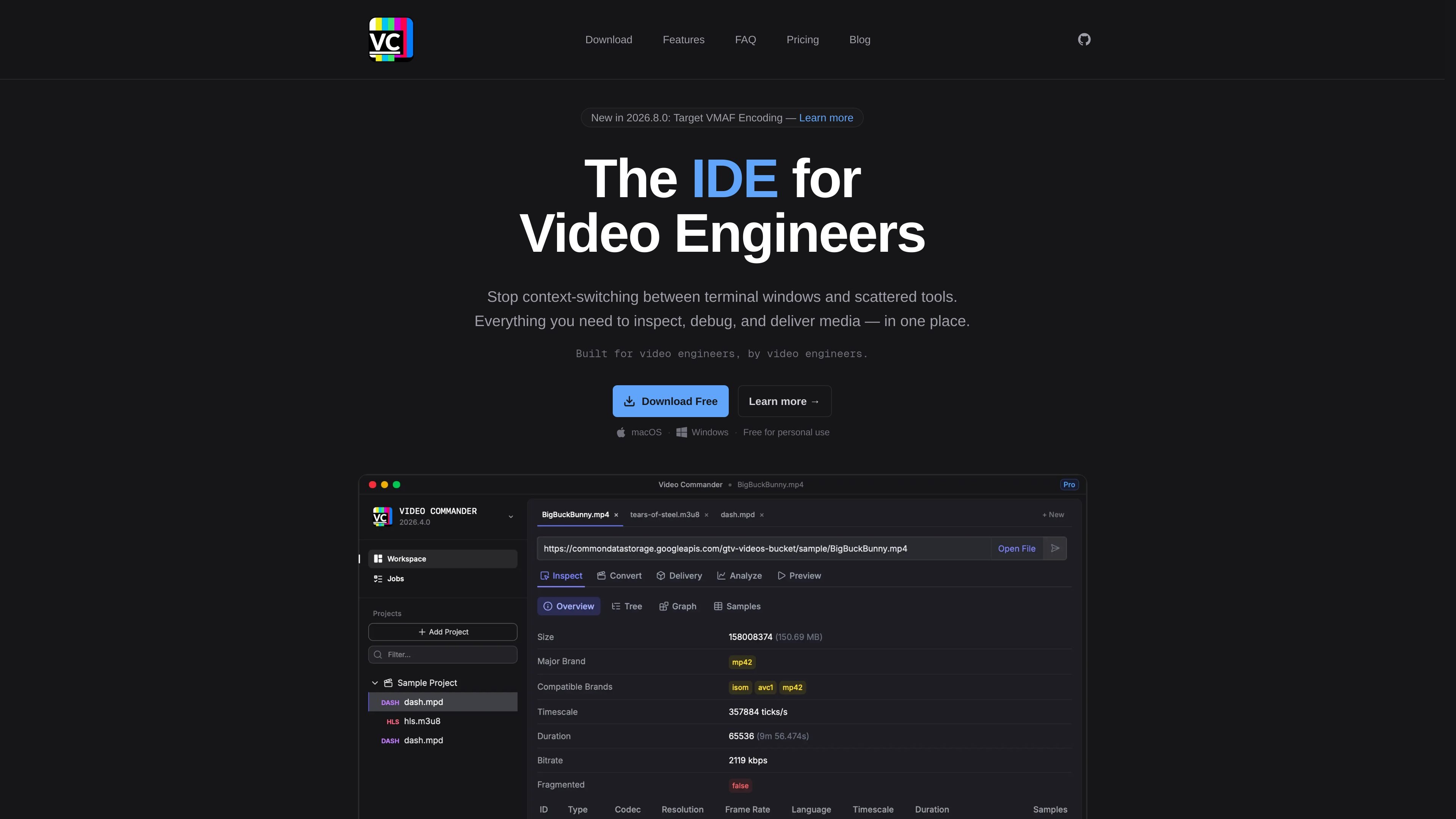
Video Commander is a desktop application for video engineers that brings inspection, conversion, analysis, preview, packaging, and validation into one local workflow. It is built around technical media tasks such as MP4 and ISOBMFF inspection, FFmpeg-based encoding, HLS and DASH packaging, and VMAF quality analysis.
The app is available for macOS and Windows, and it is positioned as a way to avoid switching between terminals and separate tools when working on media files. A free Personal plan is available for individual use, while the Pro plan is intended for commercial work and adds priority support and broader licensing.
Open local files or remote URLs and inspect container metadata, codec parameters, stream details, MP4 box hierarchy, hex dumps, and frame-level sample tables. The inspection views also adapt to HLS and DASH manifests.
Use a structured FFmpeg front-end to control codec, resolution, bitrate, stream mapping, filters, and container settings without memorizing flags. The app previews the exact command before execution.
Queue multiple source files with shared encode settings and process them as separate tracked jobs. Each job shows progress, elapsed time, and logs so longer runs are easier to manage.
Package a master file into HLS, DASH, combined HLS+DASH, or progressive MP4 outputs. You can configure rendition ladders, segment duration, playlist options, and AES content encryption.
Run VMAF analysis against a source and an encoded output, then review aggregate scores, a per-frame quality timeline, and exportable CSV or JSON results. Previous jobs can be reloaded for comparison.
Validate HLS and DASH manifests for spec issues such as missing segments, malformed playlists, codec inconsistencies, and URL reachability problems, with severity-based findings.
Inspect MP4, ISOBMFF, HLS, or DASH assets when you need container, codec, stream, or manifest details without jumping into separate utilities.
Prepare encodes with explicit control over codecs, bitrate, filters, stream mapping, and hardware acceleration while keeping the generated FFmpeg command visible.
Create delivery outputs such as HLS, DASH, combined HLS+DASH, or progressive MP4 packages with rendition ladders, segment settings, and encryption options.
Compare a source and encoded output with VMAF scoring, then review the score timeline or export the results for later analysis.
Validate manifests and segment URLs before delivery to catch missing segments, malformed playlists, codec mismatches, or reachability problems.
Video Commander is a desktop application that runs locally on macOS and Windows. It is designed for media inspection, analysis, conversion, preview, packaging, and validation workflows.
Yes. The app uses FFmpeg for conversion and delivery packaging, and it shows the exact FFmpeg command before you run a job so you can review the generated settings.
Yes. The app supports hardware encoders on supported machines: VideoToolbox on macOS, and NVENC, AMF, and QSV on Windows where the hardware is available.
Yes. You can queue multiple source files with shared encode settings, and each file runs as its own tracked job in sequence.
The app is available for macOS and Windows. The download page also says Linux builds are coming soon, and the FAQ says Linux builds are planned.

Optimo is a free, open-source CLI for optimizing and converting images and videos with format-specific commands built on ImageMagick and FFmpeg. It helps developers prepare web assets, batch process media, and automate compression from the shell or a Node.js script.

Bansi is an AI video editor for long-form content that turns raw footage into a polished first draft. It helps creators and production teams speed up editing by automating cuts, captions, zooms, audio cleanup, and related techniques.

CAMB.AI Streams dubs live audio in multiple languages in real time for broadcasts on platforms like YouTube, Twitch, and X. It plugs into existing live workflows using common streaming protocols and avoids a post-production step.

Video Effects SDK adds real-time webcam effects such as background blur, background replacement or removal, denoising, framing, beautification, and color grading. It is built for teams shipping live video experiences on web, desktop, and mobile platforms.

DeepMotion is a web-based AI motion capture and 3D animation platform with Animate 3D for video-to-animation and SayMotion for text-to-animation. It helps creators and teams generate motion in a browser and export results in common production formats.

LALAL.AI is an AI audio processing platform for stem separation, voice cleanup, and voice transformation. It supports browser-based upload, preview, and download workflows for audio and video files, plus premium and enterprise options.