

Agentation
Agentation is a visual feedback tool to annotate UI elements and share code-aware instructions with AI agents for faster, precise fixes.
What is Agentation?
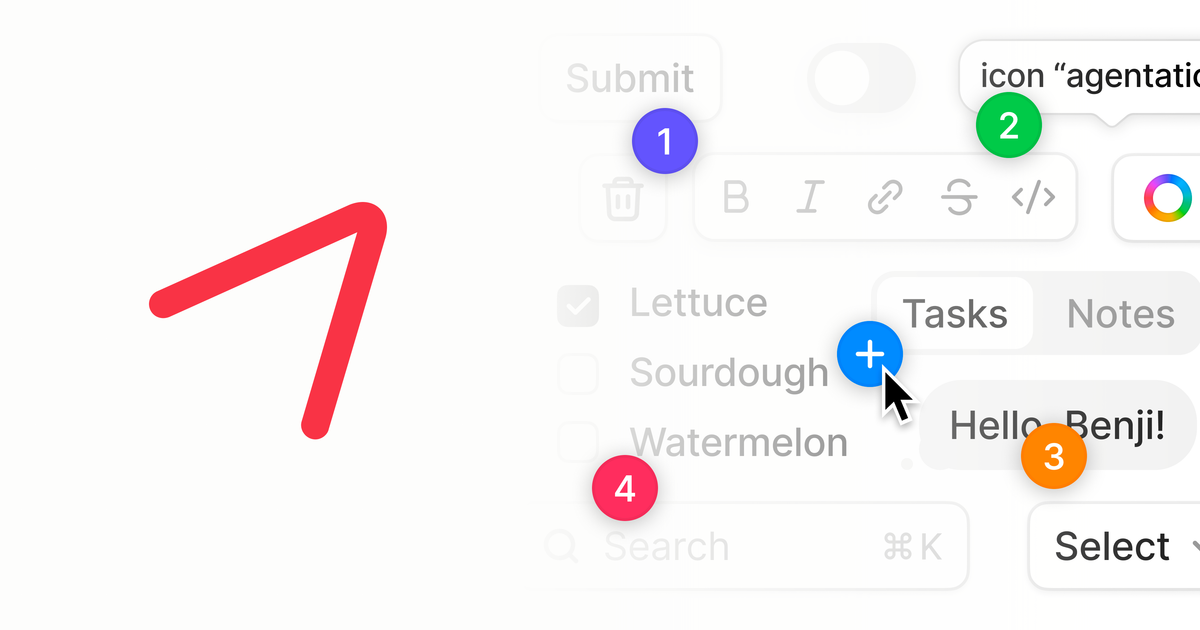
Agentation is a visual feedback tool to annotate elements directly in a UI, then share that feedback with AI agents so they can identify the exact target in your codebase. Its core purpose is to turn “point at this” feedback into structured, machine-actionable instructions that agents can act on.
It works especially well with AI coding tools that can access your project files, where Agentation’s output can include selectors, file paths, and structure information to help an agent navigate to the right lines and components.
Key Features
- On-page visual annotations: Activate a toolbar and click or select elements to create an annotation tied to a specific on-screen target.
- Element targeting for agents: Agentation can produce an element path, CSS selectors, and file-location details so an agent doesn’t have to guess which UI element you meant.
- Codebase context for better fixes: When the agent has codebase access (e.g., through tools like Claude Code or Cursor), the agent can use selectors to grep, source file paths to jump to the right line, a React component tree to understand hierarchy, and computed styles to infer the element’s current appearance.
- Formatted markdown output: After adding feedback, users can click to copy formatted markdown and paste it into an agent’s input.
- MCP integration support: With MCP, you can skip copy-paste because your agent can already see the annotation context; agents can be prompted with instructions like “address my feedback” or “fix annotation 3.”
- Annotation lifecycle controls: Agents can query existing feedback (e.g., list all annotations across pages) and respond to actions such as dismissing or resolving items (e.g., “clear all annotations”).
How to Use Agentation
- Activate the annotation toolbar: The toolbar is available within the Agentation interface (the page content notes the toolbar is active on the demo page).
- Hover to identify elements: Hover over elements to see their names highlighted.
- Create an annotation: Click a target element or select text (for example, on the provided demo elements) to create a new annotation, then enter your feedback.
- Submit and share feedback: Add the annotation and click to copy the formatted markdown output for pasting into your agent.
- Optionally use MCP: If your agent is connected via MCP, you can avoid manual copy-paste and instead ask the agent to address or fix specific annotations.
Use Cases
- Bug reports for a specific UI element: When you see the “wrong” button state or styling, hover to identify the element, annotate it with what you expected vs. what you see, and share selectors/path info so an agent can locate the relevant code.
- Typography and spacing feedback: For issues like padding and sizing, you can annotate the exact component area and ask the agent to decide between alternatives (e.g., “24px or 16px”) as part of resolving the feedback.
- Text/content correction: If a label or copy has a typo, select the exact text and add concise feedback (e.g., “Button text unclear” or “content should read X”) so the agent can target the specific UI string.
- Animation frame-specific feedback: Pause an animation (via the toolbar) at the frame you care about, annotate that specific visual state, and provide feedback tied to the paused context.
- Team or multi-page feedback coordination: Have agents list all annotations they can see across pages, resolve them one-by-one, and clear everything when the review is complete.
FAQ
How does Agentation help an agent find the right part of my app?
Agentation’s output can include CSS selectors, source file paths, React component hierarchy, and computed styles so an agent can grep, navigate to the correct line, and understand where and how the element fits.
Do I need to copy and paste the feedback into the agent?
Not always. The page notes that with MCP integration, you can skip copy-paste because the agent already sees the annotation context.
What kinds of feedback should I write in annotations?
The page recommends being specific (e.g., describe the issue clearly), handling one issue per annotation, and including context about what you expected versus what you see.
Can agents ask questions or respond to annotations?
Yes. With MCP integration and an Annotation Format Schema, the page describes agent interactions such as listing annotations, requesting clarification, resolving with a summary, and dismissing annotations.
What is Agentation’s licensing model?
Agentation is free for individuals and companies for internal use. For redistributing Agentation as part of a product you sell, the page advises contacting them for a commercial license.
Alternatives
- Interactive UI screenshot/markup tools (with human review workflows): Tools that capture and mark up UI for review can also support feedback sharing, but they typically don’t generate structured selectors/file paths for code-aware agents.
- Text-based issue templates in a tracker (e.g., bug tickets): Bug trackers help document expected vs. actual behavior, but they rely on description rather than pointing agents to a specific UI element path in the codebase.
- Agent-capable code navigation tools without visual annotation: Coding assistants that understand your repository can still act on feedback, but without an annotation layer you’ll usually have to describe the target more indirectly (e.g., by naming components manually).
Alternatives

MakerLoft
MakerLoft is an AI app builder for non-developers that connects to your GitHub repo to generate working apps with auth, payments, files, jobs.

Lasso
Lasso is an AI-first PIM for ecommerce teams that enriches product attributes and descriptions, processes supplier data, and monitors competitors via app or API.

Ably Chat
Ably Chat is a chat API and SDKs for building custom realtime chat apps, with reactions, presence, and message edit/delete.

Tavus
Tavus builds AI systems for real-time, face-to-face interactions that can see, hear, and respond, with APIs for video agents, twins & companions.

ClawTick
ClawTick is a CLI-first AI agent automation platform for scheduling webhook tasks on cron with monitoring, alerts, retries, and execution logs.

Falconer
Falconer is a self-updating knowledge platform for high-speed teams to write, share, and find reliable internal documentation and code context in one place.