

Commentblocks
Commentblocks is a website feedback tool: clients click a shared link to pin visual comments on live pages—no signup, extensions, or code.
What is Commentblocks?
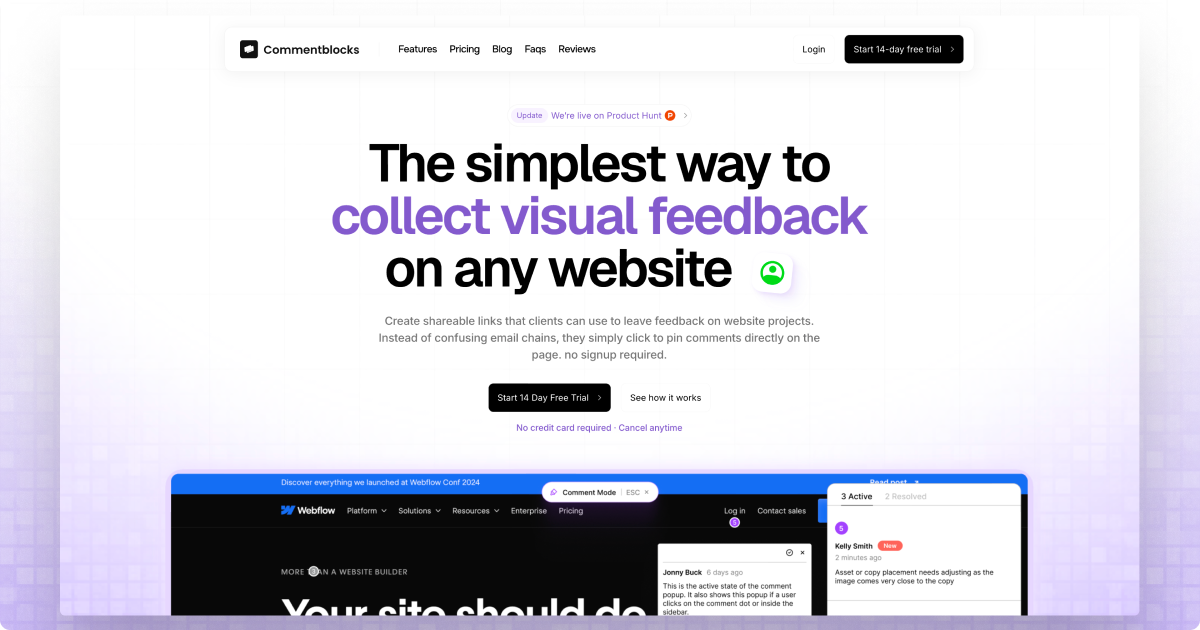
Commentblocks is a website feedback tool that lets clients leave visual comments directly on a live webpage. Instead of managing feedback through email threads or static markup, you share a link and clients pin comments to the exact elements they’re referring to.
The core purpose is to reduce ambiguity during website review cycles. Commentblocks creates shareable links (no client signup required) that support point-and-click feedback, with notifications for the person collecting and responding to the comments.
Key Features
- Shareable feedback links (no client signup): You send one link to your client; they click it and comment without creating accounts, extensions, or installing code.
- Pin comments directly on the page: Clients point at the relevant part of the site and pin a comment in-context, making it clearer what needs to change.
- Straightforward setup from a URL: Start by adding any URL to generate the shareable link, which streamlines the workflow for repeated reviews.
- Email notifications for new feedback: When clients add comments, you receive email notifications so you can review and respond.
- Reply, discuss, and mark comments resolved: After initial feedback is posted, you can continue the thread and mark items resolved when changes are addressed.
- Password protection for sensitive projects (optional): For projects you want to keep private, you can require a password to access the feedback link.
- Comment history controls (plan-based): Included plans specify comment history duration (e.g., 30/90 days for the lower tiers) with an option for unlimited comment history.
How to Use Commentblocks
- Add the URL: Create a Commentblocks link by entering the website URL you want to review.
- Share the link with your client: Send the single link to your client (optionally password-protect it for sensitive work).
- Collect visual feedback: Your client opens the link, views the live website, and pins comments to the exact locations.
- Review and close the loop: You receive email notifications, can reply and discuss, and mark comments as resolved when you’ve addressed the feedback.
Use Cases
- Agency or web studio client reviews: An agency can collect feedback across multiple client websites without asking clients to log into a tool; clients simply comment on the shared link.
- Freelancer-led design iterations: A freelancer can send a single feedback link to a client for one active project, enabling quick, visual clarification during revisions.
- Asynchronous QA and design feedback: Teams can run reviews without scheduling a meeting for each iteration, since comments are pinned directly on the page for later reference.
- Sensitive or internal projects: For work where you want to limit access, password protection can be enabled so only people with the password can view and comment.
- Managing review threads over time: When comments need follow-up, the ability to reply/discuss and mark resolved helps track what was addressed versus what remains.
FAQ
-
Do clients need to sign up or install anything? No. Clients click the shared link and comment directly; the site is designed to avoid client accounts, extensions, and code installation.
-
What do I need to start a feedback round? You provide a URL. Commentblocks generates a shareable link for that webpage so clients can pin comments in context.
-
How do I keep feedback private? The feedback link can be password-protected for sensitive projects.
-
How will I know when clients leave feedback? Commentblocks sends email notifications when clients pin comments.
-
Can comments be followed up and marked complete? Yes. You can reply, discuss, and mark comments as resolved.
Alternatives
- Email and PDF markups: Traditional approaches rely on text-only threads or static screenshots. They may be slower to interpret because feedback isn’t pinned to the live page.
- In-product commenting or collaboration platforms: Some tools support commenting within shared workspaces, but they typically require collaboration workflows that may involve different access methods than a single public/private link.
- General-purpose project management tools with attachments: Many teams track feedback using tasks and files; this can work for structured updates, but it may not provide the same point-and-click clarity on the exact on-page element.
- Other visual review tools for web pages: The closest category is web-based visual review systems that let reviewers annotate or comment on a rendered page. These alternatives often differ in whether they require accounts or how access to feedback is handled.
Alternatives

Clera
Clera is an AI talent agent that matches your startup role preferences and dealbreakers, then makes direct introductions to hiring managers.

SureThing
SureThing is an AI agency team acting as an AI COO/CMO/Researcher—running multi-step work across 1,000+ apps and delivering finished artifacts.

Social Fetch
Social Fetch is a unified social media scraper API to retrieve public profiles, posts, comments, videos, transcripts & metrics from TikTok, Instagram, YouTube, X, and more.

Lovable: Build Apps With AI
Lovable: Build Apps With AI helps you generate working apps and websites from plain-language ideas, iterate via chat, and deploy with one click.

VectorAI DB
VectorAI DB by Actian is a portable local-first vector database for semantic and hybrid search on edge and on-prem, no cloud latency.

Crono
Crono is an AI-native sales execution layer for B2B teams, unifying signals, sales data, workflows, and AI agents for outreach and follow-ups.