
Transforms for analytics-ready datasets
Clean, join, or pre-aggregate data in SQL or Python, then publish a new persistent table that teams can explore and query.

Metabase Data Studio is a semantic layer and analytics workbench for cleaning, defining, and publishing reusable data in Metabase. Keeps metrics and datasets consistent.
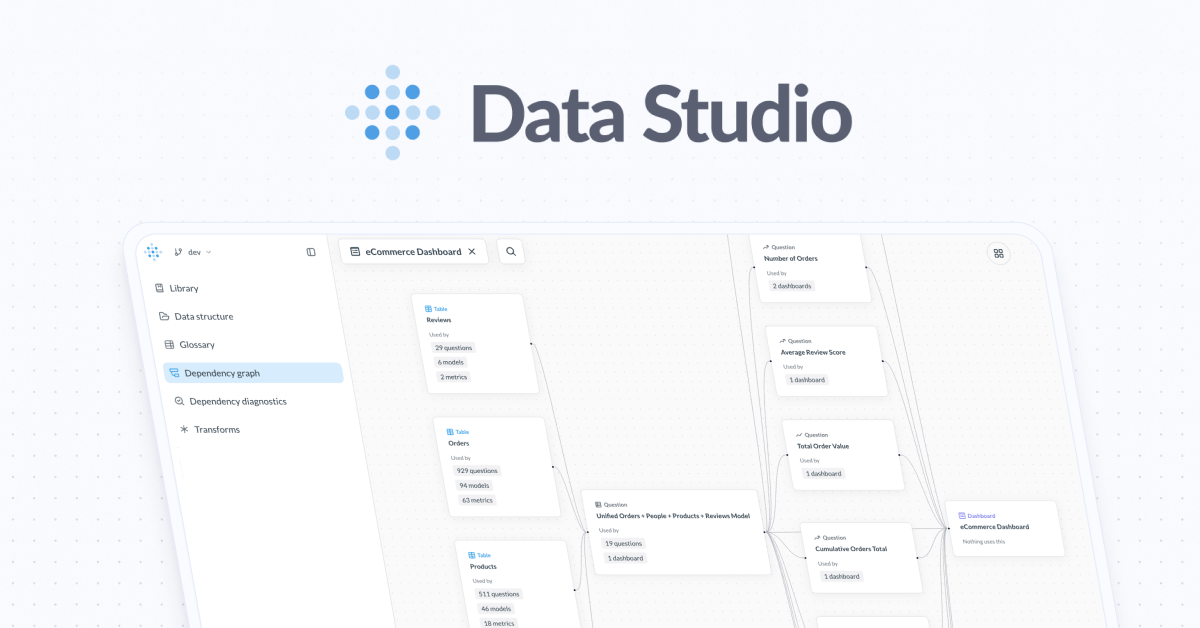
Data Studio is Metabase’s workbench for shaping the data that powers self-service analytics. It gives analytics teams a place to define reusable building blocks, centralize logic, and keep definitions consistent as more charts, dashboards, and questions depend on the same data.
The product is built to help teams manage the side effects of growth: duplicated logic, drifting metrics, broken dependencies, and unclear ownership of datasets. Inside Metabase, Data Studio supports transformations, lineage review, dependency checks, and publishing curated datasets that other people can trust and reuse.
Clean, join, or pre-aggregate data in SQL or Python, then publish a new persistent table that teams can explore and query.
Centralize reusable logic so metrics, definitions, and other business rules are applied consistently across analytics work.
See how data flows through Metabase and understand the downstream impact before you change a table or model.
Detect broken links between tables, dashboards, and other dependencies so issues can be fixed before they spread.
Create a shared library of curated datasets and make it clearer which data is intended for reuse or production use.
Prepare tables for exploration by cleaning, joining, or pre-aggregating them before other users build questions and dashboards on top of them.
Define shared metrics and business logic once, then reuse those definitions across questions, dashboards, and embedded analytics.
Check lineage and dependency graphs before changing a model or table so you can see which dashboards or downstream assets may be affected.
Surface broken dependencies early and fix them before they create downstream reporting issues or broken dashboards.
Publish curated datasets as reusable library items so teams know which data is ready for broader consumption.
Data Studio is the part of Metabase where teams structure data for self-service analytics. It is used to build and manage data models, define metrics, and organize metadata so dashboards and questions stay understandable as the data set grows.
Yes. Metabase says you can build and define a semantic layer inside Data Studio, then reuse shared business logic such as metrics and definitions across questions, dashboards, and embedded analytics.
Data Studio is aimed at analytics engineers, analysts, and developers who are responsible for managing data for internal or embedded analytics.
Data Studio is an always-on part of Metabase. Core capabilities are available in every Metabase instance, while advanced features such as Python transforms, data lineage, and dependency diagnostics are available for teams that need more complex workflows.
If you are already using Metabase, you can start by publishing tables, defining metrics, or adding context to existing data. New users can try Metabase open source, and paid plans include a free 14-day trial.

PromptScout tracks how ChatGPT, Gemini, Google AI Overviews, and Perplexity mention your brand or competitors, with source analysis and website audits.

SaveMRR is a Stripe retention tool for SaaS teams to scan churn and MRR leaks, then automate recovery with dunning, cancel-save offers, win-back emails, and onboarding nudges.

Hype is a web tool for finding trending YouTube topics by category, time range, and scoring mode. Spot emerging ideas and review source videos.

Sleek Analytics is a privacy-friendly web analytics tool with real-time visitor tracking, Core Web Vitals, and revenue attribution.

Struere turns spreadsheet data into structured operational software with dashboards, alerts, and automations for teams replacing manual spreadsheet workflows.

ClayHog is an AI search visibility platform for tracking brand presence in ChatGPT, Gemini, Perplexity, Claude, and Google AI Overviews from one dashboard.