

Donely
Donely is a multi-instance management platform for OpenClaw AI employees, enabling unlimited deployments and monitoring from one dashboard. Start free.
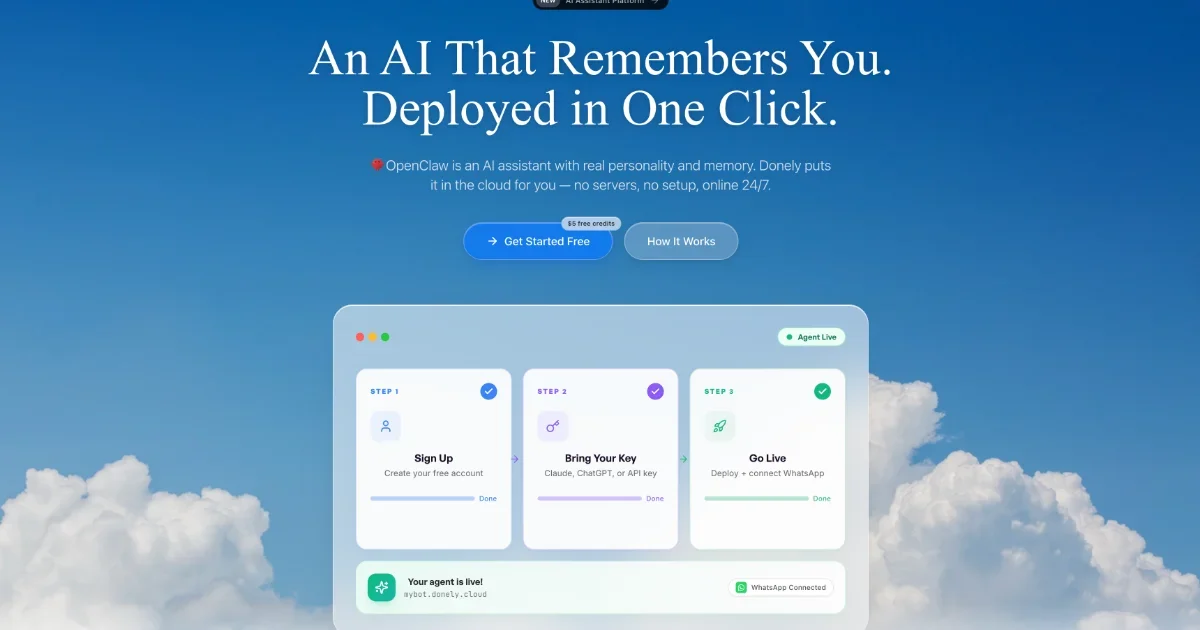
What is Donely?
Donely is a multi-instance management platform for OpenClaw AI employees (agents). It lets you deploy and operate multiple OpenClaw instances from a single dashboard, with monitoring, access control, and centralized billing for personal, business, and client deployments.
Instead of managing each instance separately, Donely provides a unified workspace to scale from one instance to many, while keeping per-instance boundaries and access rules.
Key Features
- Unlimited OpenClaw instances in one dashboard: Start with one instance and add more as your needs grow without switching platforms or setting up separate accounts.
- Per-instance access control (RBAC): Control who can access which instance—employees can be allowed to view a business instance but not a personal one, and clients can be given a read-only view.
- Client-style isolated deployments: Run separate instances for different clients with separate data boundaries and credentials.
- Unified management and centralized monitoring: View status, logs, and usage across personal, business, and client deployments from one place.
- Unified billing with volume discounts: Receive one invoice covering multiple instances, with volume discounts mentioned for having 3+ instances (10–30% off).
- Extensive integrations for agent tools: Connect agents to existing tools (e.g., CRMs, messaging, project management, analytics) with “850+” tools available, plus specific connectors like Gmail, Slack, Notion, HubSpot, Salesforce, Google Calendar, Jira, and more.
How to Use Donely
- Sign up for Donely (a free option is offered) without a credit card requirement.
- Connect your bot token for a supported channel such as Telegram or Discord (the product describes this as paste/connect, with Donely handling the rest).
- Deploy and launch your first AI employee instance (the site states the agent is live in under 60 seconds).
Once deployed, use the Donely dashboard to monitor performance, manage access, and add additional instances as needed.
Use Cases
- Solo founder to business expansion: Use a personal instance for early productivity, then add a business instance later using the same dashboard while keeping separation between personal and business access.
- Agency model with one instance per client: Deploy a separate OpenClaw instance per client to isolate data and credentials, and provide each client with a read-only dashboard view.
- Team operations across departments: Create separate agent instances for functions like Sales, Support, Finance, and Ops so each department sees only its relevant agent data.
- Scaling without migration or repeated setup: Begin with one instance and scale to dozens by adding instances rather than reworking infrastructure or maintaining separate operational workflows.
- Tool-connected agents for day-to-day work: Connect your OpenClaw agents to tools you already use (e.g., Slack, Gmail, HubSpot, Jira, Zendesk, Notion) so the agent can interact within existing processes.
FAQ
Does Donely support multiple OpenClaw instances?
Yes. Donely is positioned as a multi-instance platform where you can deploy and manage multiple OpenClaw instances from one dashboard.
Can I restrict access to different instances for different users?
Yes. The site describes per-instance access control (RBAC), including scenarios like employees accessing a business instance but not a personal one, and clients receiving a read-only dashboard view.
How do I deploy an AI employee?
The typical flow on the site is: sign up, connect a Telegram or Discord bot token, then deploy. The agent is described as going live in under 60 seconds.
What kinds of tools can OpenClaw connect to through Donely?
Donely lists “850+” tools available out of the box and shows examples such as Gmail, Slack, Notion, HubSpot, Salesforce, Jira, Zendesk, Stripe, and others.
Is there unified billing for multiple instances?
Yes. The site describes centralized billing with one invoice for all instances and mentions volume discounts (10–30% off) for 3+ instances.
Alternatives
- Single-instance OpenClaw hosting: Running one instance per environment/account without a unified multi-instance management dashboard can require separate setup and ongoing operations for each deployment.
- Self-managed multi-instance hosting (VPS/container-based): Hosting each instance yourself can offer flexibility, but the workflow is typically more manual (separate configuration and operations) compared to a centralized dashboard approach.
- Cloud platforms with single-account agent management: Platforms that focus on one instance or separate accounts may be easier to start but can be less convenient when you need per-client isolation and unified monitoring/billing across many instances.
- Admin tooling built around custom RBAC: If you already have an internal management layer, you could build custom controls and monitoring around deployments, but it may not provide the same integrated dashboard and unified billing workflow.
Alternatives

ClawTick
ClawTick is a CLI-first AI agent automation platform for scheduling webhook tasks on cron with monitoring, alerts, retries, and execution logs.

OpenFlags
OpenFlags is an open source, self-hosted feature flag system with a control plane and typed SDKs for progressive delivery and safe rollouts.

Rectify
Rectify is an all-in-one operations platform for SaaS, combining monitoring, analytics, support, roadmaps, changelogs, and agent management—via conversation.

PingPulse
PingPulse monitors AI agent workflows with real-time handoff tracking, workflow visualization, and configurable alerts for failures, stalls, and out-of-order execution.

PromptScout
PromptScout tracks how your brand is mentioned, which competitors are recommended, and what sources are cited in AI answers—plus website audits.

Biji
Biji is a versatile platform designed to enhance productivity through innovative tools and features.