

EditlyCMS
EditlyCMS is a self-hosted flat-file CMS for existing HTML sites—edit live pages with click-to-edit, drafts/publish, and one-click restore.
What is EditlyCMS?
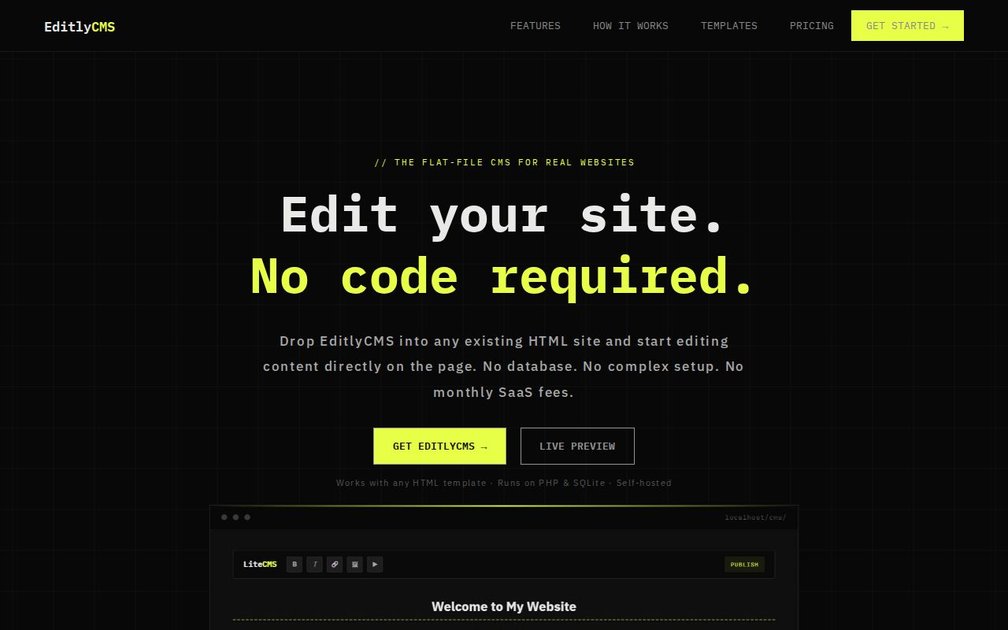
EditlyCMS is a self-hosted content management system (CMS) for existing websites built with HTML templates. It lets you edit page content directly on the live site using a click-to-edit interface, without writing code in the editor.
The core idea is to “drop in” the CMS layer onto an HTML site so content can be modified in place. It runs on PHP and SQLite and keeps content in your HTML files rather than relying on a separate database for the site’s content.
Key Features
- Click-to-edit on your live page: Select elements marked for editing and type changes directly in the browser, including rich text formatting like bold, italic, headings, and lists.
- Media and embed editing via toolbar: Upload images by dragging them into the editor, embed YouTube or Vimeo content, add Google Maps, and attach downloadable files.
- Draft and publish workflow: Make edits without altering the live site, preview changes, then publish when ready.
- Backup and one-click restore: Each publish creates a backup of the previous version, and the dashboard provides one-click restoration.
- Flat-file content with SQLite metadata/backups: Content stays in your HTML files; SQLite is used to handle metadata and backups in the background.
- Password-protected editor: Editor access is protected with a username/password session auth, and credentials can be changed from the editor.
How to Use EditlyCMS
- Copy the CMS folder: Copy the
cms/folder into your website’s root directory alongside your HTML files. - Mark editable regions: Add
class="cms-content"and a uniqueidto each element you want the editor to modify. - Log in and edit: Open
/cms/in your browser, log in with your credentials, and start editing your site directly.
For starting points, you can also use provided ready-made templates (clean HTML files) that work with EditlyCMS out of the box.
Use Cases
- Freelancers updating client pages without CMS setup time: For a small HTML site, use EditlyCMS to let clients edit content in place while you keep the underlying HTML/CSS structure.
- Agencies needing staging before changes go live: Use the draft/publish workflow to let clients preview updates without risking immediate changes on the production page.
- Portfolios and small business sites with frequent text and media tweaks: Edit headings, lists, images, embeds (YouTube/Vimeo), and maps through the in-page toolbar.
- Teams that want simple rollback for published edits: Rely on automatic backups on every publish and use one-click restore when an update needs to be reverted.
- Developers who prefer content stored with the site files: Keep editable content in HTML files while using SQLite to manage metadata and backups behind the scenes.
FAQ
-
Does EditlyCMS require a separate database? No. The product uses your HTML files for content, and it runs with PHP & SQLite to handle metadata and backups.
-
Can I edit content directly on the live page? EditlyCMS provides click-to-edit so you can change marked elements on the page, with a draft/publish workflow that lets you stage changes before publishing.
-
How does publishing work and can I undo changes? Each publish creates a backup of the previous version, and the dashboard includes a one-click restore option.
-
What types of content can be edited? You can edit rich text elements (e.g., bold/italic/headings/lists) and work with images, YouTube/Vimeo embeds, Google Maps, and downloadable file attachments via the toolbar.
-
Is the editor secure? The editor is password-protected with session authentication, and you can change the username and password.
Alternatives
- Traditional database-backed CMS (e.g., WordPress-style systems): These generally store content in a separate backend database and often require a more involved setup compared with a “drop-in” approach.
- Static site generators with in-editor workflows: These prioritize static output and typically require a build/deploy step for edits, rather than click-to-edit directly in the browser.
- Headless CMS with a frontend editing UI: These separate content management from the site frontend and often involve integrating a frontend framework, rather than operating directly on existing HTML pages.
- File-based CMS for static websites: Like EditlyCMS, these focus on lightweight content storage, but workflows and supported editing interactions may differ (e.g., whether edits happen in-place on the rendered page).
Alternatives

MacSpoof
MacSpoof is a macOS MAC address changer that lets you change or randomize your Wi‑Fi MAC to reconnect and limit device logging on public Wi‑Fi.

Rokoko
Rokoko studio-grade motion capture for body, finger and face animation—capture-to-edit workflows plus export and streaming for common 3D pipelines.

Hacker News (macOS Client)
A native, modern macOS client for browsing Hacker News, built entirely using SwiftUI.

Email Validator
Free online Email Validator by sidemail.io checks email syntax, DNS/MX, disposable status, and typos, with optional deep SMTP handshake.

PicButler: Photo Cleaner
PicButler: Photo Cleaner scans your iPhone gallery to group duplicates and similar photos, pick a “winner,” and help you delete with one tap—on-device.

PDF Toolbox
PDF Toolbox is a free offline PDF editor for iPhone, iPad & Mac to merge, split, compress, secure, sign, watermark, OCR and convert PDFs.