
Category-based marketplace navigation
Browse a marketplace of 3D assets with a visible category structure, including 3D, Low Poly, Nature, Pixel Art, Sci-Fi, Tech, Buildings, Medieval, and Realism.

Editorium is a web platform for browsing, storing, sharing, and optimizing 3D assets, with a marketplace and browser-based editor for 3D models.
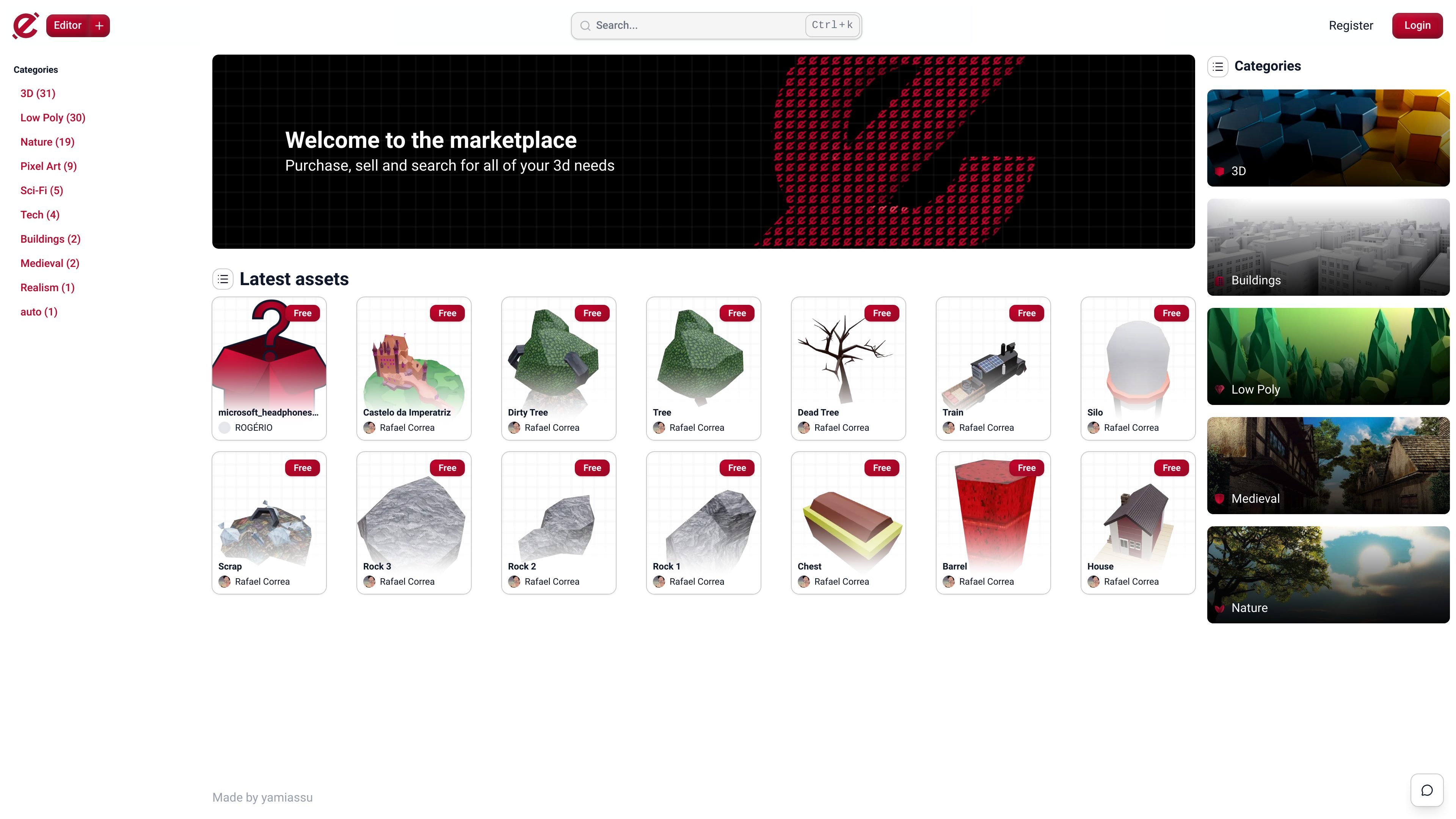
Editorium is a web platform for storing, sharing, and browsing 3D assets. The marketplace page centers on discovery, with category filters, search, and recent listings that let users find assets by style or use rather than by file name alone.
Its editor pages describe a separate workflow for converting, compressing, and previewing 3D models online. The published sources support GLB, OBJ, and STL files, which indicates that the product is aimed at people preparing 3D assets for web viewing and distribution.
Browse a marketplace of 3D assets with a visible category structure, including 3D, Low Poly, Nature, Pixel Art, Sci-Fi, Tech, Buildings, Medieval, and Realism.
Search the marketplace from a dedicated search field, making it possible to locate assets without relying only on category browsing.
View recently listed assets directly on the marketplace page, with each listing showing the asset name, creator, and whether it is free.
Use the web editor to convert, compress, and preview 3D models online, with support stated for GLB, OBJ, and STL files.
Optimize assets for web use from the editor pages, which positions the product around making 3D files easier to view and share online.
Use the marketplace to search by category when you need a 3D asset for a specific style such as low poly, medieval, or nature instead of starting from a general web search.
Review latest listings to scan new assets, compare creators, and identify free items that may fit a project quickly.
Open the web editor to convert or compress supported 3D files before publishing or sharing them online.
Preview a GLB, OBJ, or STL asset in the browser to confirm that it is suitable for online presentation before distributing it further.
Editorium presents itself as a web-based platform for storing and sharing 3D assets, and its editor pages describe tools for converting, compressing, and previewing 3D models online. The marketplace page also supports browsing assets by category and searching for content.
The rendered pages show marketplace browsing, category navigation, and a visual editor for 3D file conversion and optimization. The source does not provide a complete workflow description, so upload, publishing, and collaboration steps are not documented here.
The editor pages state support for GLB, OBJ, and STL files. No additional export formats are documented in the provided sources.
The marketplace page includes public asset listings and search, which suggests it is intended for individual creators and buyers as well as people organizing or distributing 3D assets. The sources do not confirm team features or shared workspaces.

DeepMotion is a web-based AI motion capture and 3D animation platform with Animate 3D for video-to-animation and SayMotion for text-to-animation.

sizeless digitizes utility construction with SiteScan: capture trenches on iPhone Pro and create 3D point clouds, DWG/DXF as-built plans, and GIS pipe-route models.

Atlasly is an AI site analysis and feasibility tool for architects, developers, and planners, assessing constraints, walkability, and urban context in web app or MCP-connected AI assistants.

anyCreature turns a short text order into a game-ready 3D creature, compiled from one JSON spec with animation, vertex colour, AO baking and an offline viewer.

模袋云 is an accessible online villa modeling software.

Vizcom is an AI design platform for product designers and teams that turns sketches into photorealistic 3D renders, with iteration and team workflows.