

Flair.ai
Flair.ai is an AI product photo generator and editor for on-brand e-commerce images and videos using templates, drag-and-drop staging, and AI editing.
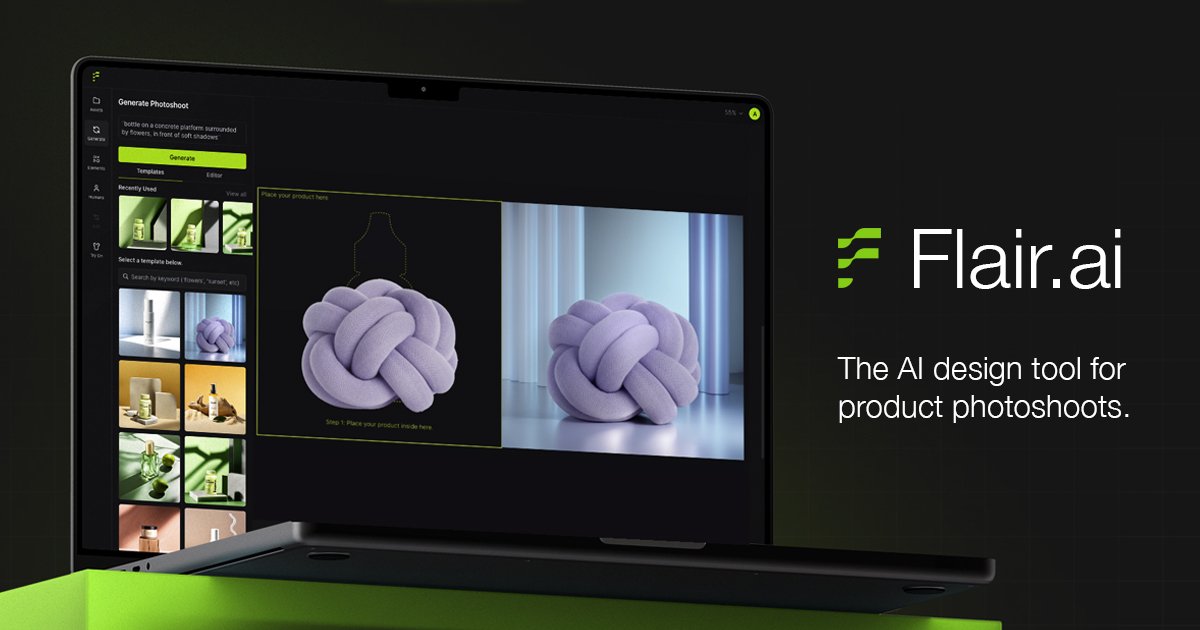
What is Flair.ai?
Flair.ai is an AI product photo generator and editor that helps teams create e-commerce visuals in a studio-style workflow. It generates product imagery, stages products and scenes using a drag-and-drop canvas, and supports AI-assisted editing for production-ready outputs.
The product is designed for recurring marketing needs—such as product photography, on-model imagery, ad creative, and product video generation—while allowing teams to apply brand rules and aesthetics across generated content.
Key Features
- Drag-and-drop canvas for scene staging: Add 3D elements, props, and stage scenes digitally to create product photos without manual set-building.
- On-model photography and AI fashion: Generate on-model images and create fashion photoshoots where patterns and logos are preserved.
- Quick generation for instant product images: Create product images rapidly, including instant image generation without requiring model training (per the comparison section).
- Templates and one-click concept testing: Mix and match products with templates and reuse templates at scale to iterate on design concepts.
- AI ad generation with brand consistency: Generate advertising creative automatically using a library of templates while keeping it consistent with brand settings.
- AI human models and customization: Build custom AI human models based on features (e.g., hair color and body type) and scale them across brand assets.
- AI editing tools and background regeneration: Edit and refine images with AI assistance, including recreating and modifying backgrounds.
- Team collaboration and brand asset management: Work with a team in real time and manage brand assets in one place.
- API access: Access Flair.ai functionality via an API for integration into existing workflows.
How to Use Flair.ai
- Start a new project (the site includes a free trial option) and select a workflow such as product photography, on-model imagery, fashion, or ads.
- Use templates or the drag-and-drop canvas to place products and add props or scene elements.
- Generate images or videos using the relevant AI feature (e.g., on-model photography, background regeneration, or product video generation).
- Apply brand customization by using brand asset management and on-brand settings so outputs match your aesthetic.
- Collaborate with your team in real time, then continue iterating with additional edits using AI editing tools.
Use Cases
- On-model product photography at scale: Create images with products placed on models for consistent catalog and campaign assets.
- Fashion lookbooks with preserved logos and patterns: Fit clothing and jewelry onto AI-generated models while maintaining patterns and logos for product accuracy.
- Ad creative production for product campaigns: Generate marketing ads automatically from templates while keeping assets aligned with brand rules and aesthetics.
- Background refresh and image refinement: Recreate or modify backgrounds and use AI editing tools to adjust product images for different placements.
- AI product video content: Produce product videos using AI as part of a broader e-commerce content pipeline.
FAQ
-
Does Flair.ai support team workflows? Yes. The site lists team collaboration (real-time work) and brand asset management in one place.
-
Can I generate images with on-model photography without custom training? The comparison section highlights “instant image generation” for quickly generating product images without training, alongside separate capabilities like on-model photography.
-
What can be customized for AI human models? The site states you can build custom AI human models based on features such as hair color and body type, and then scale them across your brand assets.
-
Is there an API for integrations? Yes. The site mentions API access.
-
What types of outputs does Flair.ai generate? Based on the features shown, it generates AI product images (including on-model imagery and fashion) and product videos, and it can generate ad creative.
Alternatives
- AI product photo generation platforms: Alternatives in the same category focus on generating e-commerce imagery and may vary by whether they emphasize templates, on-model workflows, or editing tools.
- Image editing tools with generative features: These can be used to edit backgrounds and create variations, but may not provide the same product-focused staging and on-model workflows.
- Video generation tools for commerce: If video is the main goal, alternatives may specialize in AI video creation; compare how they handle product inputs and brand consistency.
- Design systems/template-based marketing tools: If your priority is maintaining brand consistency and scaling campaigns, template-driven tools may fit best, while dedicated product generators focus more on image synthesis and staging.
Alternatives

exactly.ai
exactly.ai is an AI image generator and creative studio for teams to replicate brand visuals with signature images—on-brand variations, private style.

TapNow
TapNow is an AI-native visual creation engine for businesses and creators—generate professional-grade visuals for e-commerce ads to cinematic art.

PXZ AI
An All-In-One AI Platform that combines tools for image, video, voice, writing, and chat to enhance creativity and collaboration.

VIDEOAI.ME
VIDEOAI.ME is an AI video generator to create studio-quality, publish-ready videos with realistic AI actors and voiceovers from text or a selfie.

Pixelcut
Easy-to-use AI tools to make your photos stand out!

Petalica Paint
Petalica Paint is an automatic coloring service for line art, designed to enhance digital artwork with ease.