
Text-to-video generation
Describe a scene, subject, setting, lighting, style, movement, and camera direction to create a short video from text.

FreeVidGen is a browser-based AI video and image generator that turns text prompts or reference images into short media, with previews and downloads.
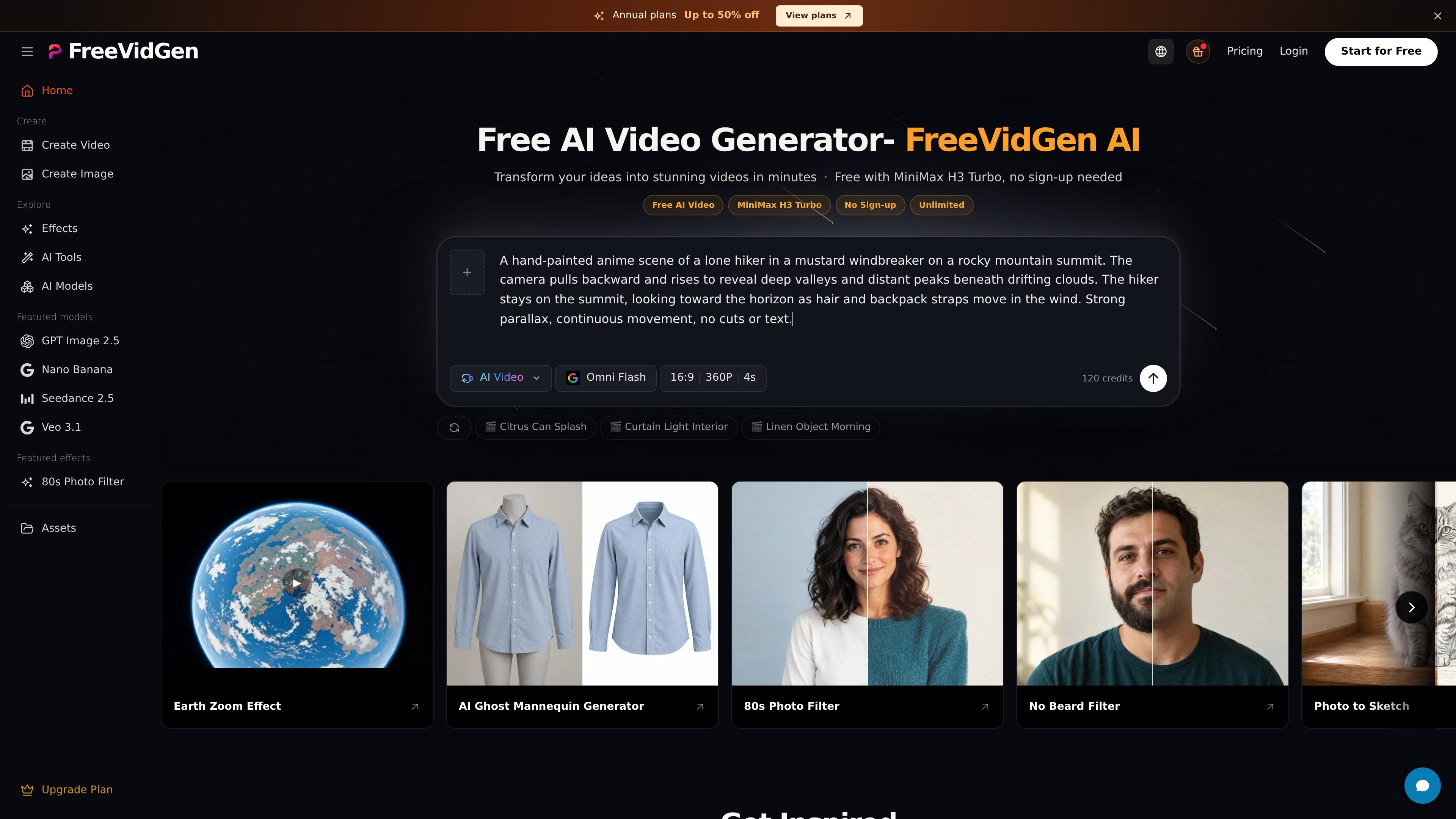
FreeVidGen is a browser-based AI media generator for creating short videos and images from text prompts or reference images. Its video workflows cover text-to-video and image-to-video, while the image tools support text-to-image and image-to-image creation.
A typical workflow is to write a scene or upload a starting frame, choose an available model and format, check the credit quote, and submit the generation. Users can preview completed media, download results, and access prior outputs through account history. Free access includes sign-up credits and daily check-in rewards, while paid plans add broader model access, Canvas, queue priority, and higher generation capacity.
Describe a scene, subject, setting, lighting, style, movement, and camera direction to create a short video from text.
Upload a product photo, character design, or illustration as a starting frame and prompt the desired motion; supported models can animate the reference image.
Create or edit still images with text-to-image and image-to-image workflows, then use a resulting image as a video reference.
Choose an available model and supported format, then review the displayed credit quote before submitting a generation.
Play previews of completed media and download clips or images from the result panel; generated items are also available through account history.
Paid plans add Canvas workspace access, faster queue handling during peak hours, and one to four simultaneous generation tasks depending on the tier.
Turn a written concept into a scene with specified subject, environment, lighting, motion, and camera behavior when no source image is available.
Animate a product photo or illustration by supplying a starting frame and describing the movement, camera action, or change you want to see.
Create short social or advertising concepts using formats and prompt examples such as UGC-style clips, product commercials, fashion films, and lifestyle scenes.
Generate atmosphere shots, animation tests, or visual experiments from styles including pixel animation, stop motion, VHS, and 3D character animation.
Use text-to-image or image-to-image tools to develop a still frame, then carry that asset into an image-to-video workflow for a more directed result.
FreeVidGen supports text-to-video, image-to-video, text-to-image, and image-to-image workflows. For video, describe a scene and its movement or upload a starting image, then choose an available model and format.
The home page says users receive 120 sign-up credits and daily check-in rewards of 60–120 credits. Free-plan users can also earn more through platform events. Generation consumes credits, and the pricing page says unused subscription credits do not roll over.
Generation and reference-image uploads require a signed-in account, although the home page also presents a no-sign-up entry point for free MiniMax H3 Turbo generation. Model availability, settings, account access, and credit rules are shown in the editor.
Completed media can be previewed and downloaded from the result panel or accessed through account history. Free-plan generated content is saved for 3 days; paid plans list longer retention periods by tier.
The Free plan provides access to limited starter models. Paid plans unlock all platform model capabilities, Canvas access, the VIP Fast Generation Queue, and tier-specific parallel generation capacity; paid plans also include monthly credits.

Omni AI creates images and videos from text prompts or reference photos in your browser, with multiple workflows, free sign-up credits, and downloads.

ngram is an AI video generator and editor for teams and creators. Turn prompts, files, or screen recordings into editable videos for demos, training, onboarding, sales, and launches.
艺映AI is a free AI video creation tool for text-to-video, image-to-video, and video-to-video creation for short social and promo clips.

Clipia.ai is an AI image and video generation platform for presentations, agent workflows, and developer integrations, with shared credits.

TapNow is a web-based AI visual creation platform for businesses, creators, and teams with image and video generation, editing, planning, and collaboration tools.

Kling AI is an AI creative studio for generating and editing images and videos, with web, mobile, and API access for creators and developers.