

getimg.ai
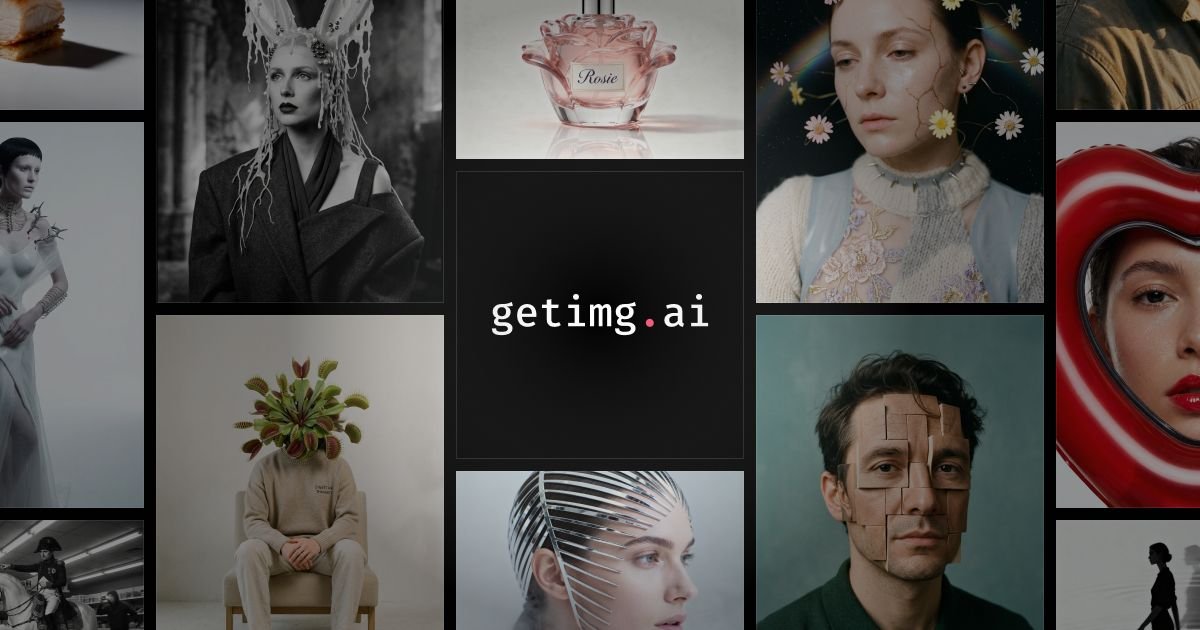
getimg.ai is an all-in-one AI creative platform to generate and edit images and videos with plain-language prompts, auto model selection, and exports.
What is getimg.ai?
getimg.ai is an all-in-one AI creative platform for generating and editing visual content. It supports image and video workflows in a single interface, with generation driven by natural-language descriptions.
The platform’s stated goal is to reduce setup work such as model research, model picking, and prompt syntax. Instead, you describe what you want and iterate until the result matches your intent.
Key Features
- Auto model selection for the task at hand: the platform claims to automatically choose the right approach rather than requiring you to research or pick models.
- Access to 29+ leading AI models (as listed on the site): includes multiple image and video model options under one subscription.
- One interface for images and videos: generate, edit, and export without switching apps or re-uploading assets.
- Reference-based consistency: upload a reference (e.g., style image or character shot) to keep outputs consistent across multiple generations.
- Image editing tools: fix flaws, swap backgrounds, upscale 2×, remove/restore elements, add objects, and transform photos into multiple artistic styles.
- Background workflows: generate transparent backgrounds for product shots/portraits and teleport subjects to different backgrounds.
- Resizing and enhancement: resize smartly “without losing key details,” and increase resolution up to 2× while reducing blur.
- Multilingual prompting: create in “20+ languages,” positioned as text input in languages like Japanese, Spanish, and Arabic.
- Team workspace (paid plans): create together with sharing and keeping work “in sync,” plus team management features.
- API access: integrate generation and editing into your product or workflow via an API.
How to Use getimg.ai
- Start a new creation and describe what you want in plain language (the site emphasizes no prompt syntax to learn).
- (Optional) Add a reference image or character/style sample when you need consistent results across outputs.
- Iterate on the result by refining your description until it matches what you pictured.
- For edits, start from an existing image, then specify the change (e.g., background swap, adding objects, fixing flaws, upscaling, or creating a transparent background).
- Export your final image or video from the same interface.
Use Cases
- Product and e-commerce visuals: create or edit product photos (e.g., clean/transparent backgrounds, background swaps, upscaling) for website headers, banners, and listings.
- Social media campaign assets: generate short-form promotional visuals and animated banner concepts using a single workflow for image and video.
- Consistent character or brand style series: upload a style image or character shot once, then produce many variations while keeping the same character/styling across outputs.
- Marketing and design workflows: draft ad or event-poster layouts by describing the desired elements and iterating quickly rather than building prompts from scratch.
- Photo restoration and transformation: repair scratches, fix fading, colorize old black-and-white photos, and transform images into sketches, paintings, 3D renders, or anime-like styles.
FAQ
What is getimg.ai used for?
It’s used to create and edit images and videos using natural-language descriptions, with options for reference-based consistency and multiple editing operations.
Do I need to pick AI models or write special prompt syntax?
No model research or model picking is required, and the site says there’s no prompt syntax to learn—just describe what you want.
Can I generate and edit in one place?
Yes. The site describes a single interface where you can generate, edit, and export without switching apps or re-uploading assets.
Is there an API?
Yes. The site states that you can integrate generation and editing into your product or workflow via an API.
Can outputs be used for commercial projects?
The page notes that paid plans include “commercial rights” subject to the platform’s use restrictions/policies.
Alternatives
- AI image and video generation tools with separate editors: many platforms split generation and editing into different products; compared to getimg.ai, you may need more switching and re-uploading.
- General-purpose design tools with plugin-based AI: workflows often start in a design app and rely on add-ons for generation/editing, which can differ from a unified image/video creation interface.
- Dedicated photo editing/upscaling tools: specialized editors can focus deeply on retouching and upscaling, whereas getimg.ai combines creation and editing plus style/reference workflows.
- Team collaboration platforms for creative assets: tools may help with sharing and approvals but typically don’t provide the integrated AI generation/editing capabilities described for getimg.ai.
Alternatives
exactly.ai
exactly.ai is an AI image generator and creative studio for teams to replicate brand visuals with signature images—on-brand variations, private style.

TapNow
TapNow is an AI-native visual creation engine for businesses and creators—generate professional-grade visuals for e-commerce ads to cinematic art.

Hotpot.ai
Hotpot.ai is an AI platform for generating images and AI headshots, editing photos with upscaling and background removal, plus AI writing templates.

PXZ AI
An All-In-One AI Platform that combines tools for image, video, voice, writing, and chat to enhance creativity and collaboration.

VIDEOAI.ME
VIDEOAI.ME is an AI video generator to create studio-quality, publish-ready videos with realistic AI actors and voiceovers from text or a selfie.

Pixelcut
Easy-to-use AI tools to make your photos stand out!