
System event triggers
Responds to battery level, charger connect and disconnect, Wi‑Fi disconnect and reconnect, latency spikes, USB device connect and disconnect, and sustained high CPU.

MacYaps is a macOS menu bar app that plays funny audio clips for system events, with built-in voice packs, custom uploads, and a one-time lifetime license.
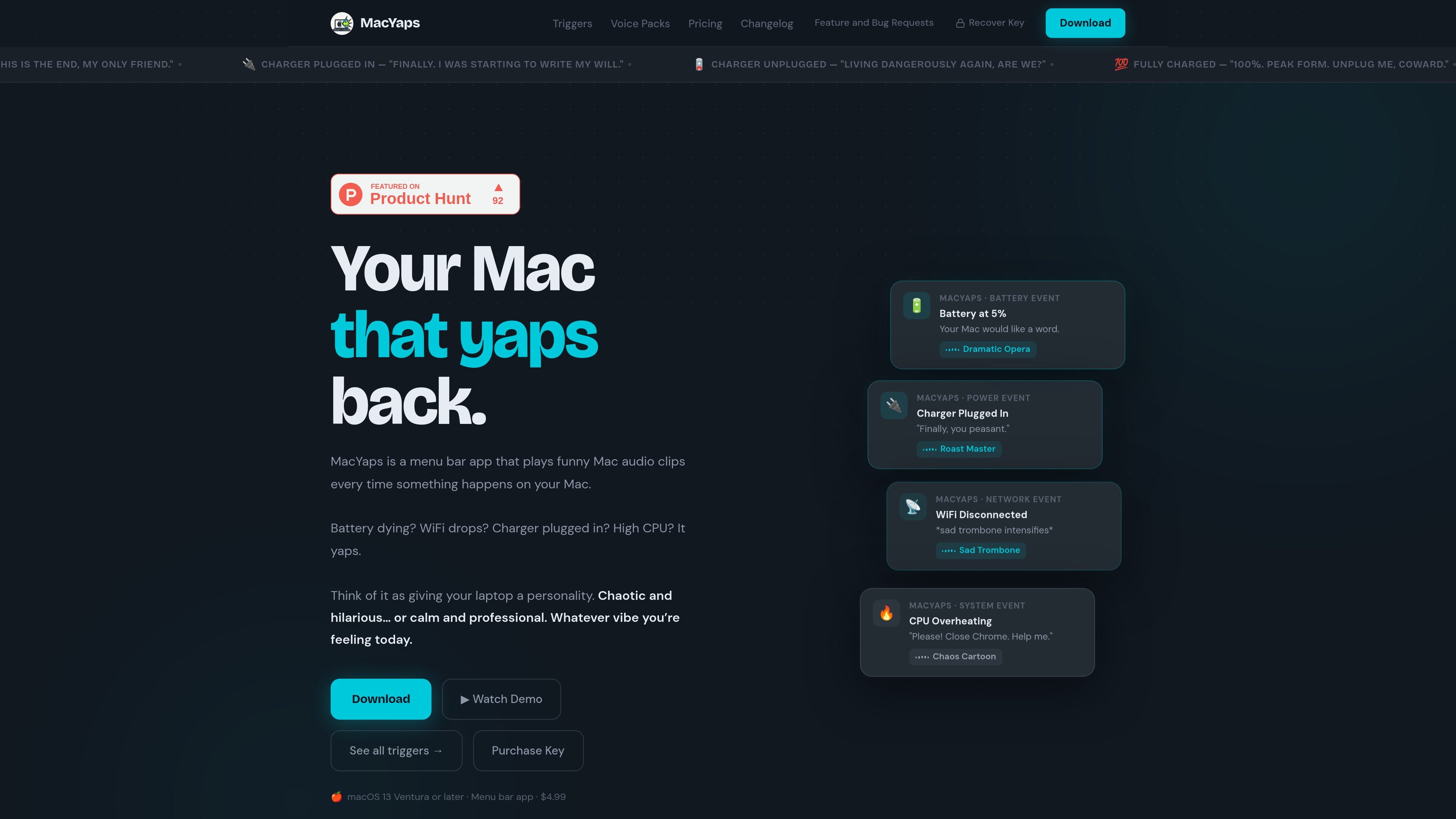
MacYaps is a macOS menu bar app that turns common system events into short audio reactions. When battery status changes, Wi‑Fi drops, a charger connects, a USB device is attached, or CPU load stays high, it plays a matching clip instead of staying silent.
The product is positioned as a way to give a Mac a more expressive personality without requiring a subscription or account. The pricing page lists a one-time lifetime license, free updates forever, and support for macOS 13 Ventura or later on Intel and Apple Silicon Macs.
Responds to battery level, charger connect and disconnect, Wi‑Fi disconnect and reconnect, latency spikes, USB device connect and disconnect, and sustained high CPU.
Includes built-in voice packs such as Cheeky Irish Lad, Italian Opera Man, Memes, New Yorker, Thick Australian, Valley Girl, and British Race Car Commentator.
Lets you upload any audio file and map it to a trigger, so you can use your own clips instead of only the included packs.
Uses native Apple frameworks like IOKit and NWPathMonitor for most triggers, and the site says the app sits at roughly 0% CPU while idle.
Offers a configurable low-battery threshold and plans for more triggers and voice packs through free updates.
Use MacYaps on a personal Mac to hear a short clip when battery, power, Wi‑Fi, USB, or CPU conditions change. It turns routine system events into audible status cues.
Set a low-battery threshold and use a matching voice pack so the app speaks up before your Mac reaches a critical state. The site shows the threshold can be customized.
Assign your own clip to a trigger when you want a specific sound for a recurring workflow or notification style. This fits users who want a more personalized set of responses than the built-in packs.
Switch among the included voice packs to change the tone of the same underlying triggers, from sarcastic to theatrical or chaotic. The site presents the packs as interchangeable personalities for the Mac.
Use the app on a Mac that you leave connected to accessories or unstable networks, where USB events, Wi‑Fi drops, and latency spikes are useful to hear immediately.
MacYaps is designed for macOS 13 Ventura or later. The pricing page says it supports both Intel and Apple Silicon Macs.
The source shows a one-time purchase model with free updates forever and no subscription. The pricing page lists MacYaps Full License at $4.99.
MacYaps listens for system events such as battery changes, charger connect and disconnect, Wi‑Fi changes, USB events, and sustained high CPU, then plays a matching audio clip.
Yes. The pricing page says you can upload any audio file and assign it to any trigger, but it also notes that you are responsible for ensuring user-added sounds do not infringe others' rights.
The source describes MacYaps as a menu bar app for individual Macs. It does not mention team features, shared libraries, or admin controls.

roastme.gg is a pay-to-play AI roasting site where users submit their own X handle or website, choose how much to pay, and get a public roast ranked on a leaderboard by amount paid.

Loniva is a calm daily puzzle app for memory, attention, language, speed, logic, and focus on iPhone, iPad, and Android, with a free 7-day trial.

Postaway is a web-based postcard service for free vintage-style digital postcards you can create and share by link, plus a separate waitlist for physical mail from Thailand.

Snail Walk turns daily Apple Health or Health Connect steps into progress on a shared path, where social rankings meet a persistent snail pursuit.

SnakeBid is a browser-based Snake game with a daily leaderboard. Claim verified scores and buy a featured site spot.

DashBuster Chrome extension replaces em dashes with a chosen character, counts replacements on the page, and tracks a lifetime Hall of Shame leaderboard.