

Manifest
Manifest is an open source LLM router for OpenClaw that scores queries locally, routes to the most cost-effective model, and tracks token costs.
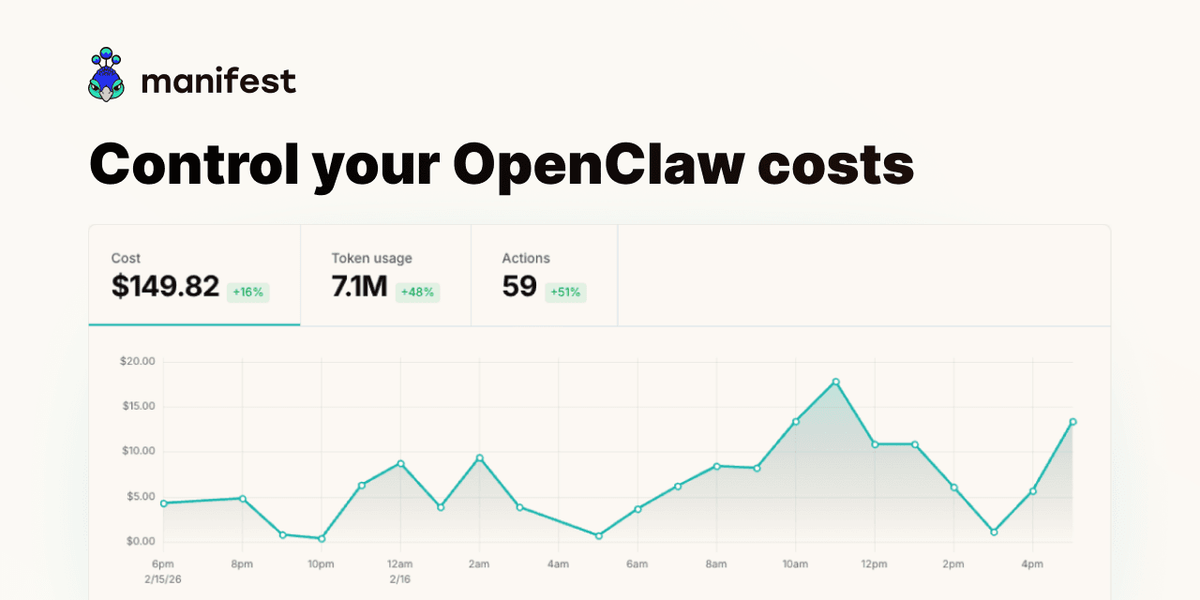
What is Manifest?
Manifest is the open source LLM router for OpenClaw. It intercepts your queries and sends each request to the model it determines is the most cost-effective choice, aiming to reduce token usage costs.
According to the project page, Manifest performs query scoring locally on your machine (in less than 2ms) and then routes the request to the most adapted model. It also tracks token and message cost, with the ability to set usage limits or alerts.
Key Features
- Local query scoring for routing decisions: Manifest analyzes each query locally in less than 2ms before forwarding the request.
- Routes to the most cost-effective model: Rather than sending all traffic to a single model, Manifest selects the most appropriate model per request.
- Cost tracking per message: The page describes measuring token cost for messages and provides guidance for monitoring savings.
- Usage limits and alerts: You can set limits or alerts when a budget is exceeded.
- Privacy-focused telemetry: The page states that Manifest does not collect your content; it uses telemetry metadata only and performs query scoring on-device. It also references a “cloud version” described as a blind proxy to support privacy by architecture.
- OpenTelemetry-compatible telemetry: Manifest uses the OpenTelemetry standard to collect and export telemetry data.
- Open source and inspectable: Manifest is fully open source, intended to be inspectable, extendable, and self-hostable (no black boxes).
- Native OpenClaw plugin: Installation is described as a one-command setup with no coding required.
How to Use Manifest
- Install Manifest as a native OpenClaw plugin using the one-command installer described on the page.
- Configure OpenClaw to use Manifest so that requests are intercepted before model selection.
- Start sending requests through OpenClaw; Manifest will score each query locally and route it to the selected model.
- Review cost and token data produced by Manifest, then set usage limits or alerts to stay within your budget.
- If you export telemetry, use the OpenTelemetry format described by the project to integrate with your observability workflow.
Use Cases
- Reduce spend when queries vary in complexity: When some tasks are small (or require less capability) and others are more demanding, Manifest can route each request to a more cost-effective model.
- Enforce budgets in active deployments: Teams can set usage limits or alerts so costs pause or notifications trigger when spending thresholds are reached.
- Operate with privacy constraints: If you prefer on-device decision-making, the page states that query scoring happens on your machine and content is not collected (telemetry metadata only).
- Monitor and audit model usage costs: By tracking the cost of each message and exporting telemetry via OpenTelemetry, you can understand how token spend changes over time.
- Self-host or inspect routing logic: Because Manifest is open source and supports inspection/self-hosting, developers can review and adapt the behavior to their environment.
FAQ
Does Manifest collect my content?
The page states that Manifest does not collect your content and uses telemetry metadata only. It also describes query scoring as happening on your machine.
How does Manifest decide which model to use?
Manifest analyzes each query locally (in less than 2ms, per the page) and routes the request to the most adapted/cost-effective model based on that locally performed scoring.
Can I monitor how much tokens and cost are being used?
Yes. The page describes tracking token/message cost and provides functionality to set limits or alerts when your budget is exceeded.
Is Manifest open source?
Yes. The page says Manifest is fully open source and can be inspected, extended, or self-hosted.
How is telemetry handled?
Manifest uses the OpenTelemetry standard to collect and export telemetry data. The page also emphasizes privacy by stating it only collects telemetry metadata.
Alternatives
- Self-managed LLM routing services: Instead of an OpenClaw plugin, you could run your own router service that selects models per request, trading off convenience for custom control over routing and scoring.
- OpenTelemetry-based observability without routing: If your primary goal is monitoring cost and model usage, you can focus on telemetry/observability tooling rather than model selection and routing.
- Single-model deployments with manual model selection: Some setups route all requests to one model (or require the client to choose). This is simpler but doesn’t aim to switch models per query based on cost effectiveness.
- Other AI proxy/gateway approaches: Depending on your stack, you may use an AI gateway/proxy pattern to mediate requests, though the workflow may differ from the OpenClaw plugin model described by Manifest.
Alternatives

AakarDev AI
AakarDev AI is a powerful platform that simplifies the development of AI applications with seamless vector database integration, enabling rapid deployment and scalability.

BenchSpan
BenchSpan runs AI agent benchmarks in parallel, captures scores and failures in run history, and uses commit-tagged executions to improve reproducibility.

Edgee
Edgee is an edge-native AI gateway that compresses prompts before LLM providers, using one OpenAI-compatible API to route 200+ models.

Pioneer AI by Fastino Labs
Pioneer AI by Fastino Labs is an agentic fine-tuning platform that improves open-source language models with Adaptive Inference and continuous evaluation.

Codex Plugins
Use Codex Plugins to bundle skills, app integrations, and MCP servers into reusable workflows—extending Codex access to tools like Gmail, Drive, and Slack.

Whirr
Whirr is a quiet macOS menu bar app that mirrors Claude Code agent activity to your Mac’s notch—so you can glance without watching the screen.