

Plandex
Plandex is an open source, terminal-based AI coding agent for large projects—diff review, configurable autonomy, and smart context up to 2M tokens.
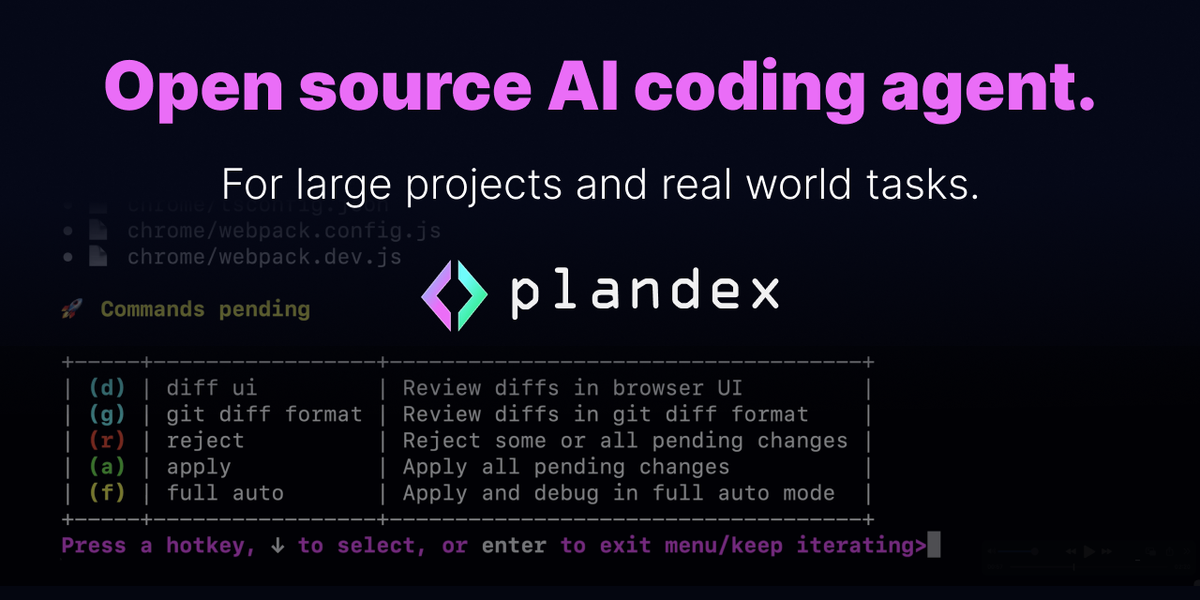
What is Plandex?
Plandex is an open source, terminal-based AI coding agent designed to help with large software projects and real-world development tasks. Its core purpose is to let you use generative AI in a development workflow that can span many files and substantial code changes.
Plandex is built around controlling what the agent does (from fully automated runs to step-by-step guidance), reviewing changes through diffs, and managing context so the agent can work with large projects. The site also notes Plandex Cloud is winding down, and points users to the project on GitHub.
Key Features
- Terminal-based AI coding agent: Runs in a command-line workflow for generating and modifying code as part of your development process.
- Configurable autonomy (full auto to granular control): Lets you choose how automated the agent is, ranging from fully automatic operation to step-by-step decisions.
- Diff review sandbox: Stages changes and reviews diffs across many files before executing, which supports safer iteration on larger edits.
- Isolated change execution and rollback: Executes commands and can roll back on failure, enabling you to recover when a multi-step operation doesn’t work.
- Smart context management up to 2M tokens: Supports working with large files and tasks by using an effective context window described as up to 2M tokens.
- Tree-sitter project maps: Uses project mapping to help the agent navigate larger codebases and “heavy” tasks.
- Model mixing across providers: Combines models from Anthropic, OpenAI, Google, and more, aiming to avoid lock-in and choose models per stage.
How to Use Plandex
- Get the project from GitHub: The site directs users to “Learn More on GitHub,” indicating the primary access path for the open source agent.
- Run Plandex in your terminal workflow: Use it as a command-line coding agent to generate or modify code for the task you’re working on.
- Start with isolated diff reviews: Use the diff review sandbox to stage changes, inspect diffs across files, and proceed more deliberately than fully automated runs.
- Adjust autonomy to your comfort level: Begin with the level of automation you prefer—either full auto mode or step-by-step control for complex or high-risk changes.
- Execute and iterate with rollback support: Apply changes through the agent’s execution flow, and roll back if a command fails, then continue.
Use Cases
- Implementing a multi-file feature: Use diff staging and review to generate and update code across many files while keeping changes inspectable before running commands.
- Working on large codebase refactors: Apply smart context management (up to 2M tokens) and tree-sitter project maps to support edits that touch more substantial parts of a project.
- Debugging during iterative development: Run the agent in an isolated workflow where it can execute commands and roll back on failure, then continue debugging based on the outcomes.
- Choosing models per stage of a task: Use model mixing to match different parts of your workflow to different models (for example, planning vs. code generation), rather than using a single model throughout.
- Balancing automation and review: For teams or individuals who want control, switch between full auto mode and granular step-by-step guidance while reviewing diffs before execution.
FAQ
Is Plandex only available through Plandex Cloud? The site states that “Plandex Cloud is winding down” and describes Plandex as open source and terminal-based, with a “Learn More on GitHub” link. This suggests the GitHub/open source route is the primary path.
Can I control how automated the agent is? Yes. Plandex supports configurable autonomy, including a “full auto mode” and granular step-by-step control.
How are code changes handled before they run? The site describes a “diff review sandbox” that stages changes and lets you review diffs across many files. It also mentions executing commands and rolling back on failure.
How does Plandex handle large projects? It lists an effective context window up to 2M tokens and tree-sitter project maps, both intended to support “large projects, large files, and large tasks.”
Does Plandex rely on a single AI model vendor? No. It “mixes models from Anthropic, OpenAI, Google, and more,” with the goal of avoiding lock-in and letting users use the right model for different stages.
Alternatives
- Other terminal-based AI coding agents: These typically provide code generation and editing directly in the command line. The key difference to Plandex is whether they offer diff review workflows, rollback on failure, and large-context handling.
- General-purpose AI coding assistants in IDEs: Tools integrated into editors focus on interactive suggestions and refactors inside a single working environment. Compared to Plandex, they may be less oriented toward large multi-file change workflows and diff sandboxing.
- Autonomous code-runner/workflow tools: Alternatives in this category automate sequences of edits and commands. The difference is often the level of control (step-by-step vs. fully autonomous) and the mechanisms for reviewing and isolating changes before execution.
Alternatives

Devin
Devin is an AI coding agent that helps software teams complete code migrations and large refactoring by running subtasks in parallel.

AakarDev AI
AakarDev AI is a powerful platform that simplifies the development of AI applications with seamless vector database integration, enabling rapid deployment and scalability.

Arduino VENTUNO Q
Arduino VENTUNO Q is an edge AI computer for robotics, combining AI inference hardware and a microcontroller for deterministic control. Arduino App Lab-ready.

imgcook
imgcook is an intelligent tool that converts design mockups into high-quality, production-ready code with a single click.

Claude Opus 4.5
Introducing the best model in the world for coding, agents, computer use, and enterprise workflows.

OpenUI
OpenUI is the open standard for generative UI, helping AI apps respond with structured user interfaces built from registered components.