
Unified API access
Use one SandBase API key and balance to access models, data APIs, and runtimes instead of managing separate provider connections for each tool.

SandBase gives developers one API key for AI models, live data APIs, runtimes, and sandbox-enabled agent workflows. Test tools or connect AI dev tools.
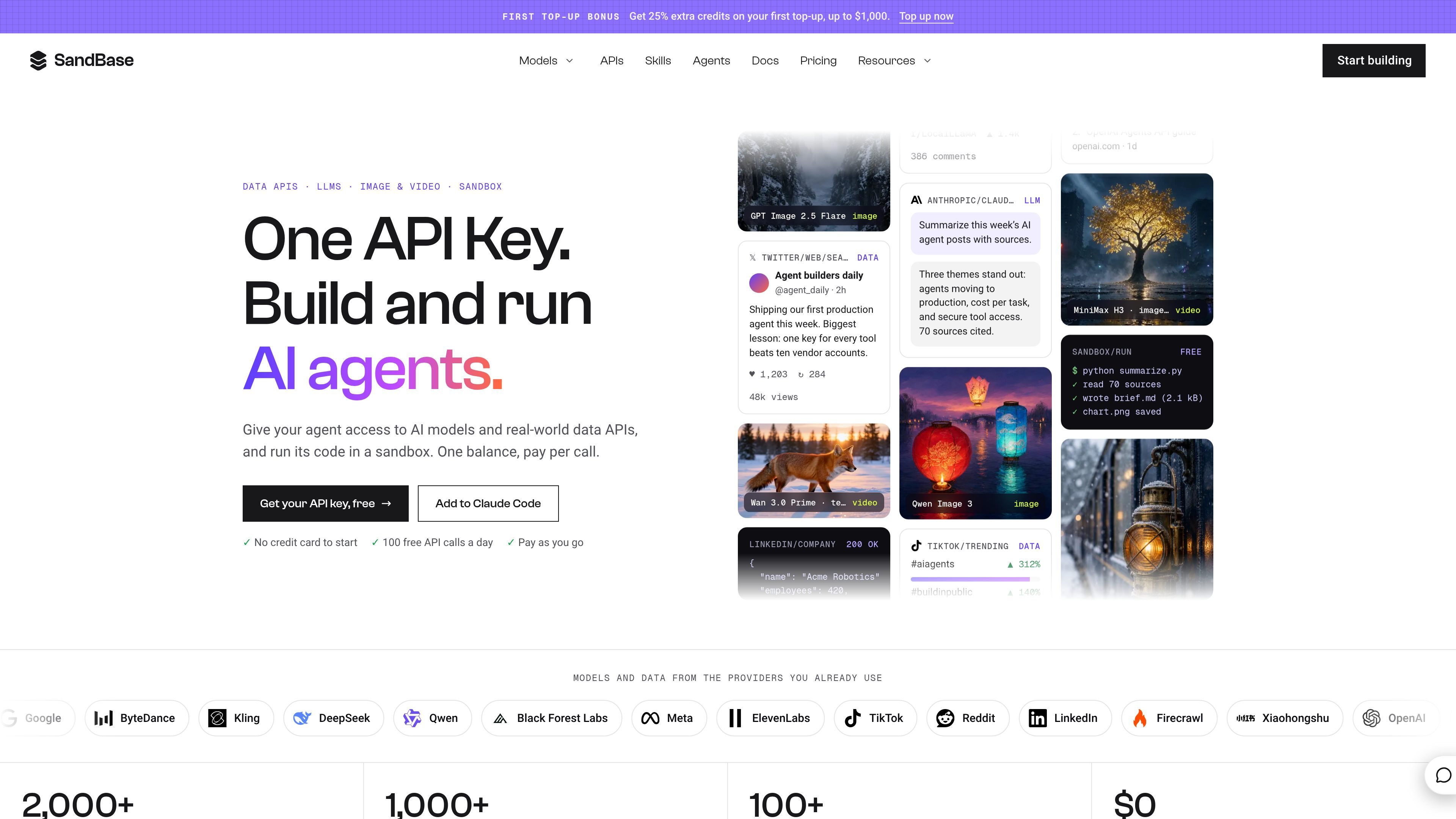
SandBase is a unified access layer for AI models, data APIs, runtimes, and agent workflows. It gives developers one API key and balance for calling language, image, video, and audio models, retrieving live platform data, and running code in an agent sandbox.
The product supports several entry points: users can try tools in the website catalog, call an OpenAI-compatible API from an application, connect an existing AI development tool, or compose a reusable Agent. Usage is billed per call rather than through a subscription, with request activity and costs exposed in the console.
Use one SandBase API key and balance to access models, data APIs, and runtimes instead of managing separate provider connections for each tool.
Browse a catalog covering LLMs, image, video, and audio models, with provider names and live prices shown on model pages.
Call data APIs for live information from platforms including X, TikTok, Reddit, LinkedIn, Google, and Xiaohongshu, with results described as clean JSON.
Build agents that combine selected models and data sources with code execution in a sandbox, then call the workflow through the OpenAI Agents API.
Inspect tool schemas and prices before making a call, test tools from the website, and review request status and cost in the usage activity.
Connect SandBase to AI clients such as Claude Code, Codex, Cursor, ChatGPT, and OpenClaw using the documented setup paths.
Select an LLM or multimodal model, test it in the catalog, and call it from an application through the OpenAI-compatible endpoint while keeping provider access behind one key.
Retrieve posts, search results, or company data from supported social and search platforms, then pass the structured responses to a model for analysis or reporting.
Create a repeatable workflow that gathers sources, runs Python or other code in the sandbox, and produces a written brief or saved artifacts such as charts.
Connect SandBase to Claude Code, Codex, Cursor, ChatGPT, or OpenClaw so an AI assistant can inspect an endpoint, understand its inputs and price, and help implement an integration.
Use the website catalog to compare available model offers, inspect schemas, and run a tool before committing it to an application or agent workflow.
Create an account with GitHub or Google, then use the automatically created personal workspace or create a team workspace. Add a payment method only if needed; the site states that a welcome credit may be available and that no card is required to start.
SandBase provides an OpenAI-compatible endpoint at https://api.sandbase.ai/v1. The documented example uses the OpenAI client with a SandBase API key and a selected model identifier.
You can use SandBase directly on its website, connect it to an AI tool, call APIs from an application, or build a reusable hosted Agent. The site lists Claude Code, Codex, Cursor, ChatGPT, and OpenClaw among its AI-tool setup paths.
The pricing page describes usage-based billing with no subscription. Models, APIs, and runtimes use one balance, and charges can be reviewed in Usage or Requests. Discovery actions do not use the balance, failed model or API calls are not charged, and sandbox access is currently free subject to possible fair-use caps.
SandBase agents can combine models, data APIs, and sandbox code execution in a run. The home page example shows social-data searches, a Python summarization step, and an LLM producing a sourced brief; the available sandbox behavior and limits may vary by workflow.

AakarDev AI helps teams manage AI provider access, project setup, logs, and analytics in one dashboard. BYOK support included.

CreateOS Sandbox is an isolated compute environment for running code and agent workloads in Firecracker micro-VMs with private networking and SDK, CLI, or MCP control.

GitBot is a local browser workspace for reusable coding bots powered by Claude Code, Codex, or OpenCode, with persistent threads and configurable permissions.

Trigger.dev chat agent is a durable AI chat backend for stateful conversations that survive refreshes, crashes, and long-running turns with AI SDK useChat.

ByteAsk is a terminal-first AI coding agent for C and C++ that edits repos and verifies changes with compilers, debuggers, sanitizers, and tests.

Epherem scans web apps built with Lovable, Bolt, v0, Replit, Cursor, and Claude Code for security flaws in source code and dependencies, without running the app.