
Generate designs from prompts
Describe a landing page or redesign request in the terminal, and the CLI generates a design using multiple AI models in parallel.

Design CLI is a terminal-based Shuffle tool for creating landing pages or redesigning websites, with editable HTML and Tailwind CSS output.
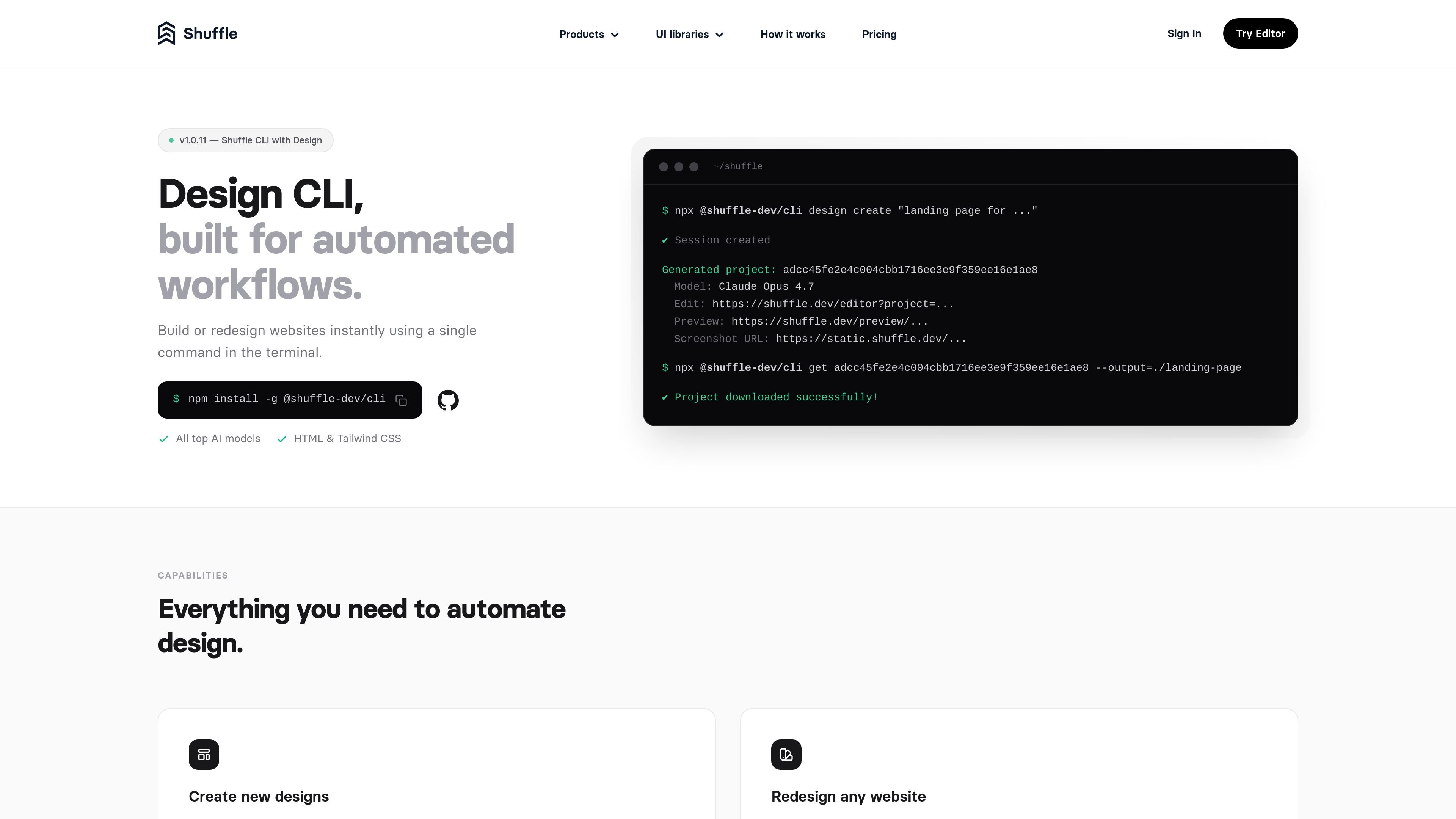
Design CLI is a command-line design tool from Shuffle for generating new landing pages and redesigning existing websites. It is built for automated workflows, letting users describe a page or provide a target URL from the terminal and then generate editable design output without working inside a browser editor.
The documented output centers on clean HTML and Tailwind CSS, with support for multiple AI models, downloadable projects, screenshots, and preview links. Shuffle presents it as a fit for scripts, CI jobs, and internal tooling where teams want repeatable design generation and a terminal-first workflow.
Describe a landing page or redesign request in the terminal, and the CLI generates a design using multiple AI models in parallel.
Point the CLI at an existing website URL and a direction, then it screenshots the page and produces a redesigned version with the same content.
Receive multiple design variants and choose from them before downloading or reviewing the result.
Download generated projects as editable HTML and Tailwind CSS so the output can be inspected, modified, and shipped.
Use flags such as model selection, all-model runs, screenshot generation, and output saving to fit script-based or automated workflows.
Build on examples such as a Slack bot or outreach automation flow that use the CLI as the design engine.
A developer or designer can type a landing page prompt in the terminal and generate several editable layout variants to review before choosing one to continue with.
A team can pass an existing website URL and redesign direction to create a refreshed version that keeps the original content but changes the presentation.
A workflow owner can embed the CLI in scripts, CI jobs, or internal tools so design generation runs the same way every time.
A team can use the Slack bot example to trigger design creation from channel mentions or direct messages instead of opening the CLI manually.
A sales or outreach workflow can generate prospect-site redesigns, preview them locally, and send email outreach with redesign links.
Design CLI is intended for users who want to generate or redesign web pages from the terminal instead of working in a browser editor. The source pages describe it as suitable for automated workflows, scripts, CI jobs, and internal tools.
The main workflow is to install the CLI, authenticate, then run commands such as `design create` to generate a page or `redesign create` to redesign an existing URL. Generated projects can be downloaded, previewed, and inspected as editable HTML and Tailwind CSS.
Design CLI outputs editable HTML and Tailwind CSS, and the redesign flow starts from a live website URL plus a prompt or direction. The outreach automation example also shows screenshots and local previews as part of the review flow.
Pricing information on the Shuffle site shows paid license options for Shuffle Editor, including monthly, annual, lifetime, and team-oriented subscriptions. The product pages do not show a separate Design CLI price on the evidence provided.
The source shows support for generating designs with multiple AI models in parallel and mentions outputs such as preview links, screenshots, and downloadable project files. It also points to related workflows like Slack-triggered design generation and outreach automation, but the exact integration setup depends on the example or docs you use.

图像大厨imgcook 是一款设计转代码工具,可将设计稿转换为前端代码,支持 Sketch、Photoshop、VS Code 和 CLI 工作流。

ByteAsk is a terminal-first AI coding agent for C and C++ that edits repos and verifies changes with compilers, debuggers, sanitizers, and tests.

CreateOS Sandbox is an isolated compute environment for running code and agent workloads in Firecracker micro-VMs with private networking and SDK, CLI, or MCP control.

hob is an independent workspace for coding agents, with local control over sessions, terminals, history, routing, and follow-up work.

Ably Chat is a chat API platform for custom realtime chat apps, with rooms, typing indicators, presence, reactions, message updates and usage-based pricing.

Manta AI is an autonomous web app testing tool that maps app behavior, catches regressions, and generates tests from a URL, no scripts or selectors needed.