

slicer.dev
slicer.dev is a Chrome extension and web tool to select UI elements on websites and export them for AI prompts and React starting points.
What is slicer.dev?
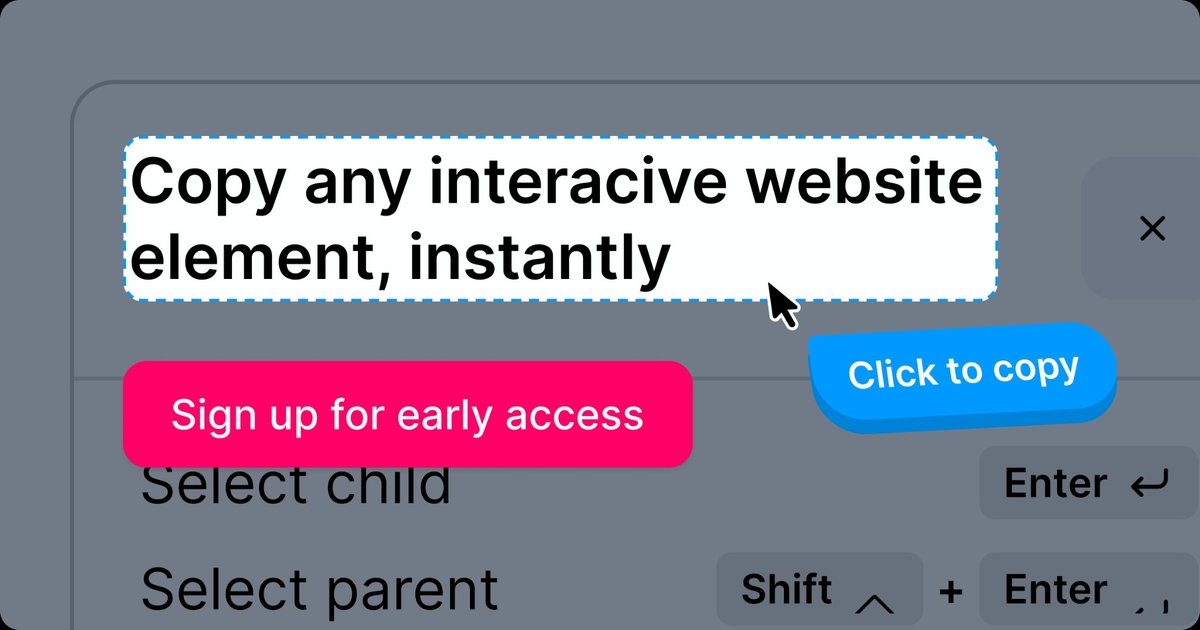
slicer.dev is a Chrome extension and web tool for copying UI elements from interactive websites and reusing them elsewhere. The workflow centers on selecting an element (which can be interactive or static) from a live page and exporting it as reusable output.
The site frames its purpose as a bridge between “inspiration” and “implementation.” Instead of manually recreating interface patterns from scratch, you extract a “slice” from a working page and reuse that slice in other environments. The exported output is positioned for reuse in AI prompt workflows and for React-based starting points, with additional design-tool exports indicated on the roadmap.
Key Features
-
Select and copy website elements (interactive or static)
You can target specific UI elements or components directly from the page rather than working only with raw DOM inspection. -
Export to AI prompts
The site describes exporting a slice into prompts suitable for AI tools, and it references a “100% accuracy” goal. -
React output for development workflows
The site explicitly mentions React as an export format, supporting “code-ready” development starting points. -
Exports aimed at “coding-ready” workflows
The page states that outputs are prepared for development-oriented usage, including multiple “coding-ready” environments described on the site. -
Interactive demo for the selection-to-export flow
An interactive demo on the site shows an “open, tap, and export” workflow to preview how selecting UI leads to an export. -
Planned exports for design tools
The site indicates that exports to Figma and Framer are planned and “coming soon.”
How to Use slicer.dev
-
Download the Chrome extension
Install the extension from slicer.dev (as described on the site). -
Open the website containing the UI you want to reuse
Navigate to the page where the target UI element appears. -
Select an element or component using the extension flow
The site describes a process involving opening the extension, tapping/selecting the element, and then exporting. -
Choose an output type
The site highlights exporting to AI prompts and React. It also notes Figma and Framer as forthcoming export options. -
Use the exported output in your workflow
The site positions the export for reuse as an AI prompt (for prompt-based creation) or as a development starting point for building or recreating the component.
Use Cases
-
AI prompt generation from a UI component
Extract a UI element from a live page and convert it into an AI prompt you can use in AI prompt workflows referenced by the site. -
Reuse UI patterns quickly for front-end work
When you find a specific interface pattern on a website, extract the component to avoid recreating it manually. -
Designer-to-developer style reuse of interactive sections
Capture a section from an interactive site so you can reuse it later, either directly as code-oriented output or as a prompt. -
Iterate on multiple examples using prompt-based workflows
Collect slices from different elements (static or interactive) and iterate using the exported prompt-based outputs. -
Prepare for design-tool export workflows
If your process depends on Figma or Framer, you can plan around the extension’s stated roadmap for upcoming exports.
FAQ
Is slicer.dev live?
The site states slicer.dev is in open beta and that access is available via the Chrome extension.
What can I export with slicer.dev?
The page explicitly mentions exporting AI prompts and React. It also states that Figma and Framer exports are coming soon.
Is there pricing information available on the page?
The provided page content does not include pricing details, so the cost is not specified.
Does slicer.dev help with copying UI from interactive pages?
Yes. The site describes selecting elements that can be interactive or static and exporting the resulting slice for reuse elsewhere. However, it does not provide detailed technical specifics about exactly which interaction details are captured.
Why use slicer.dev instead of inspecting HTML/CSS in the browser?
The site contrasts its approach by emphasizing “slices” of interactive website elements and exporting them for prompt/code reuse, rather than manually extracting markup via browser inspector tools.
Alternatives
-
Browser developer tools + manual extraction
Use the browser inspector to manually extract HTML/CSS (and any needed structure) and recreate the component in your target environment. -
UI component libraries and design systems
Start from existing component libraries or design-system components rather than copying from a live page, then adapt styles and behavior as needed. -
Other “UI to code” or “screenshot-to-code” workflows
Use tools that generate code or prompts from visual UI references (e.g., images or annotated screenshots) when direct selection isn’t available. -
Design-tool component reuse workflows
When the goal is design reuse, rely on import/export or component practices within design tools (such as establishing a library of components) rather than exporting from a live interactive page.
Alternatives

MakerLoft
MakerLoft is an AI app builder for non-developers that connects to your GitHub repo to generate working apps with auth, payments, files, jobs.

Ably Chat
Ably Chat is a chat API and SDKs for building custom realtime chat apps, with reactions, presence, and message edit/delete.

Prompty Town
Prompty Town is a tiny internet city of links—buy a tile, attach your link, prompt it with text/content, and let others browse.

ClawTick
ClawTick is a CLI-first AI agent automation platform for scheduling webhook tasks on cron with monitoring, alerts, retries, and execution logs.

Falconer
Falconer is a self-updating knowledge platform for high-speed teams to write, share, and find reliable internal documentation and code context in one place.

OpenFlags
OpenFlags is an open source, self-hosted feature flag system with a control plane and typed SDKs for progressive delivery and safe rollouts.