

Venn.ai
Venn.ai connects Claude, ChatGPT, Cursor, and VS Code to business apps, enabling controlled AI actions with configurable read/write permissions.
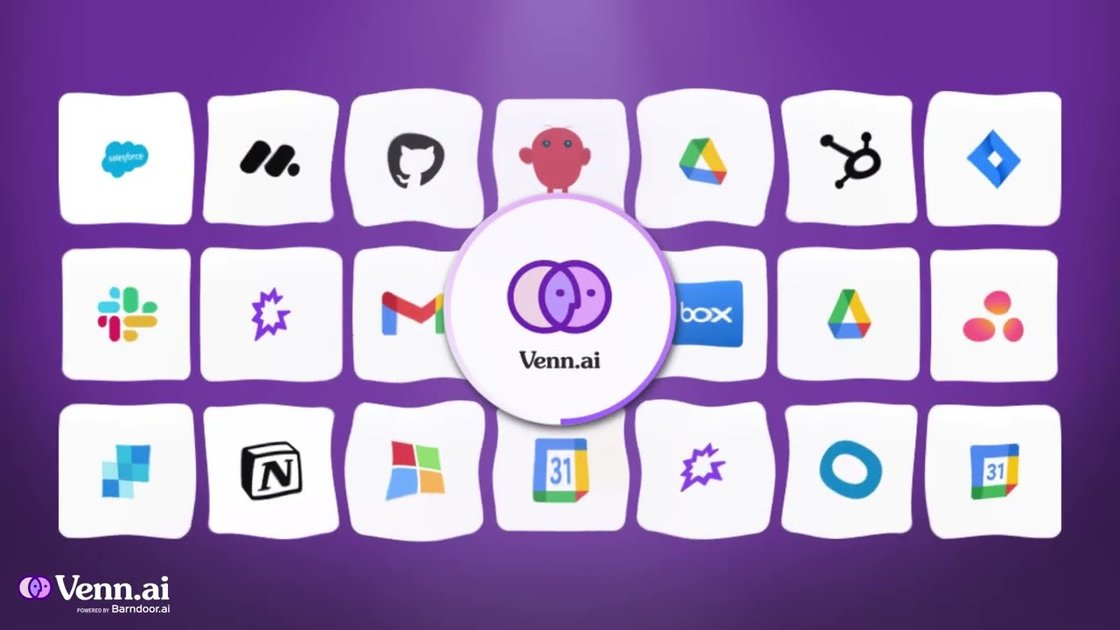
What is Venn.ai?
Venn.ai is a platform that connects AI tools—specifically Claude, ChatGPT, Cursor, and VS Code—to the business apps your team already uses. Its purpose is to let AI “do real work” inside those apps by reading and writing data in a controlled way.
Instead of treating AI as a standalone chatbot, Venn.ai links AI to your workflows across multiple systems, so it can take actions such as drafting or updating records in the apps you rely on day to day.
Key Features
- Connect AI to multiple work apps: Venn.ai links Claude, ChatGPT, Cursor, and VS Code to apps you use, so AI can operate within your existing tools.
- Permission guardrails for read/write access: You can set exactly what the AI can read or write in each connected app to reduce mistakes.
- Permissions carry over across AI apps: Once configured, the app permissions apply across the AI apps you use (so you don’t need to reconfigure access for each one).
- Auth once through Venn.ai: The typical setup flow includes authenticating your tools once via Venn.ai.
- Integration with common business systems: The page lists integrations across categories such as productivity (Gmail, Google Calendar, Google Docs/Drive), CRM (Salesforce, HubSpot), finance (QuickBooks Online), communications (Slack), and engineering tooling (GitLab, GitHub via listed setup apps).
How to Use Venn.ai
- Connect your apps: Authenticate to your tools once through Venn.ai.
- Choose and configure permissions: Define what the AI agent can and can’t access in each connected app.
- Use the connected AI to take actions: After permissions are set, use Claude, ChatGPT, Cursor, or VS Code in your workflow to perform tasks that require interacting with those apps.
Use Cases
- CRM follow-ups from meeting notes: Log call notes from Notion into Salesforce, then schedule the next follow-up call.
- Issue triage across tools: Read posts in a Slack channel (e.g., #product-feedback) and create Jira tickets in the backlog for feature requests or bugs.
- Finance data consolidation: Pull customer invoices and vendor bills and append them to a cash tracking sheet with dates.
- Project sprint management: Match open Zendesk bug reports to Jira tickets in the current sprint and summarize what’s relevant.
- Marketing reporting and channel updates: Pull leads from a recent campaign and post MQL vs SQL counts to a Slack channel.
FAQ
-
Which AI tools does Venn.ai connect? The page states Venn.ai links Claude, ChatGPT, Cursor, and VS Code to your business apps.
-
How does Venn.ai control what the AI can do in connected apps? Venn.ai lets you set guardrails for what it can read and write in each app.
-
Do permissions need to be configured separately for each AI tool? The page says app permissions carry over to any AI app you use, so you don’t need to reconfigure access for each one.
-
What is the onboarding flow? The page outlines connecting your apps by authenticating once through Venn.ai, then setting permissions for what the agent can access.
-
What kinds of tasks can Venn.ai help with? Examples on the page include drafting emails, creating tasks, looking up records, updating CRM data, creating Jira tickets, pulling invoices/bills, and summarizing bug reports.
Alternatives
- Workflow automation platforms (e.g., Zapier-style tools): These connect apps and automate actions, but typically rely on predefined triggers/steps rather than linking AI tools to app data with read/write guardrails.
- Generic AI copilots with app plugins: Some tools support integrations through plugins, but Venn.ai’s positioning emphasizes permission control and carrying the same app permissions across multiple AI apps.
- Developer-focused integration tooling: For teams building custom AI workflows, integrating directly with app APIs can offer flexibility; however, it usually requires more engineering effort to manage connections and access controls.
- Standalone chatbot + manual data handling: Using AI in chat and then manually updating apps is often less controlled and more labor-intensive than using an app-connected agent with defined read/write permissions.
Alternatives

BotBoard
Manage AI agents like a team with a shared backlog, structured context, and human review workflow to assign, track, and approve outputs.

Biji
Biji is a versatile platform designed to enhance productivity through innovative tools and features.

Codex Plugins
Use Codex Plugins to bundle skills, app integrations, and MCP servers into reusable workflows—extending Codex access to tools like Gmail, Drive, and Slack.

AakarDev AI
AakarDev AI is a powerful platform that simplifies the development of AI applications with seamless vector database integration, enabling rapid deployment and scalability.

Planndu: Daily Task Planner
Planndu is an intuitive productivity application designed to help users organize tasks, manage projects, build routines, and enhance focus using tools like AI generation and a built-in Pomodoro timer.

Whirr
Whirr is a quiet macOS menu bar app that mirrors Claude Code agent activity to your Mac’s notch—so you can glance without watching the screen.