
Parallel agents in separate workspaces
Run coding agents in parallel on your own machine, with each agent in its own workspace. The desktop page positions this as a local way to work on multiple tasks at once.

Freebuff is a free coding agent and app-building platform with desktop, CLI, web, and cloud options. It helps developers build, preview, deploy, and continue projects without a subscription or API keys.
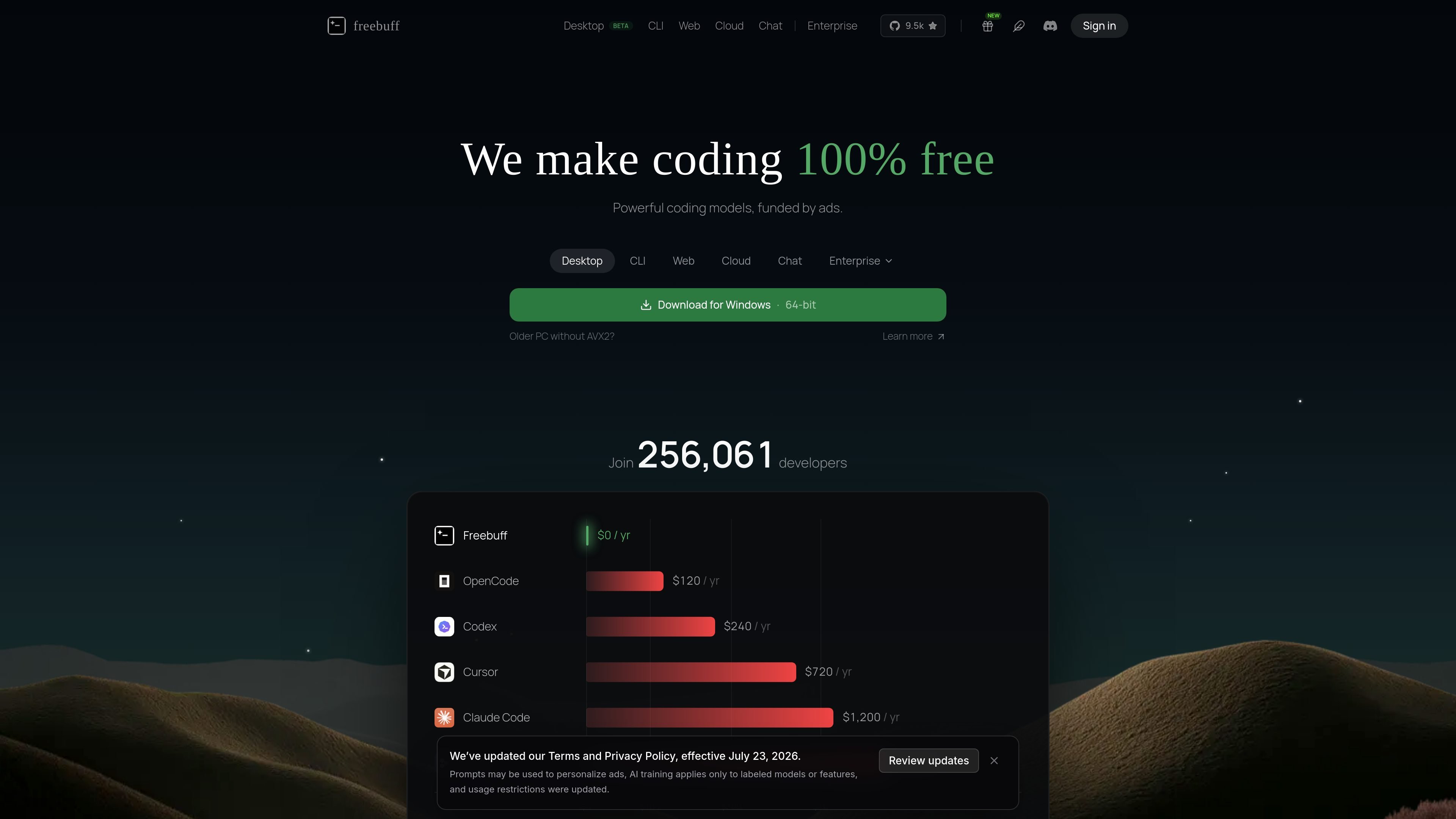
Freebuff is a set of free coding tools centered on AI-assisted software development. The site presents it as a free coding agent available in multiple forms: a desktop app, a CLI tool, a web app builder, a cloud sandbox for GitHub repositories, and a chat product.
Across those products, the common theme is that Freebuff can build, preview, and help modify software without a subscription, API keys, or local setup in the cloud and web products. The site says the service is supported by text ads and positions Freebuff as a free alternative to paid tools such as Claude Code, Cursor, Codex, Lovable, Replit, Bolt, Windsurf, Devin, and related products.
Run coding agents in parallel on your own machine, with each agent in its own workspace. The desktop page positions this as a local way to work on multiple tasks at once.
Use Freebuff from the terminal with a global install, then run it inside a project directory. The CLI page presents it as a free coding agent that works directly from your shell.
Describe an app idea, spec, screenshot, or Figma link and Freebuff Web will scaffold, wire, and run a full-stack app in a live sandbox. The page also says you can preview, share, and deploy it from there.
Connect any GitHub repository to Freebuff Cloud and get a real cloud sandbox with editor, terminal, and preview. The Cloud page says it works with public or private repos and needs no local setup.
Start from a default React and Convex stack or connect an existing Git project. The Web page frames this as a managed path or a bring-your-own-codebase path.
Use Freebuff Desktop on macOS, Windows, or Linux, with sign-in via GitHub or Google. The desktop page also notes that the builds are beta and not code-signed yet.
Use Freebuff Desktop when you want to run more than one coding task on your computer at the same time. Each agent gets its own workspace, which fits local multitasking and parallel experimentation.
Use Freebuff CLI when you prefer terminal-based development and want an AI coding agent inside an existing project directory. The source shows a simple install-and-run flow from the shell.
Use Freebuff Web when you want to turn a short prompt, a screenshot, a spec, or a Figma link into a full-stack app. It is positioned for people who want to describe an idea and get a runnable app with preview and deploy included.
Use Freebuff Cloud when you already have a GitHub repository and want a cloud sandbox with a live preview. This fits ongoing work on existing codebases, including repos moved over from other builders.
Use Freebuff Cloud or Web when you want to hand someone a live URL instead of a local project. The source repeatedly emphasizes preview links and sharing as part of the workflow.
Freebuff is supported by text ads, which the site says allows it to stay free.
The site presents Freebuff Web as a free AI app builder that can build, preview, and deploy a full-stack app without setup or API keys.
Yes. Freebuff Desktop’s download page says it supports macOS, Windows, and Linux, and the app is available as installers for those platforms.
Freebuff Cloud is designed for existing GitHub repositories. It connects to a repo, boots a cloud sandbox, and gives you a live preview URL, so it is separate from Freebuff Web’s prompt-to-app flow.
The source says you can bring projects over from Lovable, Replit, Base44, or bolt.new by sending the app to GitHub and then connecting the repo in Freebuff Cloud.

ByteAsk is a terminal-first AI coding agent for C and C++ that edits repositories and verifies changes with the real compiler, debugger, sanitizers, and tests before showing a diff. It offers a free tier plus paid plans, with editor connectors and zero-retention handling described in the source.

CreateOS Sandbox is an isolated compute environment for running code and agent workloads inside Firecracker micro-VMs. It is designed for workflows that need machine-level isolation, private networking between sandboxes, and programmatic control through SDK, CLI, or MCP.

GitBot is a local browser-based workspace for creating reusable coding bots powered by Claude Code, Codex, or OpenCode. It helps developers run those agents across repository folders with persistent threads and configurable permissions.

hob is an independent workspace for coding agents that keeps agent sessions, terminals, history, and follow-up work organized around the tools and providers you already use. It is aimed at developers who want local control over routing, history, and workspace structure rather than a bundled model stack.

Manta AI is an autonomous web app testing tool for teams that want to map application behavior, catch regressions, and generate tests without writing scripts or maintaining selectors. It works from a URL and supports plain-English test flows, run results with screenshots, and scheduled or deployment-triggered checks.

SonOf connects to your repo and PM tool, audits the codebase and surrounding product context, and turns approved work into shipped tickets with senior engineering review. It is aimed at founders and engineering leaders who need backlog help without hiring a full team immediately.