
Local spend firewall
Guardrail runs as a local proxy on your machine and intercepts requests before they reach the provider, so budget rules can stop a call instead of only reporting on it later.

Guardrail by NeatProxy is a local-first spend firewall for AI coding agents. It tracks Claude Code and Codex usage in real time and blocks over-budget requests before they reach the provider, while keeping metadata local.
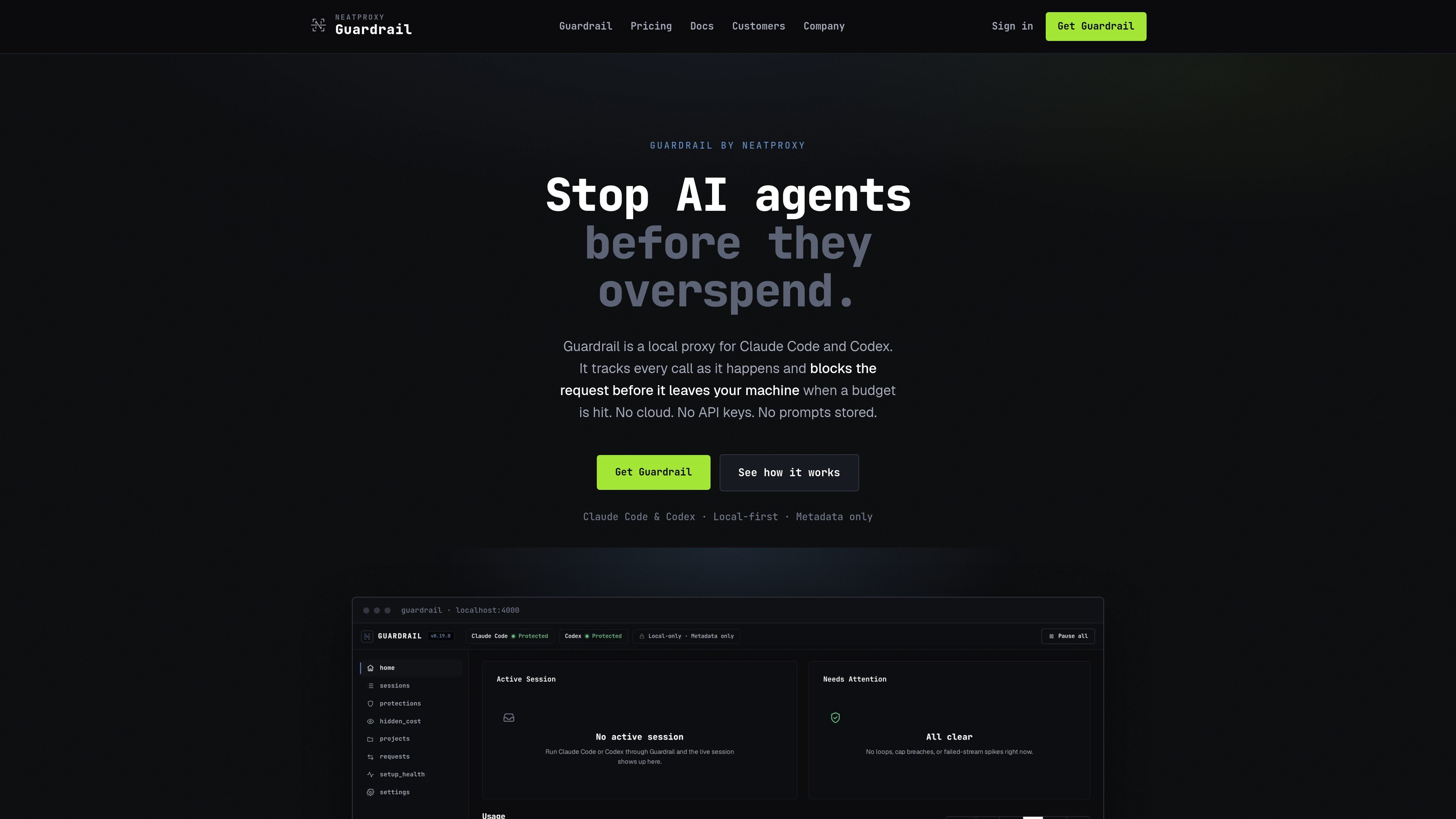
Guardrail by NeatProxy is a local-first spend firewall for AI coding agents. It runs on your machine between your tool and the provider, tracks usage in real time, and blocks over-budget requests before they are sent.
The product is designed for Claude Code and Codex, with additional support for agent frameworks that speak the OpenAI Chat Completions API. Its core purpose is to make budgets enforceable at the point of execution, while keeping metadata local and leaving prompts, responses, and code out of its logs.
Guardrail runs as a local proxy on your machine and intercepts requests before they reach the provider, so budget rules can stop a call instead of only reporting on it later.
It can enforce caps on spend, requests, tokens, and requests per minute, and it can deny specific models before they are used in a project.
The dashboard shows spend, sessions, hidden cost, and projected month-end usage from the requests already run, while keeping the interface local by default.
It records metadata such as model, token counts, cache reads and writes, timing, and status, while leaving prompts, responses, code, and credentials out of the database.
Guardrail works with Claude Code and Codex today, and can sit in front of agent frameworks that use the OpenAI Chat Completions API.
Paid plans add a hosted dashboard, sync across machines, and team controls such as an admin console, per-member spend, and shared project caps.
Use Guardrail to cap a single developer session so a runaway loop or repeated retries cannot continue spending after the budget is hit.
Use the local dashboard to watch cost, sessions, and hidden usage while an agent is running, then set a limit before the next request is sent.
Use shared caps and an admin console on Team plans to keep project budgets consistent across multiple people and machines.
Use the metadata-only local database when you want cost accounting without storing prompts, responses, or source code in the product logs.
Use the setup commands to connect Claude Code or Codex to the proxy, then pause, resume, or diagnose the connection as needed.
Guardrail records metadata only: model, token counts, cost, timings, and status. Prompt text, responses, code, and credentials are not stored in its logs or database.
No. It relays your existing Claude Code or Codex login unchanged, so there is no API key to hand over for the core firewall workflow.
It sits in the request path and checks budgets before the request leaves your machine. If a policy is tripped, the request is stopped before the provider is contacted.
It covers Claude Code and Codex today, plus agent frameworks that speak the OpenAI Chat Completions API. The docs also mention Cursor support as in progress.
The firewall itself is free on your machine. Pro adds the hosted dashboard, 90 days of history, and sync across machines; Team adds admin controls and shared caps.

ByteAsk is a terminal-first AI coding agent for C and C++ that edits repositories and verifies changes with the real compiler, debugger, sanitizers, and tests before showing a diff. It offers a free tier plus paid plans, with editor connectors and zero-retention handling described in the source.

CreateOS Sandbox is an isolated compute environment for running code and agent workloads inside Firecracker micro-VMs. It is designed for workflows that need machine-level isolation, private networking between sandboxes, and programmatic control through SDK, CLI, or MCP.

hob is an independent workspace for coding agents that keeps agent sessions, terminals, history, and follow-up work organized around the tools and providers you already use. It is aimed at developers who want local control over routing, history, and workspace structure rather than a bundled model stack.

Manta AI is an autonomous web app testing tool for teams that want to map application behavior, catch regressions, and generate tests without writing scripts or maintaining selectors. It works from a URL and supports plain-English test flows, run results with screenshots, and scheduled or deployment-triggered checks.

Redline is a budgeting tool for Claude Code that paces sessions to stay within time, token, cost, or plan-percentage limits. It uses Claude Code’s native hooks and statusline to help sessions finish with a usable result instead of stopping abruptly.

SonOf connects to your repo and PM tool, audits the codebase and surrounding product context, and turns approved work into shipped tickets with senior engineering review. It is aimed at founders and engineering leaders who need backlog help without hiring a full team immediately.