
Large multi-provider tool catalog
treg presents a catalog of 2,630 endpoints so an agent can choose from many tools without separate discovery work. The catalog groups related capabilities by subject, provider, and platform.

treg is a tool catalog for agents that centralizes API endpoints from many providers behind one credential. It supports per-call pricing, bring-your-own-key access, and adding your own skills or tools for team use.
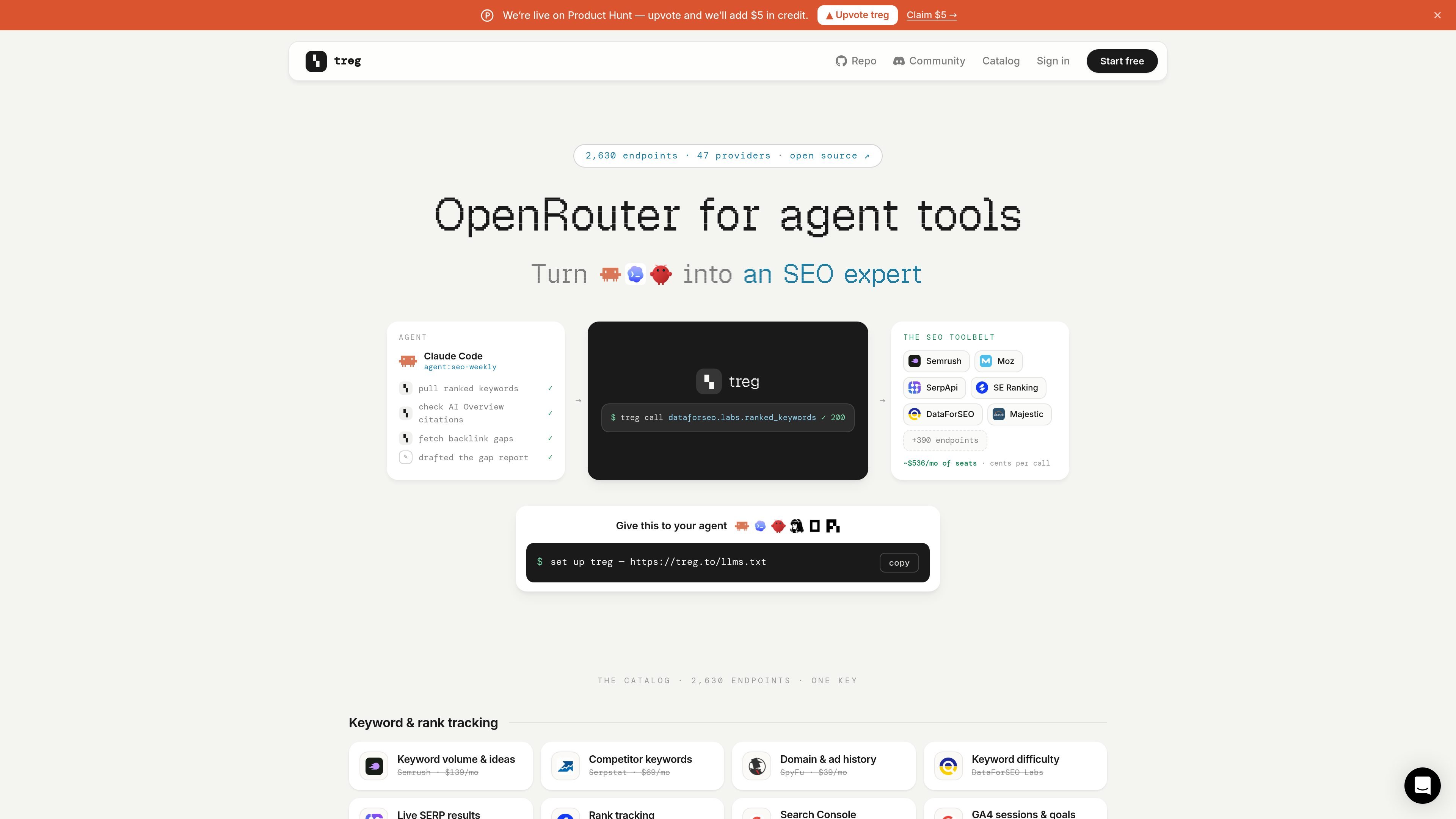
treg is a tool catalog for agents that aggregates thousands of API endpoints from many providers into a single place. The site describes 2,630 endpoints across 47 providers, with a catalog that spans SEO, social, enrichment, ads, and scraping-related tasks.
Its main job is to let an agent call tools through one credential instead of managing separate provider signups and scattered keys. The catalog is priced per call or per result, and the page says the price is shown before the call; users can also bring their own keys when they already have a provider account.
Beyond the catalog, treg also supports adding your own keys and skills so a team can turn local tools into callable agent tools. The pages shown emphasize server-side credential injection, a read-only scan before upload, and the ability to register skills and endpoints for use by the whole team.
treg presents a catalog of 2,630 endpoints so an agent can choose from many tools without separate discovery work. The catalog groups related capabilities by subject, provider, and platform.
The product uses one treg credential that the server injects on each call, so the tool can be invoked without leaving secrets on the machine running the agent.
The catalog shows price before a call and is organized around per-call or per-result costs, helping agents and users see what an action will cost in advance.
When you already have access to a provider, you can bring your own key so calls route through that account instead of treg’s managed credential.
The site supports both catalogued endpoints and user-added skills or tools, including a flow for scanning and uploading local .env and skill folders.
The catalog includes comparison-oriented details such as provider, price, and measured performance signals like success rate and speed where available on the page.
An agent that needs SEO, social, enrichment, or ads data can search one catalog instead of wiring separate integrations for every vendor.
If your team already pays a provider directly, you can keep that access and route calls through your own key rather than adopting a managed credential.
Teams building agent workflows can scan local keys and skill folders, review what will be shared, and upload selected tools for broader use.
A user comparing vendors for the same job can inspect catalog entries by provider, price, and measured performance signals before choosing which endpoint to call.
The catalog includes agents and workflows that rely on search, backlinks, email lookup, ad data, and social data, so it can support research and automation tasks that pull from several source types.
The catalog is presented as a single key for calling third-party tools through treg, with credentials held server-side and injected on each call. The page also says you can bring your own key for supported providers, in which case those calls route through your own account.
The source shows a startup flow for the catalog itself and a separate flow for adding your own keys and skills. The catalog can be used before registering anything, and the team section says you can scan and upload your .env and skill folders when you are ready to register your own tools.
The product pages say the catalog covers 2,630 endpoints across 47 providers, and the catalog page describes them as spanning 80 platforms. Examples shown include SEO, social, enrichment, ads, scraping, and related agent workflows.
The source indicates a free starting balance of $1.00 and mentions that calls are priced per result or per call, with price shown before the call. It also says there is no 0% additional fee on the platform markup.
The source provides sign-in options for GitHub and Google, and also references email sign-in by code. No additional team or admin setup details are shown in the collected pages.

CreateOS Sandbox is an isolated compute environment for running code and agent workloads inside Firecracker micro-VMs. It is designed for workflows that need machine-level isolation, private networking between sandboxes, and programmatic control through SDK, CLI, or MCP.

GitBot is a local browser-based workspace for creating reusable coding bots powered by Claude Code, Codex, or OpenCode. It helps developers run those agents across repository folders with persistent threads and configurable permissions.

AakarDev AI helps teams manage AI provider access, project-level setups, logs, and analytics from one dashboard. It supports BYOK workflows and lists providers including OpenAI, Google Gemini, Anthropic, Groq, Mistral AI, and Perplexity AI.

Trigger.dev chat agent is a durable AI chat backend for developers building stateful conversations that can survive refreshes, crashes, and long-running turns. It connects with the AI SDK `useChat` flow and runs on managed infrastructure with no timeout on a turn.

ByteAsk is a terminal-first AI coding agent for C and C++ that edits repositories and verifies changes with the real compiler, debugger, sanitizers, and tests before showing a diff. It offers a free tier plus paid plans, with editor connectors and zero-retention handling described in the source.

Lasso is an ecommerce product data platform for enriching catalog records, processing supplier files, generating product content, and monitoring competitors. It combines a web app with a REST API, SDK, and MCP server for teams and developers.