
Unlimited isolated profiles
Create unlimited local browser profiles, each with its own cookies, storage, extensions, and fingerprint so sessions stay isolated.

Free, open-source anti-detect browser for Windows, macOS, and Linux with unlimited local profiles, per-profile fingerprints, proxy and WireGuard support, and local automation interfaces.
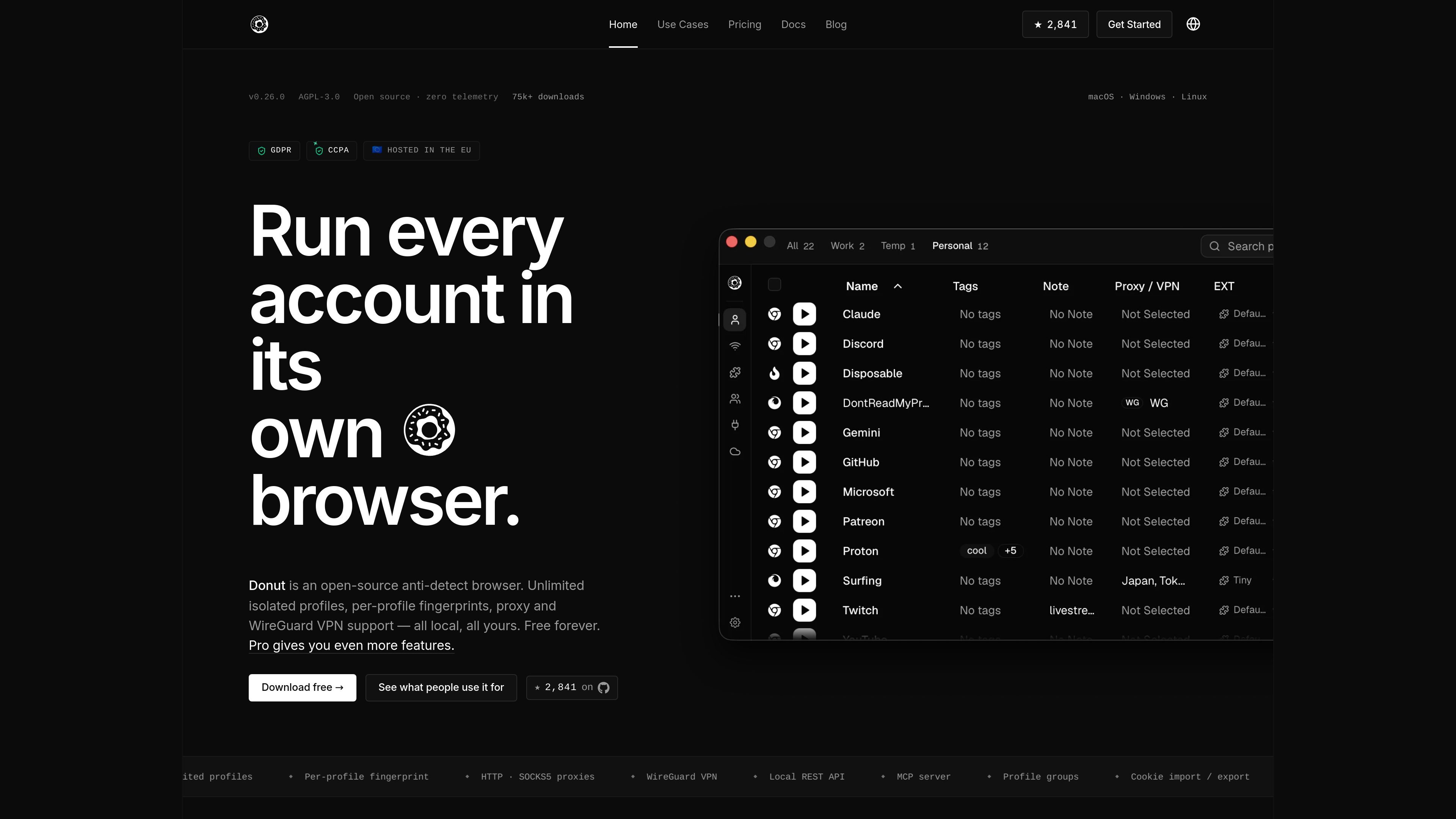
Donut Browser is a free, open-source anti-detect browser for Windows, macOS, and Linux. It is built around unlimited local profiles, with each profile keeping its own fingerprint, cookies, storage, and extensions so browsing identities stay separated on the same machine.
The product is designed for people who need separated browser identities, proxy-based routing, and local automation. The source also describes a desktop app with a local REST API and MCP server, plus Pro and Team upgrades for browser manipulation, profile backup, collaboration, and cloud sync.
Create unlimited local browser profiles, each with its own cookies, storage, extensions, and fingerprint so sessions stay isolated.
Attach HTTP, HTTPS, SOCKS4, or SOCKS5 proxies to individual profiles, with support for basic auth, IP-allowlist, and dynamic proxy URLs.
Route a profile through WireGuard by dropping in a .conf file so the profile’s country, ASN, and timezone match the network path.
Run browser management from localhost through a REST API and MCP server instead of a cloud dashboard.
Group profiles, import cookies, import/export extensions, and set Donut as the default browser for specific links.
Self-host sync with the optional Docker server and encrypted storage, so profiles, proxies, and groups can stay in sync across devices.
Keep personal, work, and client identities in separate local profiles so cookies, storage, and fingerprints do not overlap. Each profile can also be set as the default target for links.
Manage multiple social, marketplace, or ad-platform accounts from isolated browser identities. The source highlights per-profile proxies, timezone matching, and profile grouping for account work.
Drive profiles from a local REST API or MCP server, and on Pro plans connect to a Chrome DevTools Protocol port per profile for Puppeteer, Playwright, or Selenium.
Use one profile per wallet or account and keep browser state separate for MetaMask, Phantom, Rabby, and Keplr. The privacy page frames this as a way to isolate cookies, fingerprint, and proxy per identity.
Sync profiles, proxies, and groups across devices with the optional self-hosted Docker sync server when you need the same browser setup in more than one place.
Donut Browser is a desktop app. You download the app for macOS, Windows, or Linux and create local profiles inside it. The source also shows a local REST API and an MCP server for automation workflows.
The source describes unlimited local profiles, each with its own cookies, storage, extensions, and fingerprint. Profiles can be launched and stopped from the app, grouped, tagged, and attached to proxies.
Yes. The pricing page lists a Team plan with collaboration, profile sharing, and cloud sync for small teams, while the Free plan starts with no account required.
The source does not document a hard profile limit. It repeatedly describes unlimited local profiles in the free product tier.
Supported outputs mentioned in the source include a local REST API, MCP tools, and on Pro plans a Chrome DevTools Protocol endpoint per profile for connecting browser automation tools.

ClawTick is an AI agent automation platform for scheduling jobs from the CLI, dashboard, or REST API. It is aimed at developers and teams running LangChain, CrewAI, webhook, or custom agent workflows that need monitoring, alerts, and logs.

OpenFlags is an open-source, self-hosted feature flag platform for modern JavaScript teams. It supports local evaluation, targeted rollouts, and controlled launches while keeping flag data in your own infrastructure.

EAS Observe is a production performance monitoring tool for Expo and React Native apps. It shows startup metrics, session timelines, release markers, and errors inside the Expo dashboard.

Rectify is an all-in-one SaaS operations platform that combines session replay, monitoring, support, code scanning, roadmaps, and changelogs. It is aimed at founders and product teams, especially non-technical SaaS teams working with AI-assisted development.

PromptScout tracks how ChatGPT, Gemini, Google AI Overviews, and Perplexity mention your brand or competitors, then pairs those results with source analysis and website audits. It helps teams decide what to fix in content, positioning, or site readiness next.

Sleek Analytics is a privacy-friendly web analytics tool with real-time visitor tracking, Core Web Vitals, and revenue attribution. It helps site owners understand traffic and conversions without cookie banners or a heavy setup.