
Unified icon library
Search across 83 curated open-source sets, covering 215,457 icons and including interface icons, logos, file types, flags, and emoji.
IconsDB is a web-based library for searching 83 curated open-source icon, logo, file-type, flag, and emoji sets. It helps designers and developers find assets by concept, review licensing and attribution requirements, and copy results as SVG, React, Vue, or CSS.
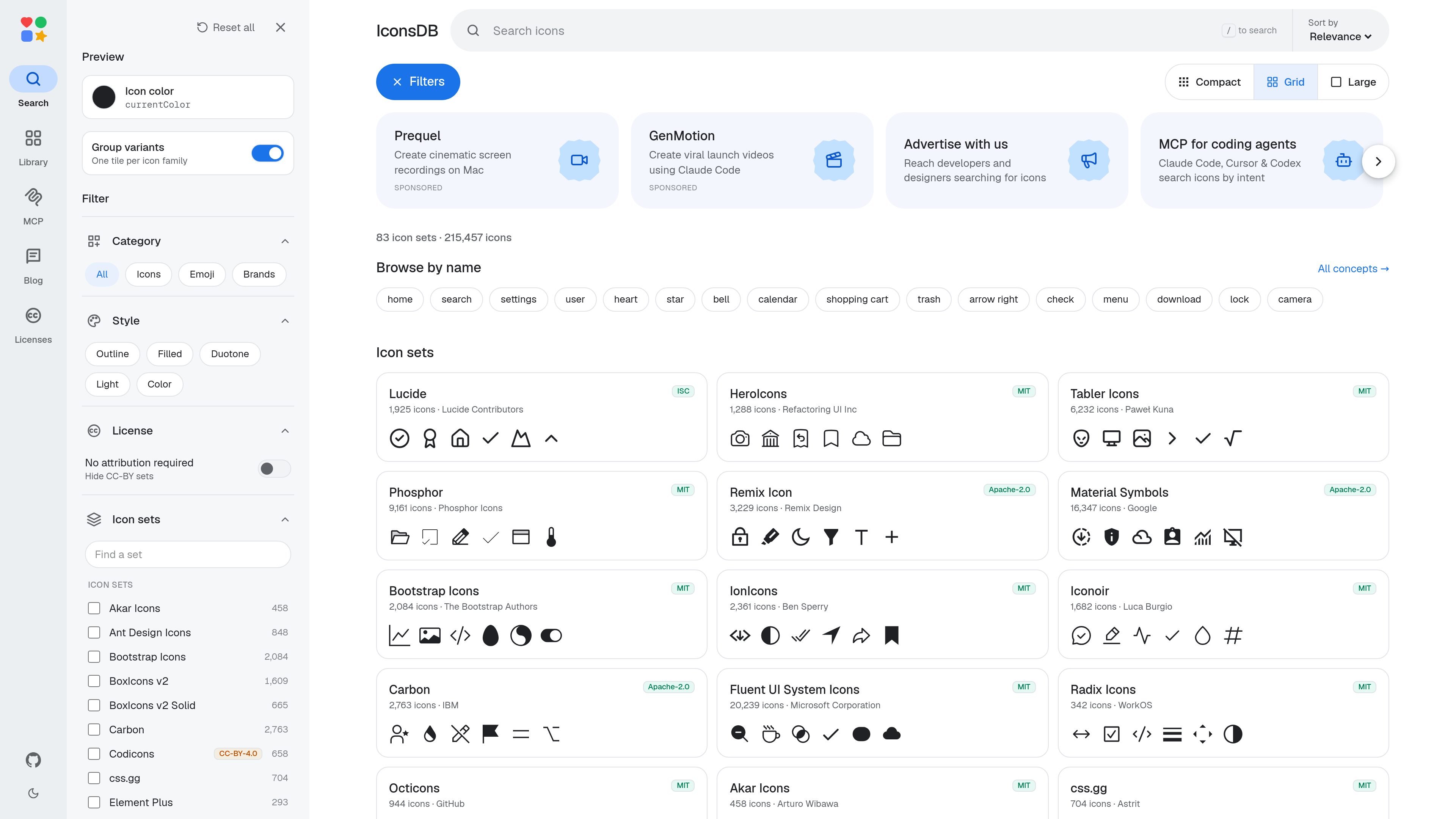
IconsDB is a web-based search and browsing directory for open-source icons, logos, file-type symbols, flags, and emoji. It brings 83 curated sets into one interface, with a published total of 215,457 icons, so users can look across collections such as Lucide, HeroIcons, Tabler Icons, Phosphor, Material Symbols, Simple Icons, and several emoji libraries.
The product is designed to shorten the path from an icon concept to a usable asset or code snippet. Users can search by intent, browse by name or category, inspect previews, filter by style or license, and copy results in SVG, React, Vue, or CSS formats. Separate library and license views make it possible to check the source, author, license, and attribution status of a set before using its artwork.
Search across 83 curated open-source sets, covering 215,457 icons and including interface icons, logos, file types, flags, and emoji.
The home page advertises instant semantic search, while the browse interface exposes concept shortcuts such as home, search, settings, user, heart, and download.
Narrow results by category, icon style, license, and icon set; the interface includes filters for icons, emoji, brands, outline, filled, duotone, light, and color.
Inspect results in compact or large grid layouts, sort by relevance or name, and preview an icon with a currentColor setting and family variants.
The product description lists SVG, React, Vue, and CSS as copy formats, supporting both direct asset use and code-oriented workflows.
Library and license pages show each set's author, license, full-license link, and whether attribution is required; the site excludes GPL, non-commercial, and paid sets from its collection.
Search a concept, compare results from multiple families, and copy a selected icon in a front-end-friendly format while building a website or application interface.
Browse logos, technology marks, file types, flags, and emoji alongside general interface symbols when assembling brand-aware screens, documentation, or developer-facing pages.
Filter collections by style or license and consult the author and attribution information before selecting artwork for a commercial project or redistributed asset bundle.
Use the advertised intent-based MCP workflow to help Claude Code, Cursor, or Codex locate icons during coding tasks; the available source does not specify setup details.
Compare outline, filled, duotone, light, and color options in the preview grid when a design system needs a consistent visual treatment.
IconsDB indexes 83 curated open-source sets containing 215,457 icons, including interface icons, brand and file-type artwork, flags, and emoji sets.
The site advertises copying results as SVG, React, Vue, or CSS. The available source also describes semantic search, category and style filters, sorting, and compact or large grid views.
IconsDB lists each set's author, license, and attribution status. MIT, ISC, Apache-2.0, and CC0 sets are described as usable for personal and commercial work without UI credit; CC-BY-4.0 sets require author credit and a license link, while CC-BY-SA-4.0 adds a share-alike requirement for modified artwork.
Brand and product logos remain trademarks of their respective owners. The set license covers the SVG artwork but does not grant trademark rights or imply endorsement.
The site advertises an MCP option for coding agents including Claude Code, Cursor, and Codex, with icon search by intent. The available information does not document setup steps or additional supported agents.

ByteAsk is a terminal-first AI coding agent for C and C++ that edits repositories and verifies changes with the real compiler, debugger, sanitizers, and tests before showing a diff. It offers a free tier plus paid plans, with editor connectors and zero-retention handling described in the source.

CreateOS Sandbox is an isolated compute environment for running code and agent workloads inside Firecracker micro-VMs. It is designed for workflows that need machine-level isolation, private networking between sandboxes, and programmatic control through SDK, CLI, or MCP.

hob is an independent workspace for coding agents that keeps agent sessions, terminals, history, and follow-up work organized around the tools and providers you already use. It is aimed at developers who want local control over routing, history, and workspace structure rather than a bundled model stack.

Ably Chat is a chat API platform for building custom realtime chat applications. It supports room-based messaging, typing indicators, presence, reactions, and message updates, with usage-based pricing options for different deployment stages.

Manta AI is an autonomous web app testing tool for teams that want to map application behavior, catch regressions, and generate tests without writing scripts or maintaining selectors. It works from a URL and supports plain-English test flows, run results with screenshots, and scheduled or deployment-triggered checks.

SonOf connects to your repo and PM tool, audits the codebase and surrounding product context, and turns approved work into shipped tickets with senior engineering review. It is aimed at founders and engineering leaders who need backlog help without hiring a full team immediately.