
Real-time messaging
Messages, reactions, deletions, typing indicators, read receipts, and online status update live without page refreshes.

Midway is a real-time member chat for Memberstack-powered Webflow sites. It lets logged-in members send direct messages, voice notes, replies, reactions, and file attachments from a single iframe embed.
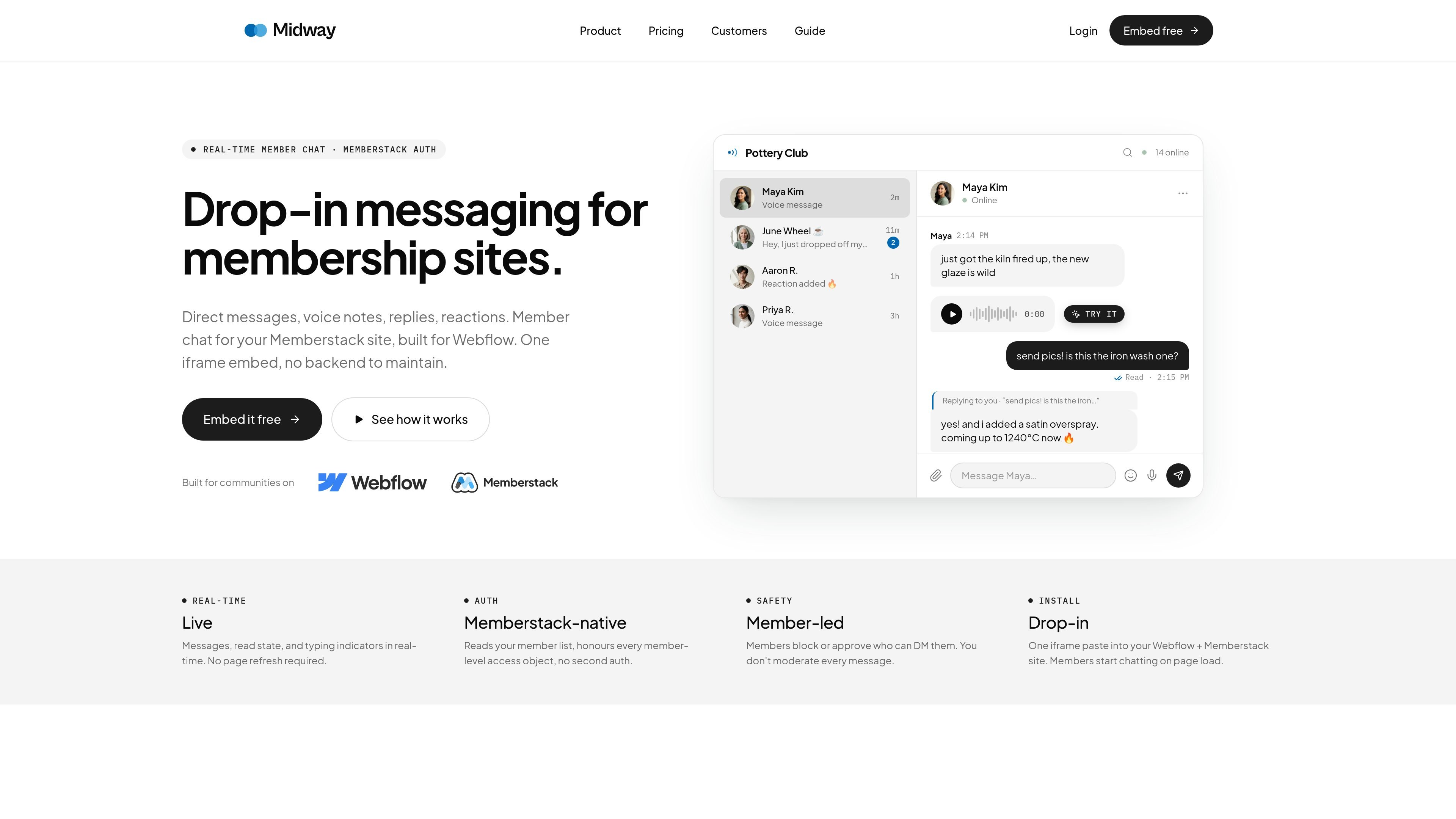
Midway adds member-to-member chat to Webflow sites that already use Memberstack for authentication. It runs as a single iframe embed and ties conversations to existing member accounts.
The core purpose is to provide real-time messaging without requiring a separate backend, SDK, or second login system.
Messages, reactions, deletions, typing indicators, read receipts, and online status update live without page refreshes.
Members can DM each other directly or send a request first, so new conversations can be approved before they start.
Members can record voice notes in the browser and attach images or files from the composer.
Any message can be quoted inline in a reply, and messages can receive emoji reactions while the thread stays readable.
Conversations are tied to real Memberstack accounts, so names, avatars, and profiles stay in sync with the site’s member list.
Projects can set a logo, name, accent colour, and embed dimensions, then install the chat with one iframe and script tag.
Add private member-to-member chat for communities that already authenticate through Memberstack, without building chat infrastructure from scratch.
Let clients or members message each other, share quick updates, and use voice notes in a branded space tied to their existing accounts.
Give learners a direct way to ask questions, respond in threads, and exchange files or voice notes inside the site experience.
Use separate projects per site and keep each client’s chat branded to that site while managing them from one dashboard.
No. Midway hosts message delivery, storage, and the auth bridge to Memberstack.
Yes. Midway includes chat requests so members can accept or decline new conversations.
Yes. Blocking is built in, and blocked accounts cannot send DMs or chat requests.
Messages soft-delete. The message bubble is removed, but the surrounding replies and reactions remain readable.
It is designed for Memberstack-powered Webflow sites and embeds as a single iframe/script setup.

Biji - это универсальная платформа, разработанная для повышения продуктивности с помощью инновационных инструментов и функций.

hob is an independent workspace for coding agents that keeps agent sessions, terminals, history, and follow-up work organized around the tools and providers you already use. It is aimed at developers who want local control over routing, history, and workspace structure rather than a bundled model stack.

Ably Chat is a chat API platform for building custom realtime chat applications. It supports room-based messaging, typing indicators, presence, reactions, and message updates, with usage-based pricing options for different deployment stages.

Claude Overlay is a Windows desktop overlay for Claude Code that reads your screen so you can ask questions, inspect content, and request edits without leaving the current app. It runs on your existing Claude subscription through the Claude CLI, so no separate API key is required.

Grok — это бесплатный ИИ-помощник, разработанный xAI, который ставит во главу угла правдивость и объективность, предлагая расширенные возможности, такие как доступ к информации в реальном времени и генерация изображений.

Dcyde is a decision log for product teams that captures what was decided, the reasoning behind it, and the source in one shared place. It supports pinning decisions from Slack, Figma, or inside Dcyde and keeps the record searchable over time.