
Document import and block-based editor
Import DOCX, PDF, MD, TXT, or raw pasted text, then work in a side-by-side editor with content split into blocks for translation and review.

Transept AI is an AI translation workspace that uses memory, glossaries, styleguides, and review to keep terminology and tone consistent across documents and teams. It supports document import, block-based translation, QA, and review for translators, creators, and localization teams.
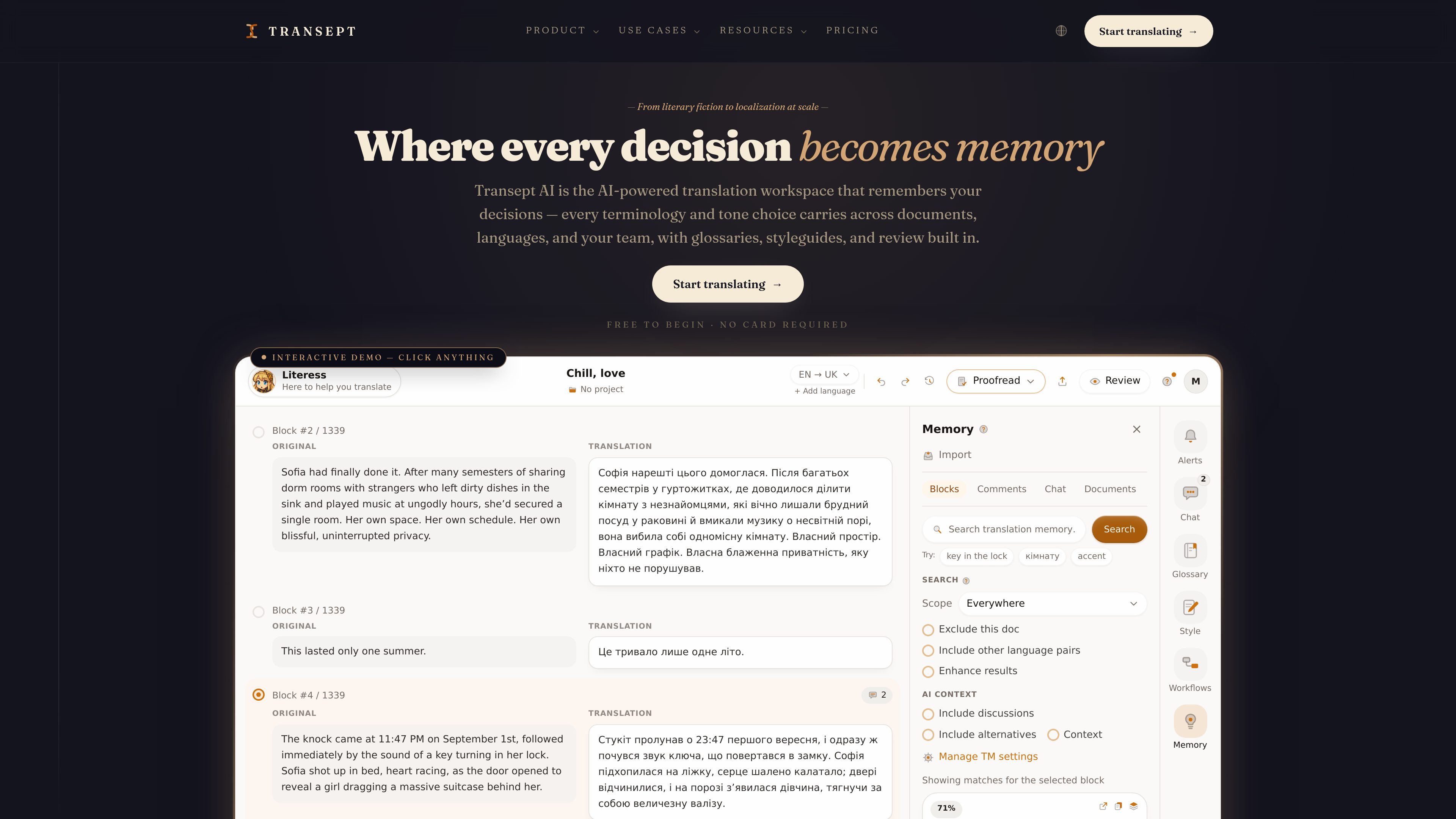
Transept AI is an AI translation workspace built around translation memory, glossaries, styleguides, and review. It is designed to keep terminology and tone consistent across documents, languages, and team members, rather than treating each translation as a one-off task.
The product supports document import, block-based translation, proofread and QA steps, and review workflows for translators, creators, and localization teams. Pricing is self-serve with a free plan, paid monthly plans, and word-based usage that charges only when AI translates a block.
Import DOCX, PDF, MD, TXT, or raw pasted text, then work in a side-by-side editor with content split into blocks for translation and review.
Build a glossary once and apply it per project so terminology stays consistent across long documents and across multiple languages.
Approve translations with the reasoning behind them, so later runs can reuse prior decisions rather than only matching final wording.
Run a sentence-level rewrite with directions such as more formal or keep the metaphor, while your glossary and styleguide continue to steer the output.
Use comments, a clean reading view, and a final proofread pass to catch terminology issues and style deviations before delivery.
Import and export with Notion, Google Drive, TMX, and XLIFF, with support for bringing your own translation memory into the workflow.
Translate books, articles, or other long-form work while keeping terminology, voice, and prior editorial decisions consistent across chapters and revisions.
Localize client content using per-client glossaries and styleguides, then run proofreading and QA before exporting the final version.
Batch translate a backlog or a full project, especially when you need the same tone and terminology applied across many blocks.
Coordinate a shared translation workflow where team members can comment on blocks, review changes, and reuse shared terminology across languages.
Import existing assets such as TMX or XLIFF files and bring your own translation memory into a new workspace instead of starting from scratch.
Yes. The product offers a free plan with 1,500 words per month and no credit card required to get started.
Supported inputs shown on the site include DOCX, PDF, MD, TXT, and pasted raw text. The product then works in a side-by-side editor with block-based translation and review.
Yes. The site says team creation and inviting people are free on every plan, and seats are optional. Paid seats add to a shared word pool on one invoice.
The site describes translation memory, glossaries, styleguides, workflows, QA, import/export, and review. It also notes that manual edits, exports, comments, and review activity are free; words are only spent when a block is translated by AI.
The product supports Standard mode at 1 word per source word and Pro mode at 3 words per source word. Pro is described as a deeper model for nuance, while Standard is described as fast, accurate, and faithful.

Biji - это универсальная платформа, разработанная для повышения продуктивности с помощью инновационных инструментов и функций.

hob is an independent workspace for coding agents that keeps agent sessions, terminals, history, and follow-up work organized around the tools and providers you already use. It is aimed at developers who want local control over routing, history, and workspace structure rather than a bundled model stack.

Dcyde is a decision log for product teams that captures what was decided, the reasoning behind it, and the source in one shared place. It supports pinning decisions from Slack, Figma, or inside Dcyde and keeps the record searchable over time.

runevr is a connected workspace for creative teams that combines boards, media review, chat, recordings, drive, calls, and AI agents in one room-based environment. It is designed to reduce tool switching and keep project context together.

Carbon Voice is an asynchronous voice messaging app for teams and individuals, with transcripts, AI catch-up, and cross-device access. It helps people and agents communicate without needing a live call.

BotBoard is a task-management layer for AI agents that helps teams assign work, track progress, and review output. It supports CLI, MCP, and HTTP connections for tools like OpenClaw, Codex, Claude Code, and Cursor.