
Simple Today / Later / Someday task flow
Instead of a complex project system, the app uses three placement choices: Today, Later, or Someday. That keeps task sorting quick and makes the interface easier to scan.

yatta! Cute To-Do List & Tasks is a minimal iPhone task app that organizes items into Today, Later, or Someday and supports reminders, widgets, and recurring tasks. It is designed for quick capture and offline use without an account.
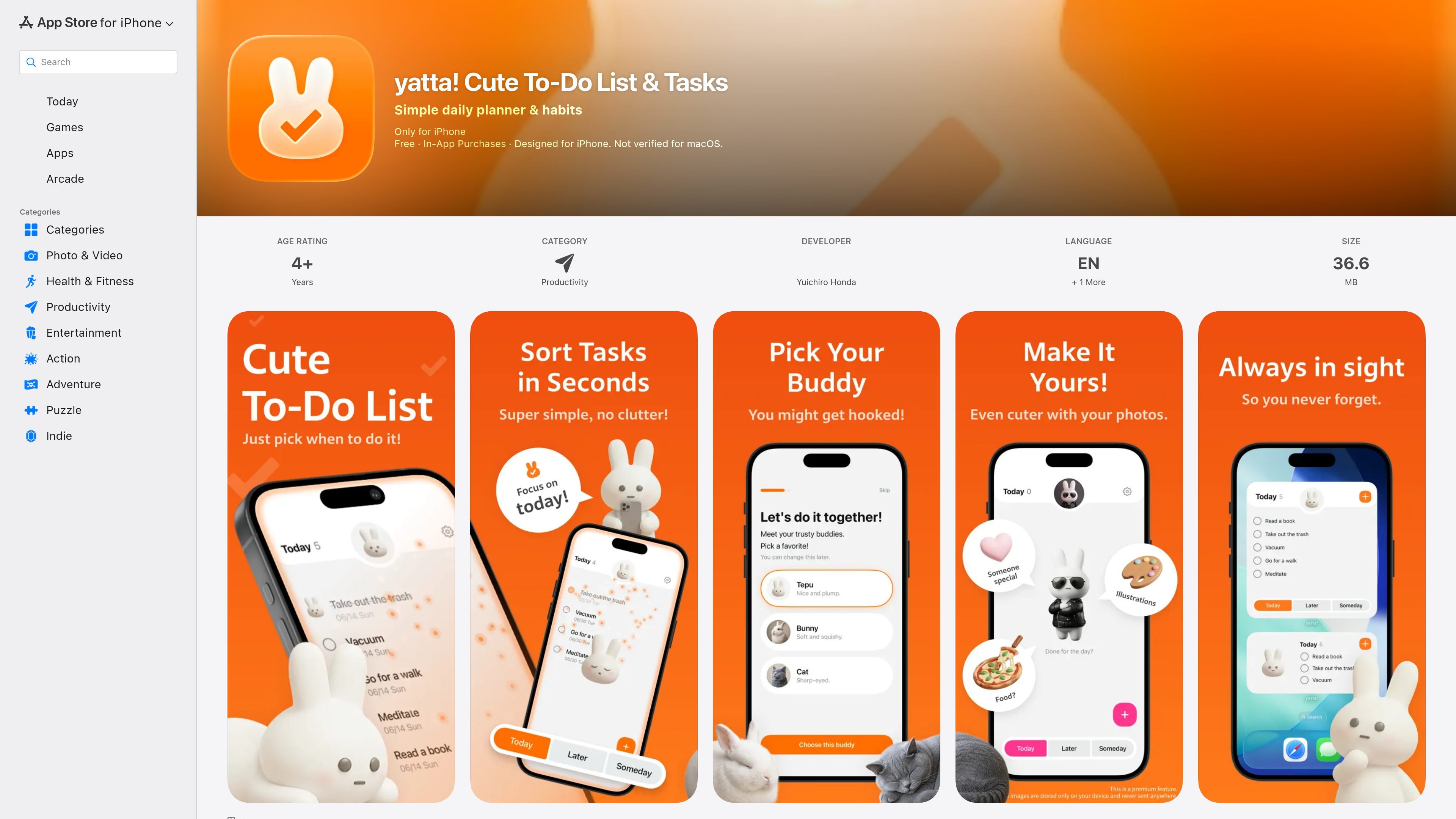
yatta! Cute To-Do List & Tasks is a minimal task manager for iPhone built around a very small set of choices. Instead of project boards, subtasks, or priority systems, it asks you to place each item in Today, Later, or Someday and move on.
The app pairs that stripped-down structure with a cute character that reacts when you finish a task. It also supports Home Screen widgets, reminders, repeating tasks, notes, and offline use, making it suitable for simple daily planning, routines, and quick capture without an account.
Instead of a complex project system, the app uses three placement choices: Today, Later, or Someday. That keeps task sorting quick and makes the interface easier to scan.
The app says you can add a task in about three seconds, which is useful when you want to capture something before you forget it.
A character celebrates when you finish a task, creating a small visual reward tied to task completion.
Home Screen widgets let you view tasks without opening the app, and the large widget can also show the image you set inside the app.
Morning and evening reminders, along with repeating tasks and scheduled notifications, are included to support routines and recurring items.
The app works fully offline, keeps data on the iPhone, and says no account is needed, which keeps the workflow self-contained.
Use the app for grocery lists, chores, or other small personal tasks that benefit from a fast, low-friction list instead of a more complex planner.
Keep medication schedules, watering reminders, or similar recurring habits in one place using repeating tasks and scheduled notifications.
Sort school or work tasks into Today, Later, and Someday when you want a simple way to decide what needs attention now versus what can wait.
Use Home Screen widgets to keep tasks visible throughout the day so items stay top of mind without opening the app.
The app centers on a very simple Today / Later / Someday workflow. The source description also says you can set a specific date and time for tasks, import items from Apple Reminders, add notes, and use repeating tasks with scheduled notifications.
The product page says yatta! is free to download and includes in-app purchases. The listed purchases are yatta! Premium Monthly, Yearly, and Lifetime plans.
Yes. The source states that repeating tasks and scheduled notifications are free, and the app also offers morning and evening reminders.
Yes. The app page says it works fully offline and that all data stays on your iPhone. It also says no account is needed.
The source says yatta! is designed for iPhone and requires iOS 17.0 or later. The App Store listing also shows compatibility with Mac running macOS 14.0 or later with Apple M1 chip or later, and with Apple Vision on visionOS 1.0 or later.

Goldfish is an AI memory app for macOS that helps you reply, write, summarize, and continue using the context already on your Mac. It stores memory locally and writes in your tone.

Biji - это универсальная платформа, разработанная для повышения продуктивности с помощью инновационных инструментов и функций.

Liam is an AI copilot for managing inboxes, writing replies, prioritizing email, and scheduling meetings. It is offered free for individuals, with custom pricing for teams and enterprise.

Gemma AI is a phone call reminder app that calls you with scheduled reminders instead of push notifications. It helps people who want a more direct way to stay on schedule, with Google Calendar sync and conversational call interactions.

ClawTick is an AI agent automation platform for scheduling jobs from the CLI, dashboard, or REST API. It is aimed at developers and teams running LangChain, CrewAI, webhook, or custom agent workflows that need monitoring, alerts, and logs.

Redline is a budgeting tool for Claude Code that paces sessions to stay within time, token, cost, or plan-percentage limits. It uses Claude Code’s native hooks and statusline to help sessions finish with a usable result instead of stopping abruptly.