
URL and video ID extraction
Paste a YouTube URL or video ID and extract transcript text from caption data in seconds. The home page says it works with standard URLs, shortened links, and raw video IDs.

YouTubeTranscript.dev converts YouTube videos into text from captions or AI audio transcription, with exports in TXT, SRT, VTT, and JSON. It also supports translation, playlist and channel workflows, and an API for developers and automation.
YouTubeTranscript.dev is a YouTube transcript extractor and video-to-text tool. It pulls transcript data from YouTube captions when they are available, and it can use AI speech recognition to transcribe the audio when captions are missing.
The product is designed for people who need transcripts quickly and in usable formats. The site highlights instant extraction, downloadable TXT/SRT/VTT/JSON exports, translation into 100+ languages, and API access for developers and automation workflows.
Paste a YouTube URL or video ID and extract transcript text from caption data in seconds. The home page says it works with standard URLs, shortened links, and raw video IDs.
When captions are unavailable, the product can transcribe the video's audio track with AI. The site positions this as a fallback for videos without subtitles.
Download transcripts in TXT, SRT, VTT, or JSON, with timestamps included. This supports both simple reading and subtitle-style workflows.
Translate transcripts into more than 100 languages from the product interface. The site presents translation as a one-click workflow.
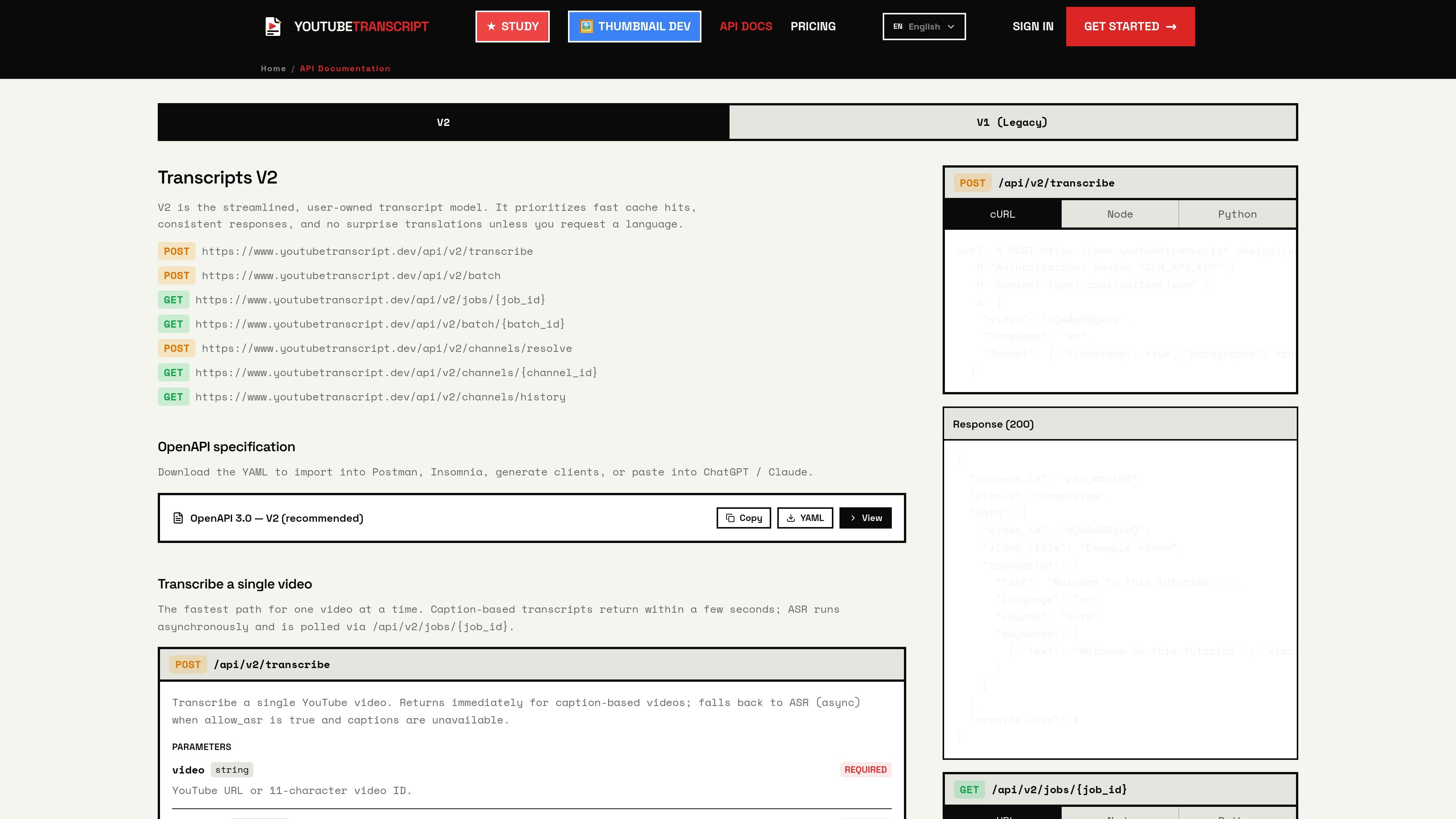
Use the API for single videos, batches, and channel-based workflows. The docs show `/api/v2/transcribe`, `/api/v2/batch`, channel resolution, and webhook callbacks.
Work with richer transcript outputs such as word-level timestamps, paragraphs, and segment data. The API docs also mention a viewer with synced subtitle overlays and other transcript tools.
Turn a single YouTube video into text for reading, quoting, or repurposing into notes and drafts.
Process playlists or channels in bulk when you need transcripts for a course, series, or content archive.
Generate subtitle files or structured transcript data for editing, publishing, or downstream tools.
Translate a transcript into another language to make video content easier to read or localize.
Integrate transcript extraction into apps, scripts, or automations using the API, webhooks, or supported tooling.
It extracts transcripts from YouTube videos by reading available caption data first. If captions are missing, it can fall back to AI speech recognition to transcribe the video's audio track.
The free plan lets you extract up to 10 YouTube transcripts without a credit card.
Exports are available in TXT, SRT, VTT, and JSON, and the transcripts include timestamps.
Yes. The service supports translation into 100+ languages.
The API documentation shows sync and async transcription flows, batch processing, channel resolution, webhooks, and MCP, SDK, and automation options such as Make.com and n8n.

Pewbeam is a church presentation app that listens to sermons, detects Bible verse references in real time, and displays the matching passage on screen. It is built for pastors, projection teams, and church media volunteers who want to reduce manual slide control during live services.

Hype is a web tool for finding trending YouTube topics by category, time range, and scoring mode. It helps creators spot emerging ideas, inspect source videos, and decide what to cover next.

Tactiq is an AI note taker for Google Meet, Zoom, and Microsoft Teams that transcribes meetings live and turns them into summaries, action items, and follow-up outputs. It is built around a Chrome extension and supports team workflows through sharing and integrations.

CAMB.AI Streams dubs live audio in multiple languages in real time for broadcasts on platforms like YouTube, Twitch, and X. It plugs into existing live workflows using common streaming protocols and avoids a post-production step.

VForms lets you place questionnaires directly inside YouTube videos so viewers answer in context instead of switching to a separate form. It is aimed at collecting feedback and insights through timestamped, embeddable video forms.

TubeKit turns public YouTube videos and playlists into AI-powered tools that creators can customize and share. It is free to try and requires no signup for the initial workflow.