
Import from multiple starting points
Start from raw notes, outlines, meeting docs, or an existing deck and pull them into a single presentation.

Chronicle is an AI presentation maker for teams that need to turn notes, docs, or existing decks into polished business presentations. It supports AI slide generation, brand controls, collaboration, and export to PPT, PDF, or a published website.
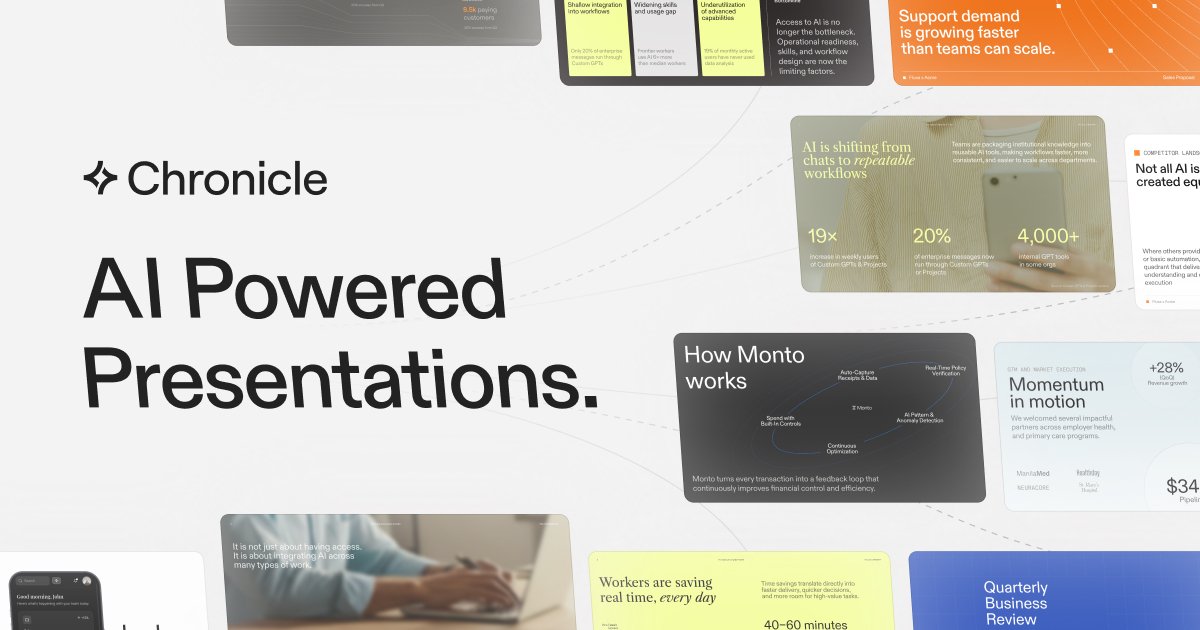
Chronicle is an AI presentation maker for creating professional slide decks, pitches, reports, and updates. It is positioned for teams that need to turn raw material into polished presentations without starting from a blank canvas.
The product combines AI generation with a freeform editing canvas, brand controls, and multiple output options. Users can begin with notes, documents, or an existing deck, generate slides, refine them with AI, and then export to PowerPoint, PDF, or a published website.
Start from raw notes, outlines, meeting docs, or an existing deck and pull them into a single presentation.
Generate polished slides from a prompt or brief, with professional diagrams and visuals and a design system that keeps the deck on brand.
Refine content interactively on a freeform canvas, which Chronicle positions as more flexible than one-shot generation tools.
Control fonts, colors, and visual rules so teams can keep presentations consistent across slides and across users.
Share work, manage permissions, collaborate in a shared workspace, and use guest editors on paid plans.
Export to PPT, PDF, and website formats, with social exports also listed on the pricing page.
Turn meeting notes, outlines, or a rough brief into a presentation without rebuilding the deck from scratch.
Create pitch decks, proposals, and board-ready updates where layout consistency and presentation quality matter.
Keep teams aligned on fonts, colors, and slide rules when multiple people are producing presentations in the same workspace.
Refine slides iteratively by editing on a freeform canvas and using AI to adjust content instead of regenerating the whole deck.
Share finished work in the format that fits the audience, whether that is a PPT file, PDF, or published website.
Chronicle is set up to turn raw notes, outlines, meeting docs, or existing decks into a presentation. The pricing page also shows a Free plan with document and widget limits plus paid Pro, Plus, and Max plans.
Yes. Chronicle can export presentations to PPT and PDF, and it can also publish a presentation as a website. The Free plan includes export to PDF and socials, while Plus includes export to PPT.
Chronicle is designed for teams, with features such as shared workspaces, permissions, shared templates, consolidated billing, and guest editors on paid plans.
The pricing page says Chronicle uses tokens to measure AI feature usage. Examples given include remixing, generating presentations, and rewriting content, and token counts vary by plan.
Chronicle does not present a separate integrations page in the provided sources. The homepage does say users can embed hundreds of tools they already use, but specific integrations are not listed here.

Goldfish is an AI memory app for macOS that helps you reply, write, summarize, and continue using the context already on your Mac. It stores memory locally and writes in your tone.

ArtDeck is a visual reference board app for iPhone, iPad, and Mac that lets artists collect mixed reference material on one canvas and study it with ToolBox lenses. It works offline, supports optional iCloud sync, and is sold as a one-time purchase with no account required.

Biji es una plataforma versátil diseñada para mejorar la productividad a través de herramientas y características innovadoras.

Malyatko is a baby tracker for logging feeding, sleep, growth, teething, and milestones in one app. It works on iPhone, Apple Watch, and widgets, with no sign-up, offline use, and family sharing through iCloud.

Slidesgo is a presentation template platform for Google Slides, PowerPoint, and selected Canva workflows. It offers free and Premium templates, plus AI-assisted presentation creation and team-friendly access options.

Redline is a budgeting tool for Claude Code that paces sessions to stay within time, token, cost, or plan-percentage limits. It uses Claude Code’s native hooks and statusline to help sessions finish with a usable result instead of stopping abruptly.