
System-audio question capture
The app listens to interviewer audio from the computer’s system-audio path and keeps the user’s microphone out of its input stream.

EnterviewGo is a desktop AI interview copilot for macOS and Windows that listens to interviewer audio, detects questions, and suggests responses grounded in the user’s resume. It is designed for behavioural, technical, coding, system-design and phone-screen interviews, with controls to correct, regenerate or dismiss answers.
EnterviewGo is a desktop AI interview copilot for macOS and Windows. It takes the interviewer’s audio through system audio, identifies questions after the interviewer finishes speaking, and displays a suggested response in a separate on-screen overlay. The stated purpose is to help candidates express their own projects, skills and experience during a live interview rather than search for generic answers.
The response pipeline starts with an uploaded resume. EnterviewGo retrieves relevant experience for each detected question and presents a short, natural-sounding answer with key terms marked for quick reading. The product says the microphone is not captured by the copilot, and it supports controls for correcting questions, forcing or regenerating answers, and dismissing suggestions. The site presents behavioural interviews, technical discussions, system-design conversations, phone screens and coding rounds as supported contexts, while noting that users should check whether interview assistance is allowed.
The app listens to interviewer audio from the computer’s system-audio path and keeps the user’s microphone out of its input stream.
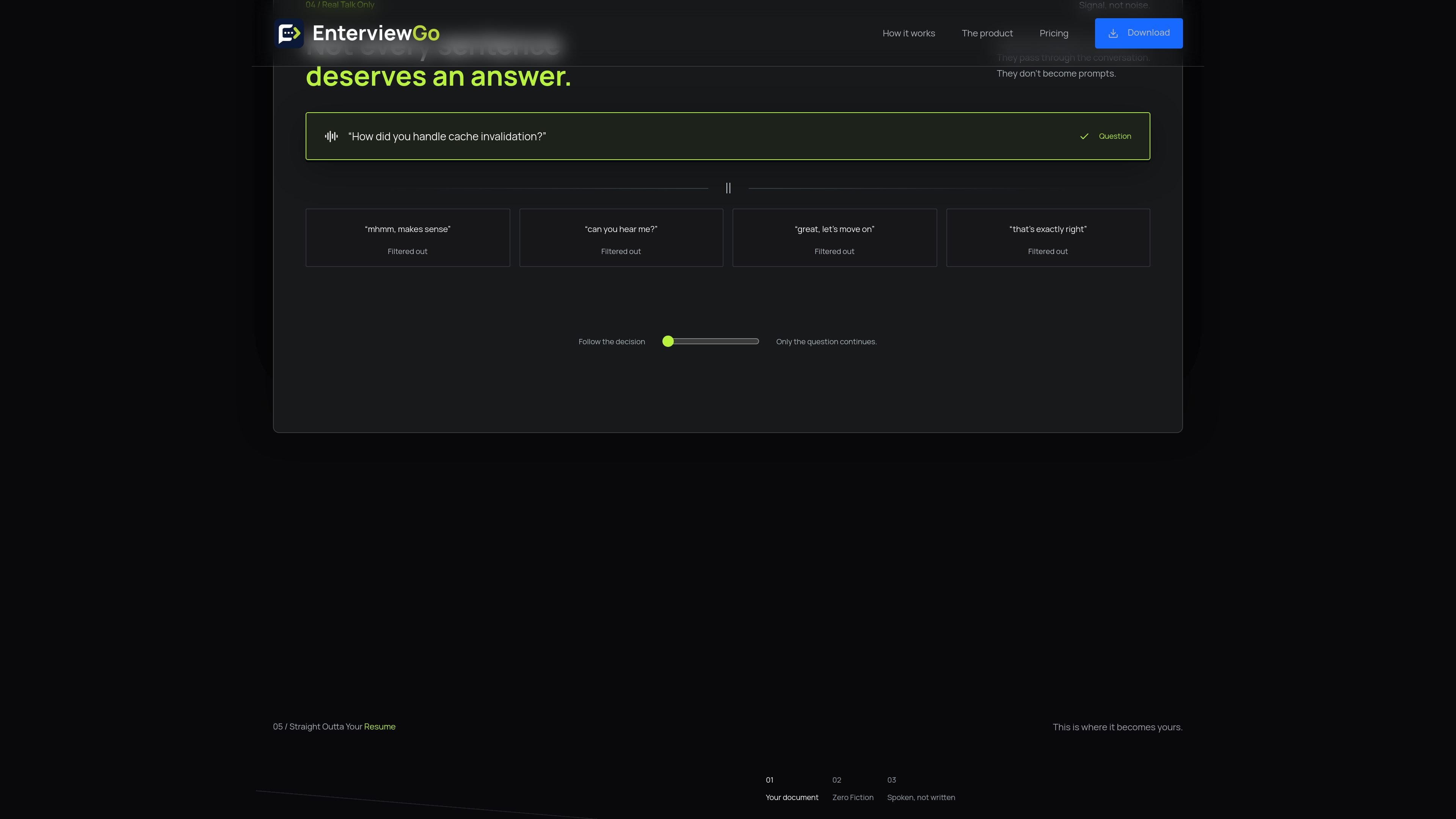
Turn detection waits for the interviewer to finish and filters small talk, agreement, logistics and other non-question remarks before generating a prompt.
A resume is uploaded once, then relevant projects, stack and experience are retrieved for each question so responses stay tied to the user’s stated background.
Responses are displayed in an overlay designed to remain available while the user is on Zoom, Google Meet, Microsoft Teams, an editor or a coding platform such as LeetCode or HackerRank.
Users can force an answer, edit and resend a misheard question, regenerate or reword a response, or dismiss the suggestion when it is not useful.
The desktop app saves each session as a transcript that can be read back after the call.
During a behavioural interview, the candidate can use retrieved project and employer history to structure concise answers about past work, while keeping the response tied to information in the resume.
For coding rounds and technical deep-dives, the overlay can provide a response based on the candidate’s stated stack and experience while they work in a coding environment such as LeetCode or HackerRank.
In system-design discussions, the candidate can use the question-specific suggestion as a prompt for explaining architecture or prior technical decisions from their own background rather than relying on a generic script.
For phone screens and remote meetings, the desktop overlay is intended to sit alongside the call, with controls available when a question is missed, a term is transcribed incorrectly or a suggestion needs to be regenerated.
EnterviewGo runs as a desktop app on macOS and Windows. The install guide says setup takes about two minutes. macOS users may need to remove the quarantine attribute from the app in Terminal if the unsigned-app warning appears, then grant Panel Screen & System Audio Recording permission. Windows users may need to continue past SmartScreen using the documented More info and Run anyway steps.
The copilot uses the interviewer’s audio from the computer’s system-audio path. The product states that your microphone is not an input to the copilot, and that the interviewer’s question is transcribed after the interviewer finishes speaking.
Upload your resume once. For each question, the system retrieves relevant projects, technologies and experience from it and uses that material to draft the response. The product cautions that suggestions are not guaranteed to be perfect, so you should review the answer and only say what you can defend.
The desktop app provides controls to force an answer, edit a misheard question and resend it, regenerate or reword a response, and dismiss it. Suggested answers are presented in a separate overlay intended for the user to read while continuing the interview.
The site says capture exclusion was verified during live screen sharing in Zoom, Google Meet and Microsoft Teams on macOS and Windows in September 2026. It also states that recordings, screenshot tools and other setups were not part of that testing, so users should verify their own configuration. The product advises asking whether interview assistance is permitted and following disclosure requirements.

HiringPartner.ai is an autonomous AI recruiting platform for sourcing, screening, and interviewing candidates 24/7. It supports ATS-connected workflows, bulk resume uploads, and reviewable interview outputs for hiring teams.

SelectPrism is an agentic AI hiring platform for high-volume recruiting teams. It automates screening, scheduling, first-round interviews, and structured evaluation to help teams move candidates through hiring with less manual coordination.

UserCall’s Research Triggers lets teams invite users into short AI-moderated interviews at key product moments such as signup, onboarding drop-off, cancellation, or checkout abandonment. It helps product, research, and insights teams capture contextual feedback while the experience is still fresh.

HireKey is a recruiter-informed job search platform for professionals applying to competitive roles. It combines role-fit analysis, resume tailoring, interview practice with an AI voice coach, company research, cover letters, and application tracking in one workspace.

Mockin is an AI career toolkit for UX/UI and Product Designers that combines resume checking, portfolio review, LinkedIn checking, job matching, and mock interview practice. It helps users improve application materials and practice structured interview answers before applying or interviewing.

Decode AI Moderator runs qualitative interviews with AI that adapts questions in real time, detects emotion from multiple signals, and produces structured session insights quickly. It is aimed at research, UX, and insight teams that want moderated interviews without a human moderator for every session.